> ## Documentation Index
> Fetch the complete documentation index at: https://docs.cube.dev/llms.txt
> Use this file to discover all available pages before exploring further.
# SingleStore
> SingleStore is a distributed SQL database that offers high-throughput transactions (inserts and upserts) and low-latency analytics.
[SingleStore][link-singlestore] is a distributed SQL database that offers
high-throughput transactions (inserts and upserts) and low-latency analytics.
Available on the [Enterprise plan](https://cube.dev/pricing).
[Contact us](https://cube.dev/contact) for details.
## Setup
When creating a new deployment in Cube Cloud, at the **Set up a database
connection** step, choose **SingleStore**.
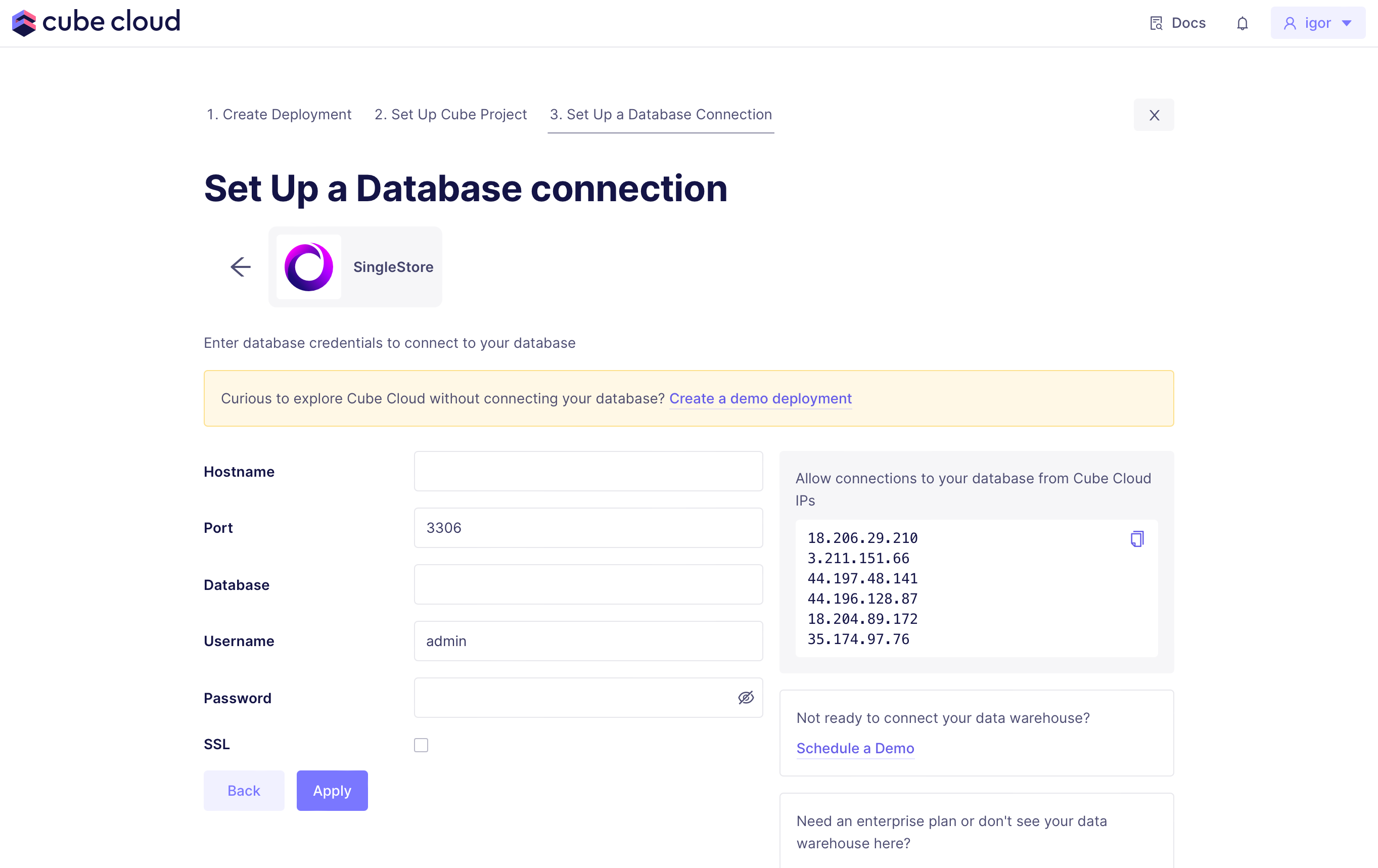 Then, provide credetials: host name, database name, user name (`admin` by
default), and password.
### Host name
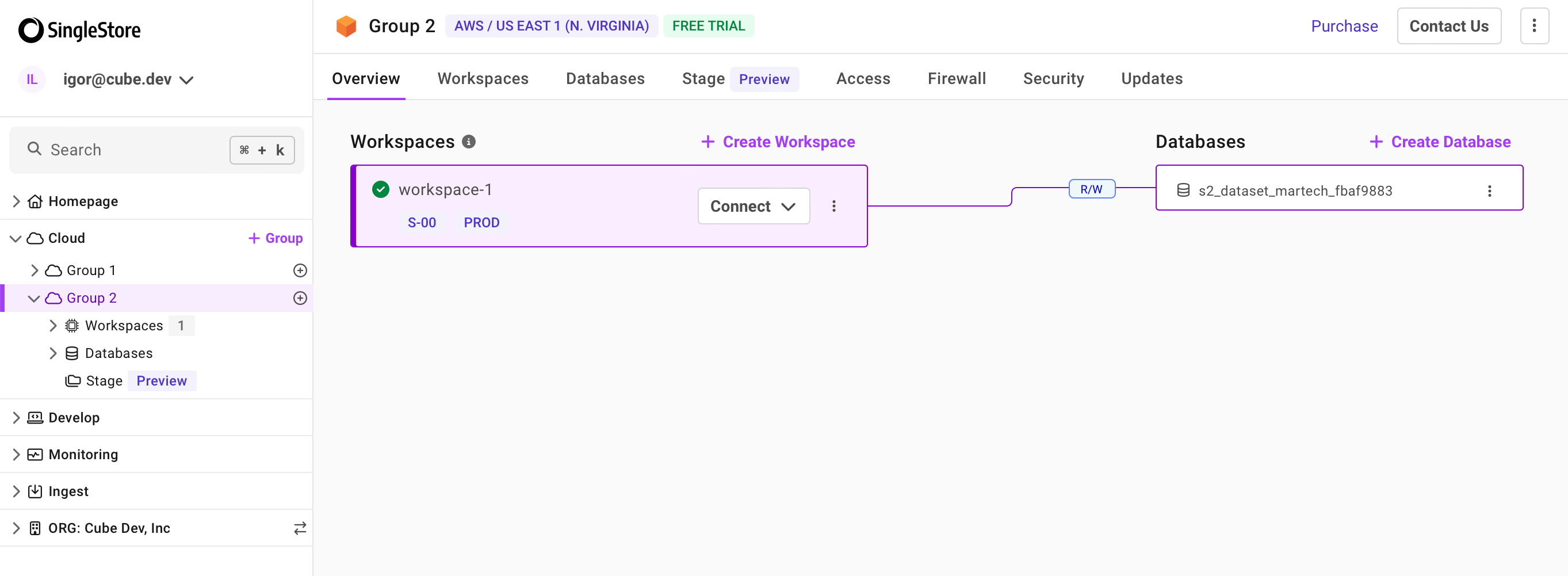
To obtain the host name, navigate to the necessary group and workspace
in the side bar, then click **Connect** and choose **CLI client**:
Then, provide credetials: host name, database name, user name (`admin` by
default), and password.
### Host name
To obtain the host name, navigate to the necessary group and workspace
in the side bar, then click **Connect** and choose **CLI client**:
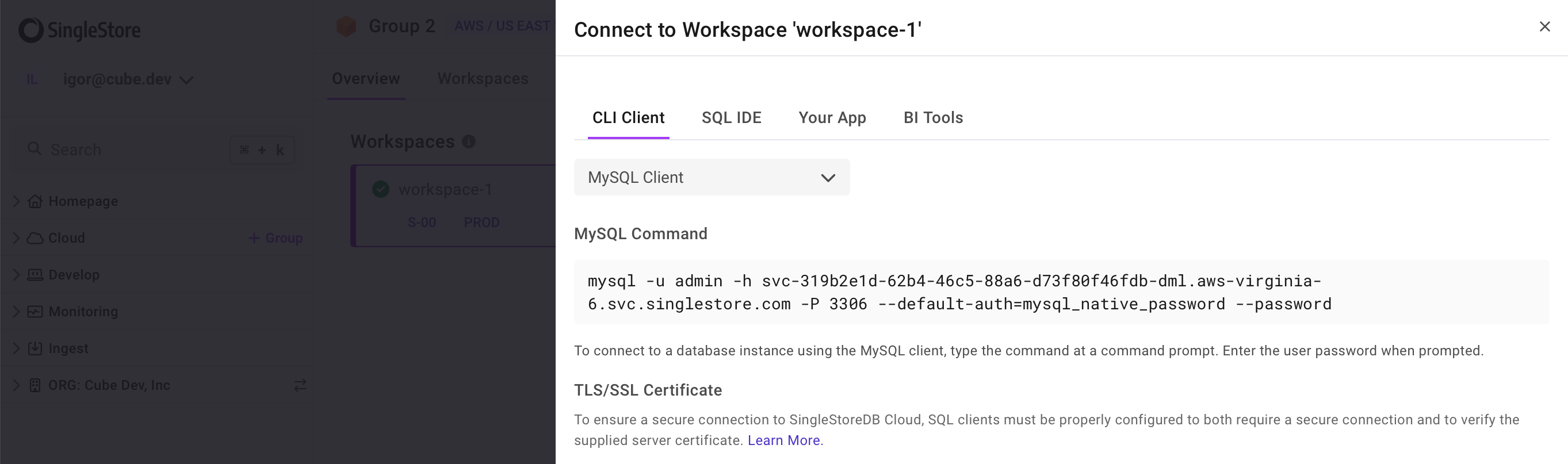
 On the **Connect to Workspace** page, you can find the host name
(`svc--dml..svc.singlestore.com`):
On the **Connect to Workspace** page, you can find the host name
(`svc--dml..svc.singlestore.com`):
 ### Database name
To obtain the database name, navigate to the necessary group and workspace
in the side bar. You'll see databases on the right:
### Password
You have set the password when creating the workspace. If you'd like to reset
the password, navigate to the **Access** tab within your workspace.
## Pre-Aggregation Feature Support
### count\_distinct\_approx
Measures of type
[`count_distinct_approx`][ref-schema-ref-types-formats-countdistinctapprox] can
not be used in pre-aggregations when using SingleStore as a source
database.
## Pre-Aggregation Build Strategies
To learn more about pre-aggregation build strategies, [head
here][ref-caching-using-preaggs-build-strats].
| Feature | Works with read-only mode? | Is default? |
| ------------- | :------------------------: | :---------: |
| Simple | ✅ | ✅ |
| Batching | - | - |
| Export Bucket | - | - |
By default, SingleStore uses a [simple][self-preaggs-simple] strategy
to build pre-aggregations.
### Simple
No extra configuration is required to configure simple pre-aggregation builds
for SingleStore.
### Batching
SingleStore does not support batching.
### Export Bucket
SingleStore does not support export buckets.
[link-singlestore]: https://www.singlestore.com
[ref-caching-using-preaggs-build-strats]: /docs/pre-aggregations/using-pre-aggregations#pre-aggregation-build-strategies
[ref-schema-ref-types-formats-countdistinctapprox]: /reference/data-modeling/measures#type
[self-preaggs-simple]: #simple
### Database name
To obtain the database name, navigate to the necessary group and workspace
in the side bar. You'll see databases on the right:
### Password
You have set the password when creating the workspace. If you'd like to reset
the password, navigate to the **Access** tab within your workspace.
## Pre-Aggregation Feature Support
### count\_distinct\_approx
Measures of type
[`count_distinct_approx`][ref-schema-ref-types-formats-countdistinctapprox] can
not be used in pre-aggregations when using SingleStore as a source
database.
## Pre-Aggregation Build Strategies
To learn more about pre-aggregation build strategies, [head
here][ref-caching-using-preaggs-build-strats].
| Feature | Works with read-only mode? | Is default? |
| ------------- | :------------------------: | :---------: |
| Simple | ✅ | ✅ |
| Batching | - | - |
| Export Bucket | - | - |
By default, SingleStore uses a [simple][self-preaggs-simple] strategy
to build pre-aggregations.
### Simple
No extra configuration is required to configure simple pre-aggregation builds
for SingleStore.
### Batching
SingleStore does not support batching.
### Export Bucket
SingleStore does not support export buckets.
[link-singlestore]: https://www.singlestore.com
[ref-caching-using-preaggs-build-strats]: /docs/pre-aggregations/using-pre-aggregations#pre-aggregation-build-strategies
[ref-schema-ref-types-formats-countdistinctapprox]: /reference/data-modeling/measures#type
[self-preaggs-simple]: #simple