> ## Documentation Index
> Fetch the complete documentation index at: https://docs.cube.dev/llms.txt
> Use this file to discover all available pages before exploring further.
# ThoughtSpot
> ThoughtSpot is an analytics platform that allows users to search and analyze data using a search interface.
[ThoughtSpot][thoughtspot] is an analytics platform that allows users to search and
analyze data using a search interface.
## Connect from Cube Cloud
Navigate to the [Integrations](/admin/connect-to-data/visualization-tools)
page, click **Connect to Cube**, and choose **ThoughtSpot** to get
detailed instructions.
## Connect from Cube Core
You can connect a Cube deployment to ThoughtSpot using the [SQL API][ref-sql-api].
In Cube Core, the SQL API is disabled by default. Enable it and [configure
the credentials](/reference/core-data-apis/sql-api#configuration) to
connect to ThoughtSpot.
## Connecting from ThoughtSpot
ThoughtSpot connects to Cube as an Amazon Redshift database.
### Creating a connection
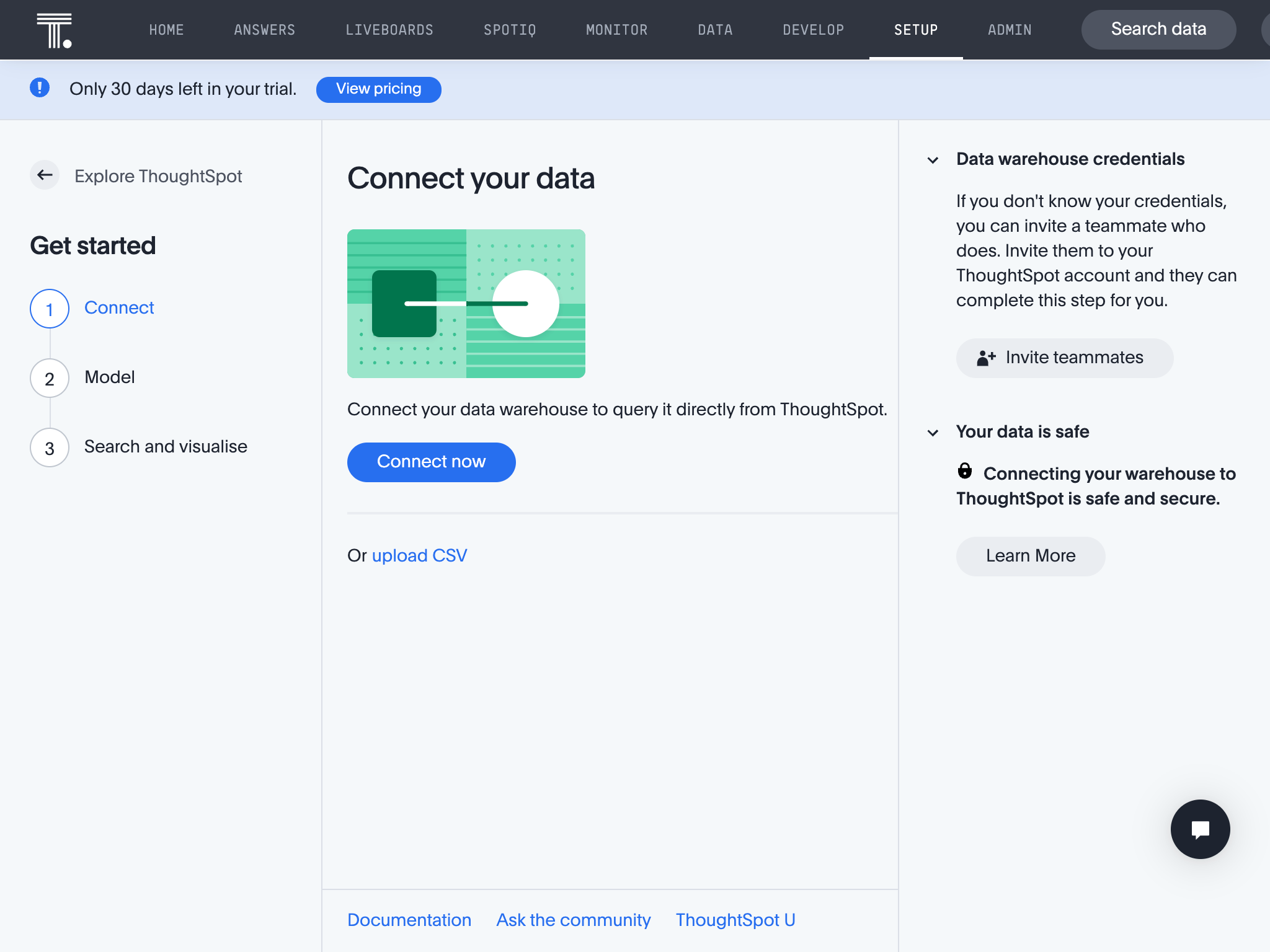
In Thoughtspot, go to the Setup tab, then click **Connect now** to add a new
data source:
 Enter a name for the data source, choose **Amazon Redshift** as the data
warehouse and click **Continue** in the header.
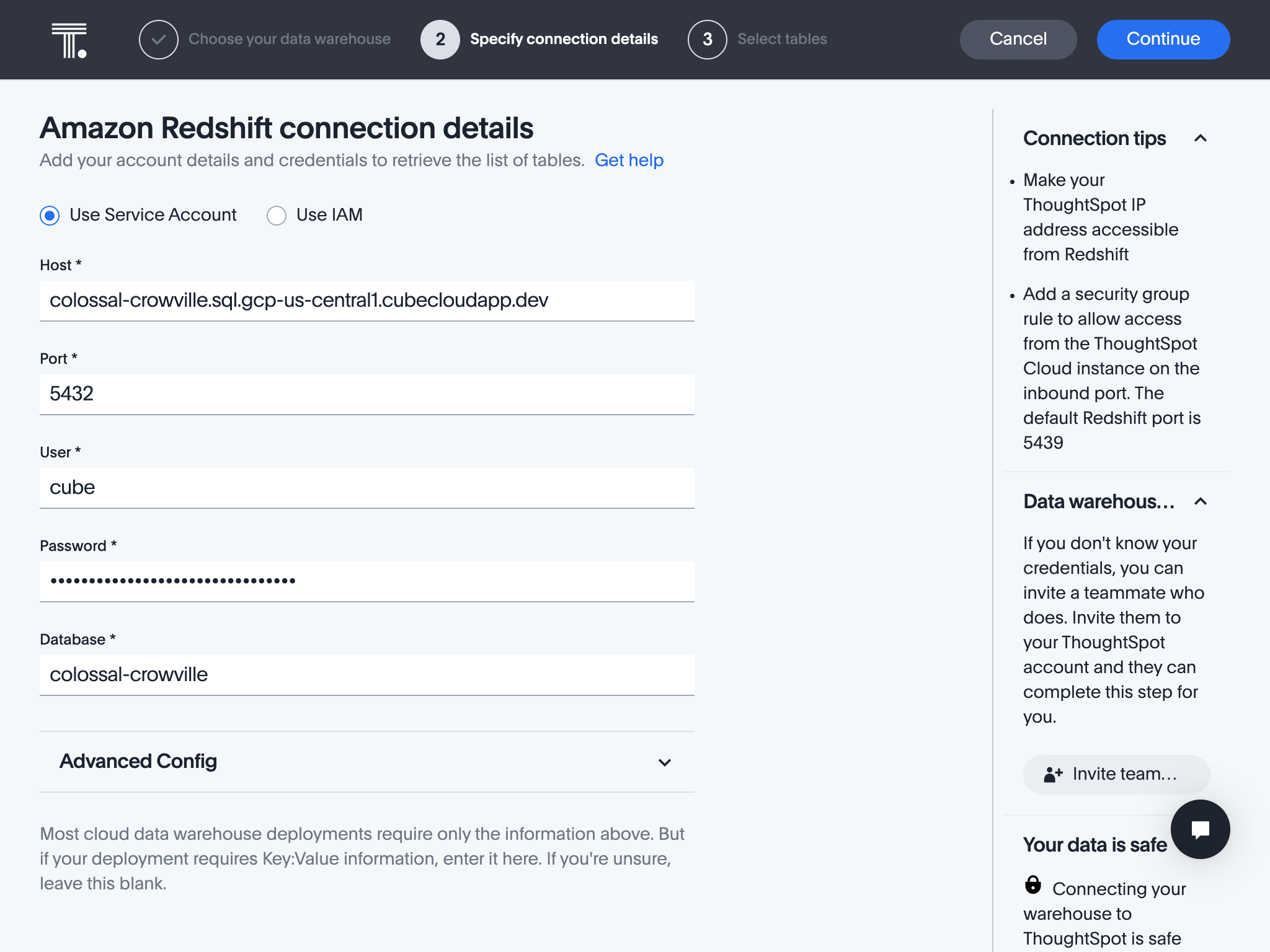
Enter credentials from the previous step and click **Continue**:
Enter a name for the data source, choose **Amazon Redshift** as the data
warehouse and click **Continue** in the header.
Enter credentials from the previous step and click **Continue**:
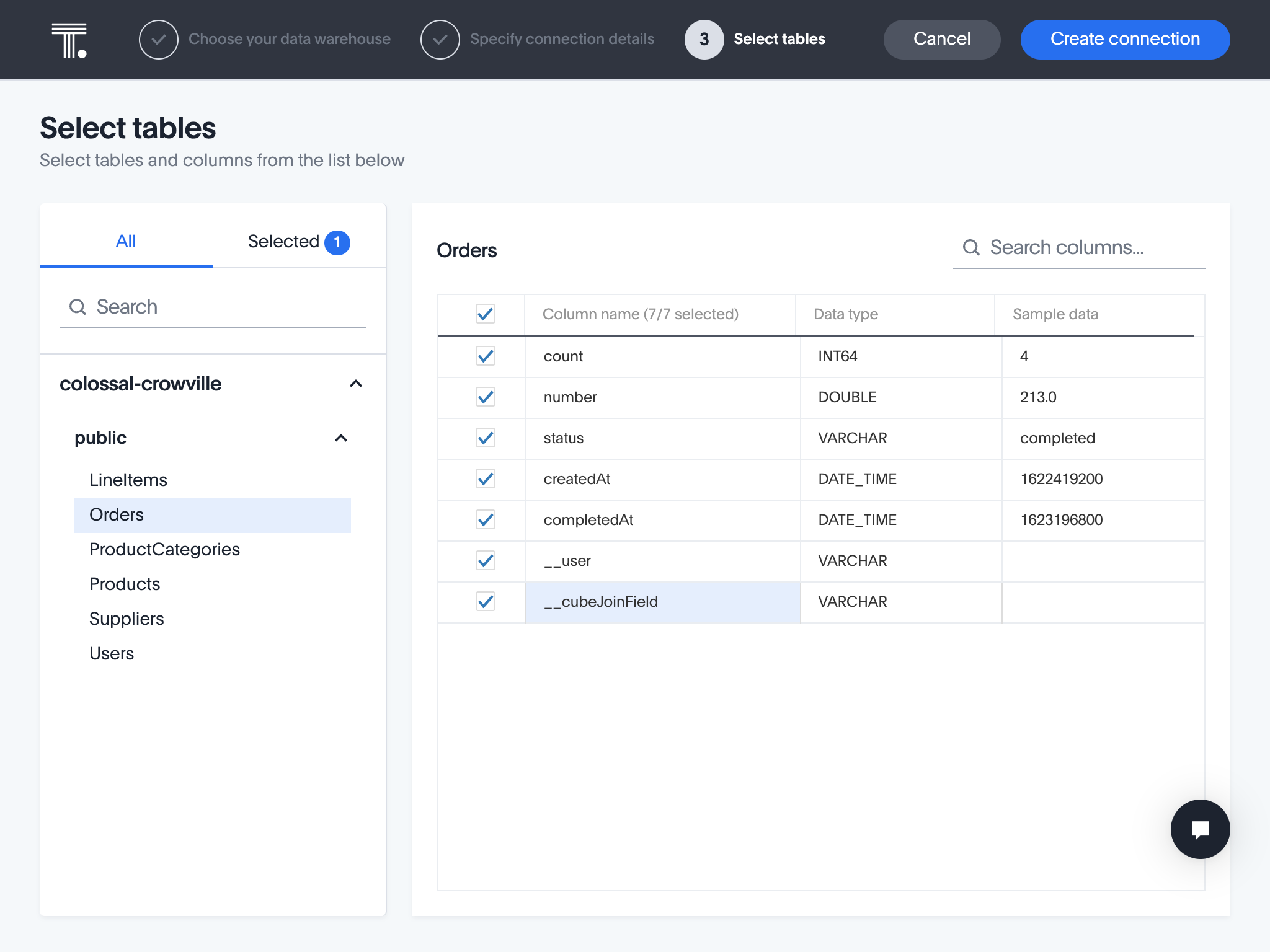
 Select columns from the desired cubes and click **Create Connection** on the
next screen:
Select columns from the desired cubes and click **Create Connection** on the
next screen:
 ### Querying data
Your cubes will be exposed as tables, where both your measures and dimensions
are columns.
[ref-sql-api]: /reference/core-data-apis/sql-api
[thoughtspot]: https://www.thoughtspot.com/
### Querying data
Your cubes will be exposed as tables, where both your measures and dimensions
are columns.
[ref-sql-api]: /reference/core-data-apis/sql-api
[thoughtspot]: https://www.thoughtspot.com/