> ## Documentation Index
> Fetch the complete documentation index at: https://docs.cube.dev/llms.txt
> Use this file to discover all available pages before exploring further.
# Custom domains
> Maps your own DNS hostname to Cube Cloud deployment APIs using the custom domain flow and required CNAME records.
By default, Cube Cloud deployments and their API endpoints use auto-generated
anonymized domain names, e.g., `emerald-llama.gcp-us-central1.cubecloudapp.dev`.
You can also assign a custom domain to your deployment.
Available on [Premium and above plans](https://cube.dev/pricing).
To set up a custom domain, go to your deployment's settings page. Under
the **Custom Domain** section, type in your custom domain and
click **Add**:
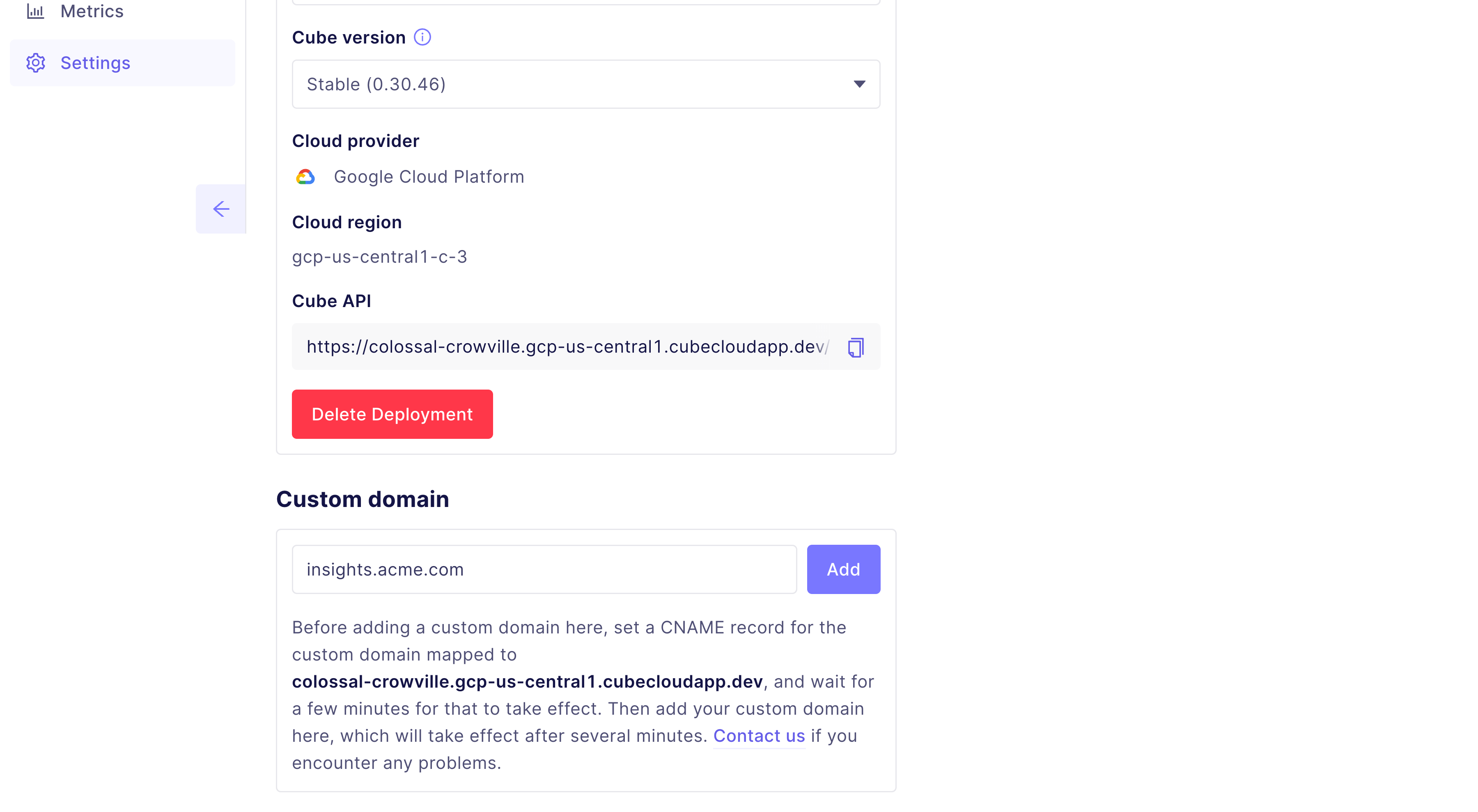 After doing this, copy the provided domain and add the following `CNAME` records
to your DNS provider:
| Name | Value |
| ------------- | ------------------------------------------- |
| `YOUR_DOMAIN` | The copied value from Cube Cloud's settings |
Using the example subdomain from the screenshot, a `CNAME` record for `acme.dev`
would look like:
| Name | Value |
| ---------- | ----------------------------------------------------- |
| `insights` | `colossal-crowville.gcp-us-central1.cubecloudapp.dev` |
DNS changes can sometimes take up to 15 minutes to propagate, please wait at
least 15 minutes and/or try using another DNS provider to verify the `CNAME`
record correctly before raising a new support ticket.
After doing this, copy the provided domain and add the following `CNAME` records
to your DNS provider:
| Name | Value |
| ------------- | ------------------------------------------- |
| `YOUR_DOMAIN` | The copied value from Cube Cloud's settings |
Using the example subdomain from the screenshot, a `CNAME` record for `acme.dev`
would look like:
| Name | Value |
| ---------- | ----------------------------------------------------- |
| `insights` | `colossal-crowville.gcp-us-central1.cubecloudapp.dev` |
DNS changes can sometimes take up to 15 minutes to propagate, please wait at
least 15 minutes and/or try using another DNS provider to verify the `CNAME`
record correctly before raising a new support ticket.