> ## Documentation Index
> Fetch the complete documentation index at: https://docs.cube.dev/llms.txt
> Use this file to discover all available pages before exploring further.
# Encryption keys
> The Encryption Keys page in Cube Cloud allows to manage data-at-rest encryption in Cube Store.
Available on the [Enterprise plan](https://cube.dev/pricing).
Also requires the M [Cube Store Worker tier](/admin/account-billing/pricing#cube-store-worker-tiers).
Navigate to **Settings → Encryption Keys** in your Cube Cloud deployment
to [provide](#add-a-key), [rotate](#rotate-a-key), or [drop](#drop-a-key)
your own customer-managed keys (CMK) for Cube Store.
## Customer-managed keys for Cube Store
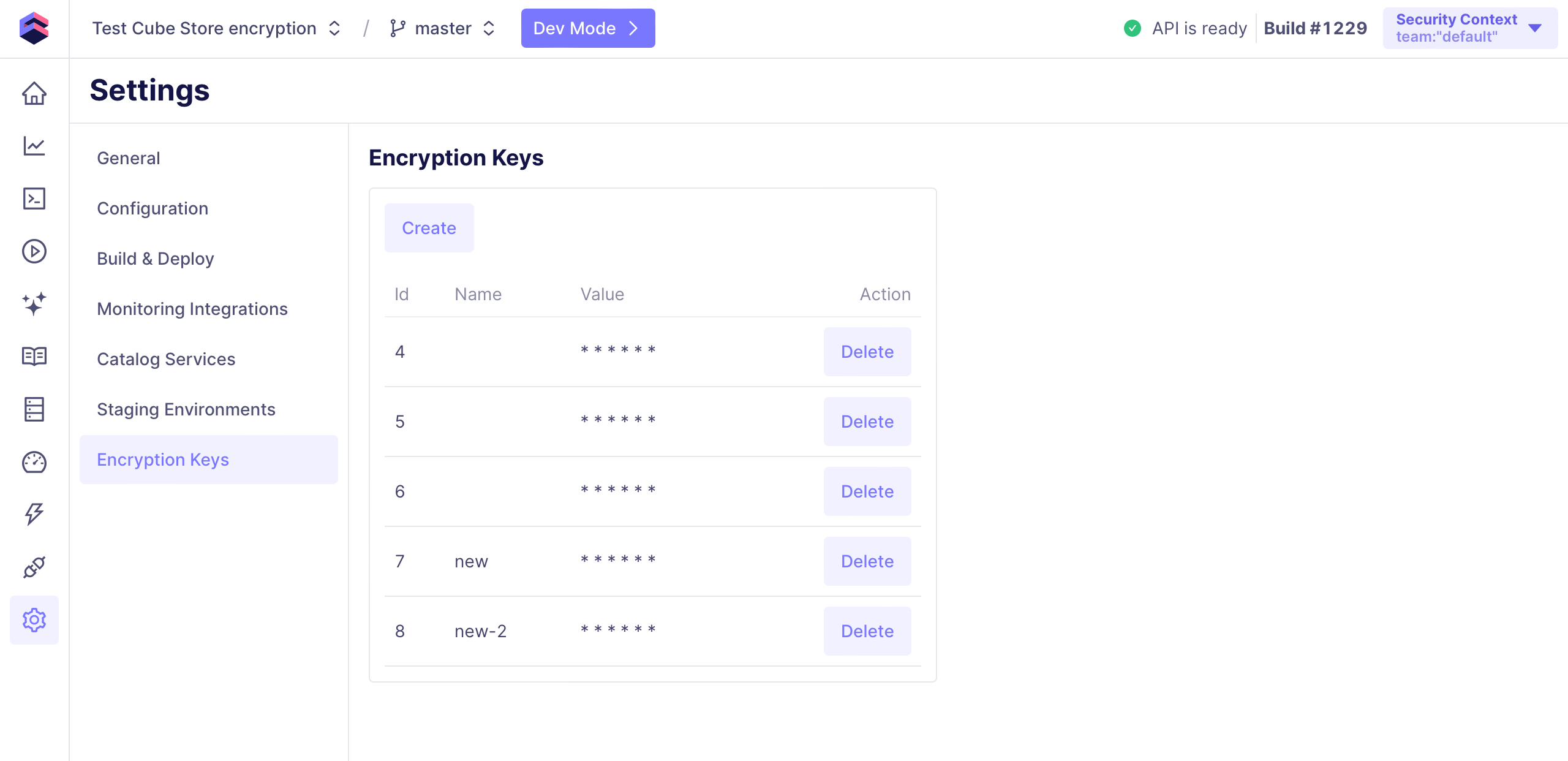
On the **Encryption Keys** page, you can see all previously provided keys:
 ### Add a key
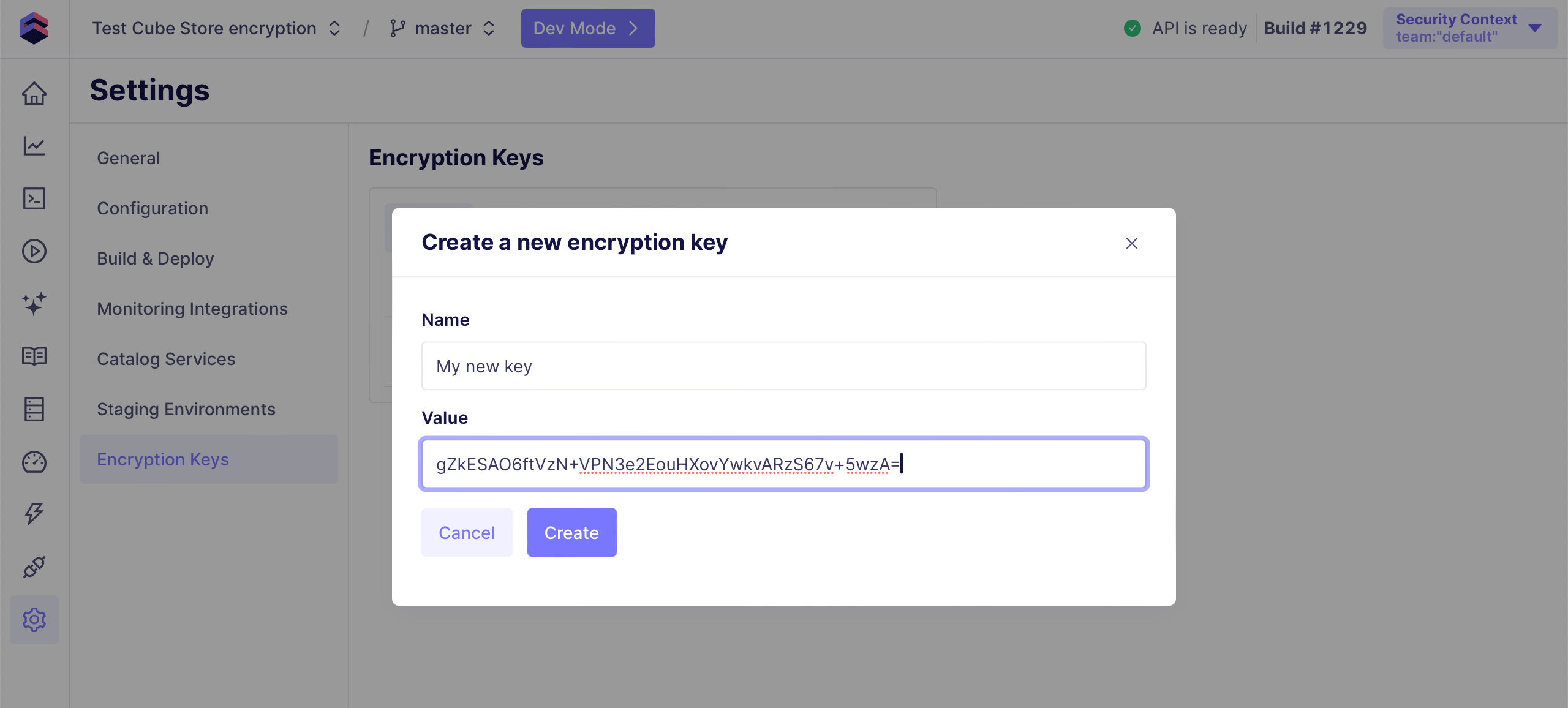
To add an encryption key, click **Create** to open a modal window.
Provide the key name and the key value: an 256-bit AES encryption key, encoded
in [standard Base64][link-base64] in its canonical representation.
### Add a key
To add an encryption key, click **Create** to open a modal window.
Provide the key name and the key value: an 256-bit AES encryption key, encoded
in [standard Base64][link-base64] in its canonical representation.
 **Once the first encryption key is added, Cube Store will assume that data-at-rest
encryption is enabled.** After that, querying unencrypted pre-aggregation partitions
will yield the following error: `Invalid Parquet file in encrypted mode. File (or
at least the Parquet footer) is not encrypted`.
It may take a few minutes for any changes to encryption keys to take effect.
After the refresh worker builds or rebuilds pre-aggregation partitions with
respect to their [refresh strategy][ref-pre-aggs-refresh-strategy] or after they
are [built manually][ref-pre-aggs-build-manually], their data will be encrypted.
**For encryption, the most recently added encryption key is used.** For decryption,
all previously provided keys can be used, if there are still any pre-aggregation
partitions encrypted with those keys.
### Rotate a key
To rotate an encryption key, you have to [add a new key](#add-a-key) and then
rebuild pre-aggregation partitions using this key, either by the means of the
refresh worker, or manually.
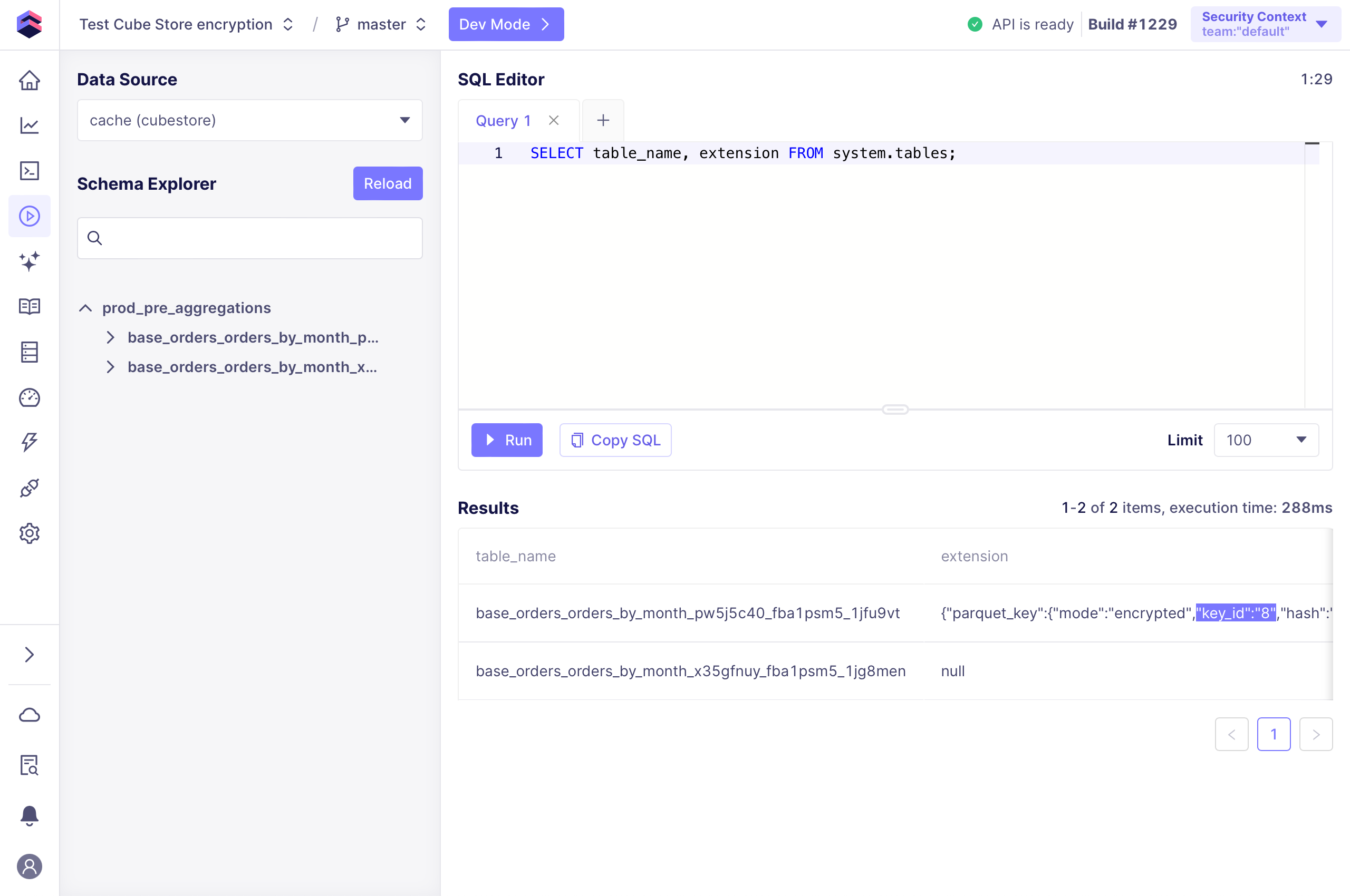
You can check which encryption key is used by any pre-aggregation partition by
querying `system.tables` in Cube Store via [SQL Runner][ref-sql-runner]:
**Once the first encryption key is added, Cube Store will assume that data-at-rest
encryption is enabled.** After that, querying unencrypted pre-aggregation partitions
will yield the following error: `Invalid Parquet file in encrypted mode. File (or
at least the Parquet footer) is not encrypted`.
It may take a few minutes for any changes to encryption keys to take effect.
After the refresh worker builds or rebuilds pre-aggregation partitions with
respect to their [refresh strategy][ref-pre-aggs-refresh-strategy] or after they
are [built manually][ref-pre-aggs-build-manually], their data will be encrypted.
**For encryption, the most recently added encryption key is used.** For decryption,
all previously provided keys can be used, if there are still any pre-aggregation
partitions encrypted with those keys.
### Rotate a key
To rotate an encryption key, you have to [add a new key](#add-a-key) and then
rebuild pre-aggregation partitions using this key, either by the means of the
refresh worker, or manually.
You can check which encryption key is used by any pre-aggregation partition by
querying `system.tables` in Cube Store via [SQL Runner][ref-sql-runner]:
 Only newly built or rebuilt pre-aggregation partitions will be encrypted using the
newly added encryption key. Previously built partitions will still be encrypted
using previously provided keys. If you [drop a key](#drop-a-key) before these
partitions are rebuilt, querying them will yield an error.
If you're using [incremental pre-aggregations][ref-pre-aggs-incremental], the
refresh worker will likely only rebuild some of their partitions. You have to [rebuild
them manually][ref-pre-aggs-build-manually] to ensure that the new encryption key
is used.
### Drop a key
To drop an encryption key, click **Delete** next to it.
[ref-cube-store-encryption]: /docs/pre-aggregations/running-in-production#data-at-rest-encryption
[link-base64]: https://datatracker.ietf.org/doc/html/rfc4648#section-4
[ref-pre-aggs-refresh-strategy]: /docs/pre-aggregations/using-pre-aggregations#refresh-strategy
[ref-pre-aggs-build-manually]: /admin/monitoring/pre-aggregations
[ref-pre-aggs-incremental]: /reference/data-modeling/pre-aggregations#incremental
[ref-sql-runner]: /docs/data-modeling/sql-runner
Only newly built or rebuilt pre-aggregation partitions will be encrypted using the
newly added encryption key. Previously built partitions will still be encrypted
using previously provided keys. If you [drop a key](#drop-a-key) before these
partitions are rebuilt, querying them will yield an error.
If you're using [incremental pre-aggregations][ref-pre-aggs-incremental], the
refresh worker will likely only rebuild some of their partitions. You have to [rebuild
them manually][ref-pre-aggs-build-manually] to ensure that the new encryption key
is used.
### Drop a key
To drop an encryption key, click **Delete** next to it.
[ref-cube-store-encryption]: /docs/pre-aggregations/running-in-production#data-at-rest-encryption
[link-base64]: https://datatracker.ietf.org/doc/html/rfc4648#section-4
[ref-pre-aggs-refresh-strategy]: /docs/pre-aggregations/using-pre-aggregations#refresh-strategy
[ref-pre-aggs-build-manually]: /admin/monitoring/pre-aggregations
[ref-pre-aggs-incremental]: /reference/data-modeling/pre-aggregations#incremental
[ref-sql-runner]: /docs/data-modeling/sql-runner