> ## Documentation Index
> Fetch the complete documentation index at: https://docs.cube.dev/llms.txt
> Use this file to discover all available pages before exploring further.
# Infrastructure Options
> Cube Cloud provides four infrastructure options to host your Cube deployments:
* [Multi-tenant infrastructure](#shared-infrastructure) - your
deployments share compute resources and network with other customers.
Data in-motion and data at-rest are both on the Cube Cloud side.
* [Single-tenant infrastructure](#dedicated-infrastructure) - your
deployments reside in a dedicated VPC inside a Cube Cloud account and do not
share resources with anyone else. Data in-motion and data at-rest are both on
the Cube Cloud side.
* [Single-tenant infrastructure with CSPS](#dedicated-infrastructure-with-csps) -
same as single-tenant infrastructure, but data at-rest is stored in a customer-supplied
object store.
* [Bring Your Own Cloud (BYOC)](#byoc) - Cube Cloud data plane is fully hosted
in your cloud account.
Multi-tenant infrastructure
This is the most common deployment option that is the easiest to get started with.
In this scenario, everything is deployed on the Cube Cloud infrastructure in
one of our **multi-tenant** VPCs. Cube Cloud Control Plane takes care of creating,
scaling, and monitoring your Cube Deployments, as well as managing Cube Store
and persisting pre-aggregated data. This option requires the least effort to
set up.
Please note that some Enterprise features, such as VPC peering or PrivateLink are
not available on the multi-tenant infrastructure. There's also a possibility of
resource contention ("noisy neighbor") problem.
Single-tenant infrastructure
It is similar to the previous option, but each customer gets a
[Dedicated][ref-dedicated-vpc] VPC within one of Cube Cloud's own cloud
accounts that hosts only that customer's deployments. This option is great for
most of the typical Enterprise use-cases as it provides a higher level of
performance, as well as additional security and isolation.
Available as an add-on on the [Enterprise plan](https://cube.dev/pricing).
Single-tenant infrastructure with CSPS
Cube Cloud offers a **customer-supplied pre-aggregation storage (CSPS)** that
allows moving all data at rest to the customer
infrastructure. In this scenario, all Cube components reside on the Cube Cloud
side. However, Cube Store uses a customer-provided object store for reading and
persisting pre-aggregated data. This provides additional peace of mind when
processing highly critical business or personal information.
Available on the [Enterprise plan](https://cube.dev/pricing) with the
[Single-tenant infrastructure](#dedicated-infrastructure) add-on.
## BYOC
With [Bring Your Own Cloud](/docs/deployment/cloud/byoc) (BYOC) all the components interacting with private data are deployed on the customer infrastructure
on a platform of choice (AWS/Azure/GCP) and managed by the Cube Cloud Control Plane via the Cube Cloud Operator.
Available as an add-on on the [Enterprise plan](https://cube.dev/pricing).
## Understanding "Cube Cloud Region"
Throughout Cube documentation and when interacting with Cube staff, you may encounter the term **"Cube Cloud Region"** or simply **"Region"**. Understanding this term is crucial for properly configuring and managing your Cube deployments.
### What is a Cube Cloud Region?
A **Cube Cloud Region** refers to a specific cloud infrastructure instance used to host your Cube deployments. While it includes a geographical location component, it encompasses much more than just a physical data center location.
Each Cube Cloud Region is identified by a unique identifier that contains several components:
* **Cloud provider** (AWS, GCP, or Azure)
* **Geographical region** (e.g., us-east-1, eu-west-1)
* **Infrastructure type** (multi-tenant, single-tenant, or BYOC)
* **Tenant identifier** (for single-tenant infrastructure)
* **Environment** (e.g., prod, staging)
For example, a region identifier might look like:
* `aws-us-east-1-shared` for multi-tenant infrastructure in AWS US East
* `aws-us-east-1-t-12345-prod` for single-tenant infrastructure with tenant ID 12345
* `gcp-europe-west1-t-12345-byoc` for a BYOC deployment in GCP Europe
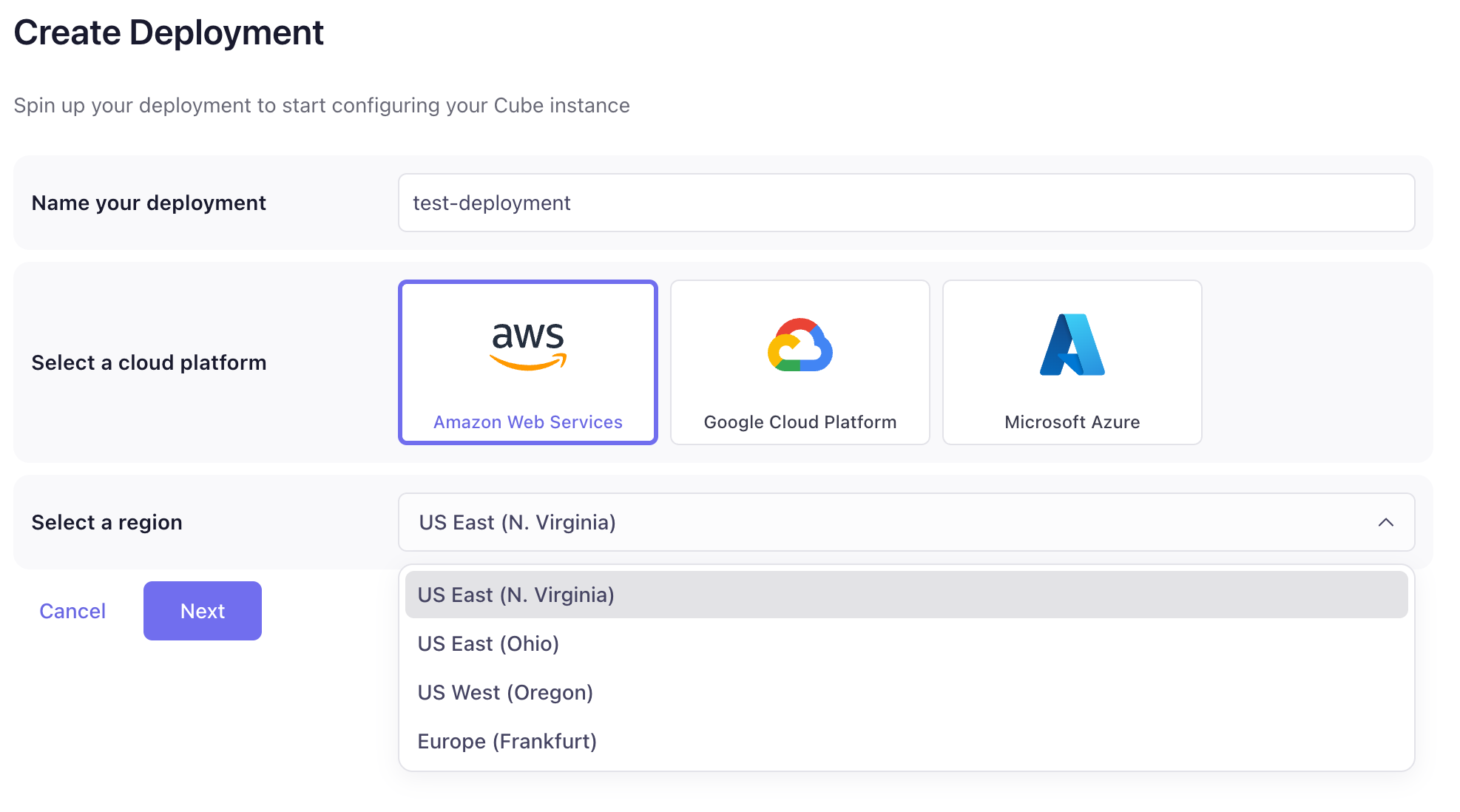
Each region also has a human-readable display name that's visible in the Cube Cloud UI. For single-tenant infrastructure regions, these display names typically include the customer name and/or environment name (e.g., "Acme Corp Production (N. Virginia)" or "Acme Corp Staging (Iowa)") to help distinguish between different infrastructure instances.
 ### Not to be confused with...
The term "Cube Cloud Region" should **not** be confused with:
* **Cloud provider regions alone** (like AWS `us-east-1`) - A Cube Cloud Region includes but is not limited to the underlying cloud provider region
* **Geographical regions** - While geography is a component, the Cube Cloud Region encompasses infrastructure type and tenant isolation as well
* **Availability zones** - These are subdivisions within cloud provider regions and are handled transparently by Cube Cloud
### Why this matters
Understanding your Cube Cloud Region is important for:
1. **API endpoints**: Your deployment's API endpoints include the region identifier (e.g., `..cubecloudapp.dev`)
2. **Network configuration**: When setting up VPC peering, PrivateLink, or custom domains, you'll need the exact region identifier
3. **Support requests**: Providing the correct region identifier helps Cube support team quickly locate and assist with your deployment
4. **Infrastructure planning**: Different region types offer different capabilities (e.g., PrivateLink is only available in single-tenant and BYOC regions)
### Finding your region identifier
You can find your Cube Cloud Region identifier in:
* The Cube Cloud UI deployment settings
* API endpoint URLs provided in the deployment overview
* Communication from Cube Cloud support when your infrastructure is provisioned
When in doubt, contact Cube Cloud support with your deployment ID, and they can provide the exact region identifier for your infrastructure.
[ref-dedicated-vpc]: /docs/deployment/cloud/vpc
### Not to be confused with...
The term "Cube Cloud Region" should **not** be confused with:
* **Cloud provider regions alone** (like AWS `us-east-1`) - A Cube Cloud Region includes but is not limited to the underlying cloud provider region
* **Geographical regions** - While geography is a component, the Cube Cloud Region encompasses infrastructure type and tenant isolation as well
* **Availability zones** - These are subdivisions within cloud provider regions and are handled transparently by Cube Cloud
### Why this matters
Understanding your Cube Cloud Region is important for:
1. **API endpoints**: Your deployment's API endpoints include the region identifier (e.g., `..cubecloudapp.dev`)
2. **Network configuration**: When setting up VPC peering, PrivateLink, or custom domains, you'll need the exact region identifier
3. **Support requests**: Providing the correct region identifier helps Cube support team quickly locate and assist with your deployment
4. **Infrastructure planning**: Different region types offer different capabilities (e.g., PrivateLink is only available in single-tenant and BYOC regions)
### Finding your region identifier
You can find your Cube Cloud Region identifier in:
* The Cube Cloud UI deployment settings
* API endpoint URLs provided in the deployment overview
* Communication from Cube Cloud support when your infrastructure is provisioned
When in doubt, contact Cube Cloud support with your deployment ID, and they can provide the exact region identifier for your infrastructure.
[ref-dedicated-vpc]: /docs/deployment/cloud/vpc