> ## Documentation Index
> Fetch the complete documentation index at: https://docs.cube.dev/llms.txt
> Use this file to discover all available pages before exploring further.
# Scalability
> Tune Cube Cloud throughput and pre-aggregation capacity by scaling API instances and Cube Store workers.
Cube Cloud also allows adding additional infrastructure to your deployment to
increase scalability and performance beyond what is available with each
Dedicated deployment.
## Auto-scaling of API instances
With a Dedicated deployment, 2 Cube API Instances are included. That said, it
is very common to use more, and [additional API instances][ref-limits] can be
added to your deployment to increase the throughput of your queries. A rough
estimate is that 1 Cube API Instance is needed for every 5-10
requests-per-second served. Cube API Instances can also auto-scale as needed.
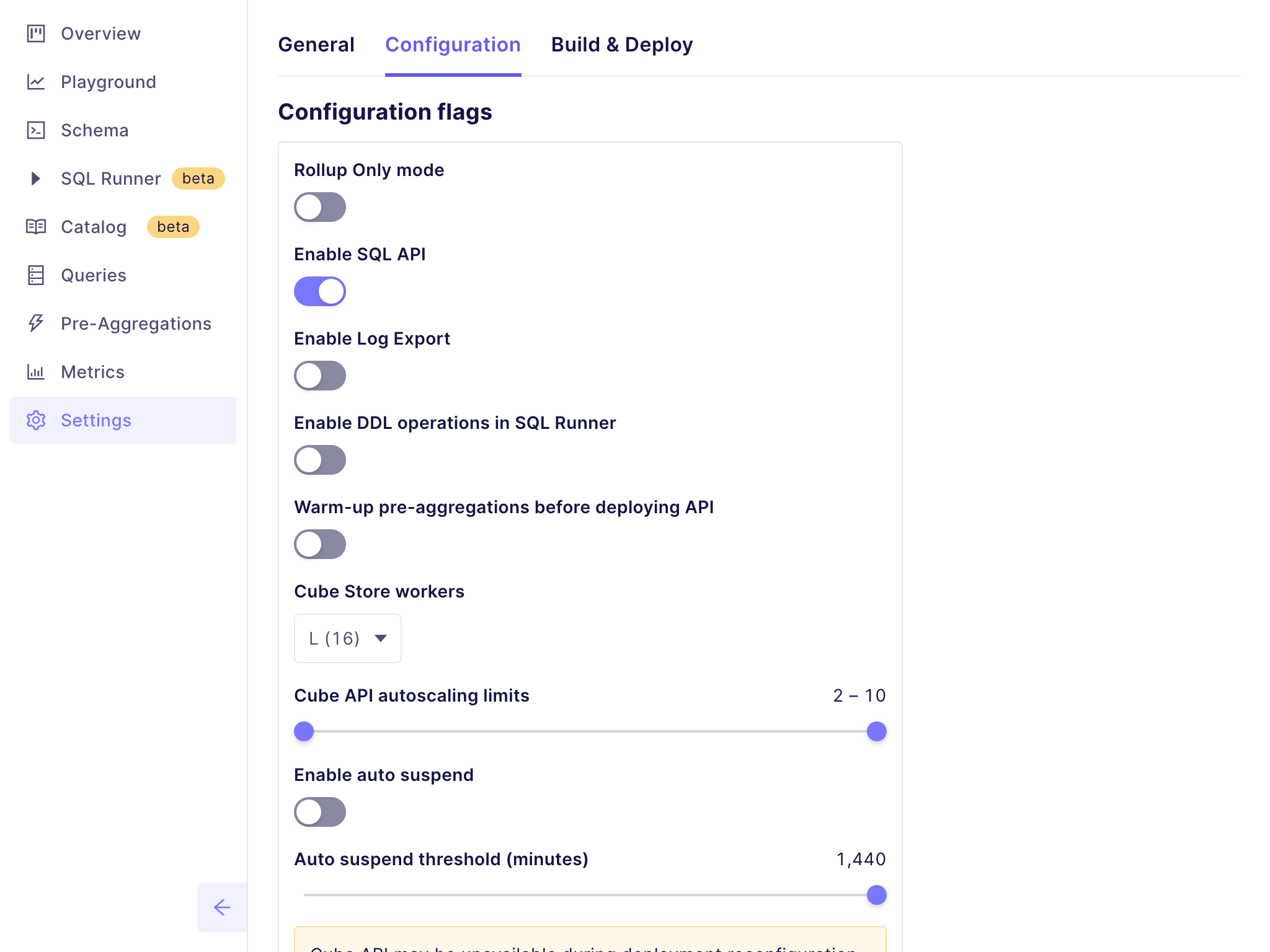
To change how many Cube API instances are available in the Dedicated deployment,
go to the deployment’s **Settings** screen, and open
the **Configuration** tab. From this screen, you can set the minimum and
maximum number of Cube API instances for a deployment:
 ## Sizing Cube Store workers
Cube Store Workers are used to build and persist pre-aggregations. Each Worker
has a **maximum of 150GB** of storage; [additional Cube Store
workers][ref-limits] can be added to your deployment to both increase storage
space and improve pre-aggregation performance. A **minimum of 2** Cube Store
Workers is required for pre-aggregations; this can be adjusted. For a rough
estimate, it will take approximately 2 Cube Store Workers per 4 GB of
pre-aggregated data per day.
Idle workers will automatically hibernate after 10 minutes of inactivity, and
will not consume CCUs until they are resumed. Workers are resumed automatically
when Cube receives a query that should be accelerated by a pre-aggregation, or
when a scheduled refresh is triggered.
To change the number of Cube Store Workers in a deployment, go to the
deployment’s **Settings** screen, and open the **Configuration**
tab. From this screen, you can set the number of Cube Store Workers from the
dropdown:
[ref-limits]: /admin/deployment/limits#resources
## Sizing Cube Store workers
Cube Store Workers are used to build and persist pre-aggregations. Each Worker
has a **maximum of 150GB** of storage; [additional Cube Store
workers][ref-limits] can be added to your deployment to both increase storage
space and improve pre-aggregation performance. A **minimum of 2** Cube Store
Workers is required for pre-aggregations; this can be adjusted. For a rough
estimate, it will take approximately 2 Cube Store Workers per 4 GB of
pre-aggregated data per day.
Idle workers will automatically hibernate after 10 minutes of inactivity, and
will not consume CCUs until they are resumed. Workers are resumed automatically
when Cube receives a query that should be accelerated by a pre-aggregation, or
when a scheduled refresh is triggered.
To change the number of Cube Store Workers in a deployment, go to the
deployment’s **Settings** screen, and open the **Configuration**
tab. From this screen, you can set the number of Cube Store Workers from the
dropdown:
[ref-limits]: /admin/deployment/limits#resources