> ## Documentation Index
> Fetch the complete documentation index at: https://docs.cube.dev/llms.txt
> Use this file to discover all available pages before exploring further.
# Pre-Aggregations
> Monitor pre-aggregation builds, partitions, and refresh history from the Cube Cloud Pre-Aggregations console.
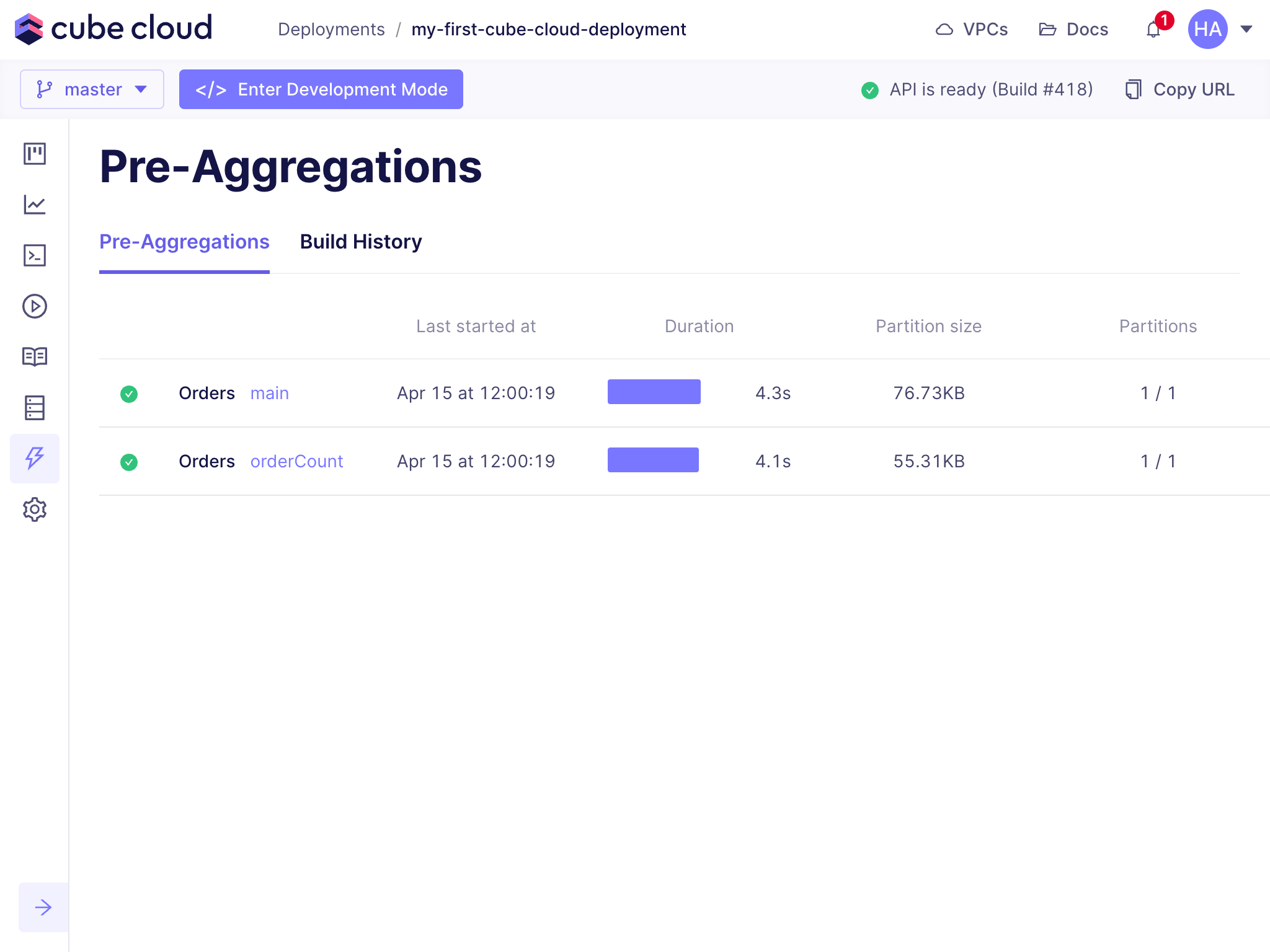
The Pre-Aggregations page in Cube Cloud allows you to inspect all
[pre-aggregations][ref-caching-gs-preaggs] in your deployment at a glance. You
can see which pre-aggregations are accelerating queries, if they are [being
refreshed][ref-caching-using-preaggs-refresh], along with the last 24 hours of
build history.
 ## Exploring pre-aggregations
You can switch between [pre-aggregations](#pre-aggregations) and
[build history](#build-history) by switching between the
**Pre-Aggregations** and **Build History** tabs.
## Pre-aggregations
The **Pre-Aggregations** tab shows a list of all configured
[pre-aggregations][ref-caching-gs-preaggs] for the deployment, and is useful for
quickly checking details such as when the last build occurred, how long the
build took to complete, the total size of the pre-aggregated data, and how many
partitions the data is split across. To see more information about a specific
pre-aggregation, click on it.
### Partitions
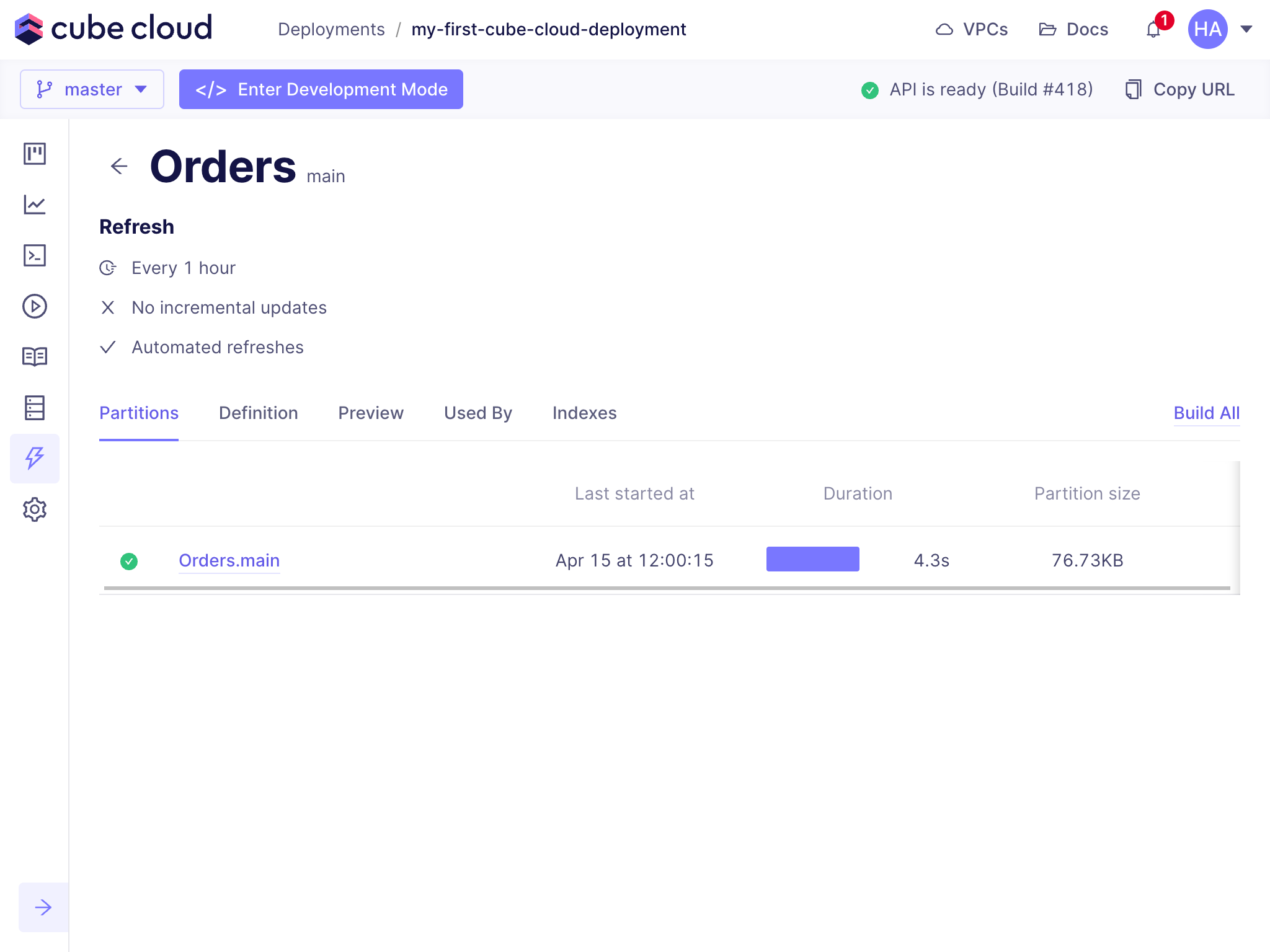
The **Partitions** tab shows all partitions (as specified by
[`partitionGranularity`][ref-model-ref-preaggs-partition-granularity]) of the
pre-aggregation. In the example below, the pre-aggregation has a single
partition:
## Exploring pre-aggregations
You can switch between [pre-aggregations](#pre-aggregations) and
[build history](#build-history) by switching between the
**Pre-Aggregations** and **Build History** tabs.
## Pre-aggregations
The **Pre-Aggregations** tab shows a list of all configured
[pre-aggregations][ref-caching-gs-preaggs] for the deployment, and is useful for
quickly checking details such as when the last build occurred, how long the
build took to complete, the total size of the pre-aggregated data, and how many
partitions the data is split across. To see more information about a specific
pre-aggregation, click on it.
### Partitions
The **Partitions** tab shows all partitions (as specified by
[`partitionGranularity`][ref-model-ref-preaggs-partition-granularity]) of the
pre-aggregation. In the example below, the pre-aggregation has a single
partition:
 Pre-aggregations with multiple partitions show a list of all partitions, which
is helpful for checking pre-aggregation partition build times and sizes:
Pre-aggregations with multiple partitions show a list of all partitions, which
is helpful for checking pre-aggregation partition build times and sizes:
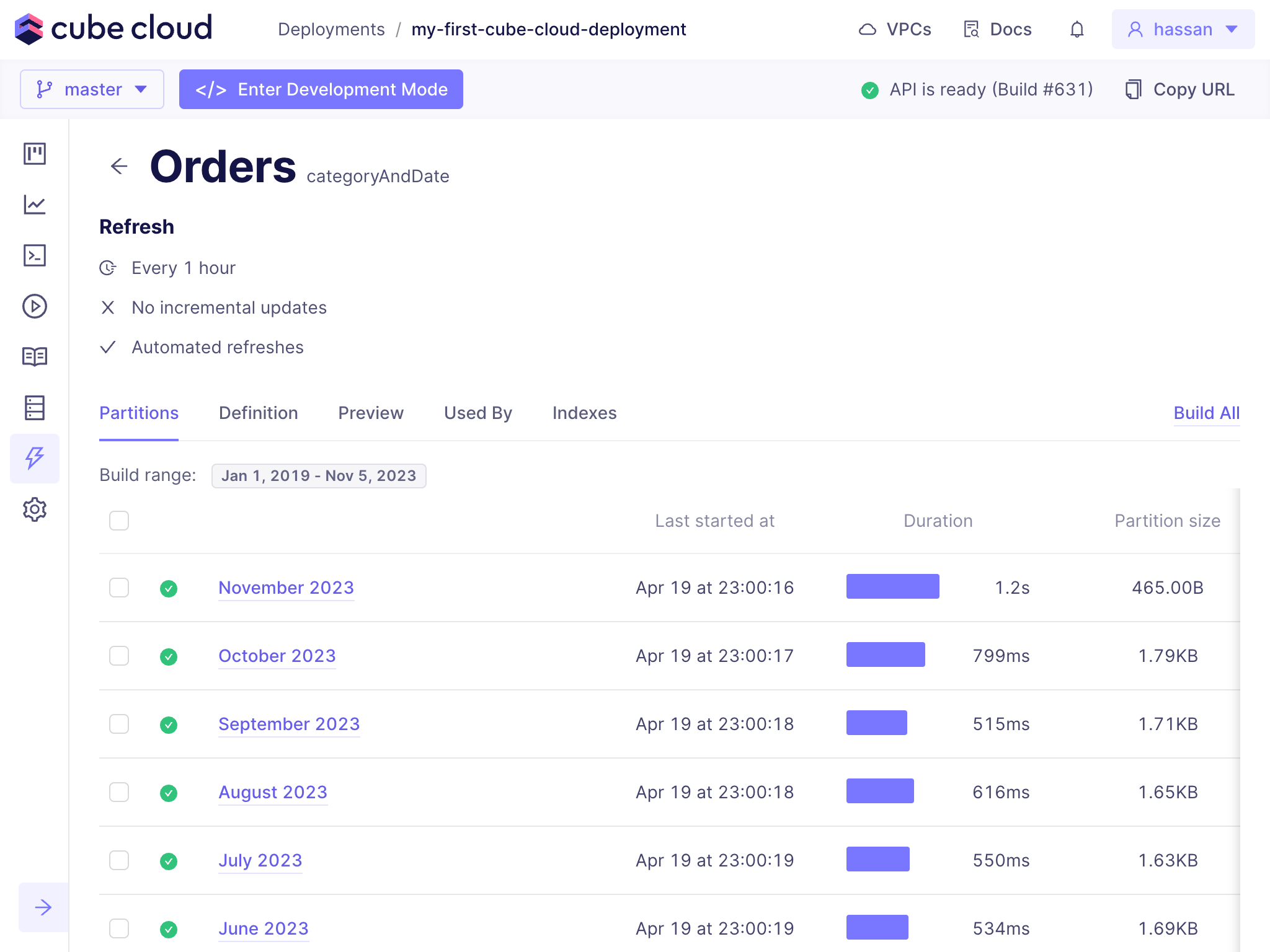 Ideally partitions should be of a similar size and build time. If a partition is
taking significantly longer to build than others, it may be worth investigating
why.
If the pre-aggregation requires rebuilding (usually due to the underlying data
changing in a significant way), clicking **Build All** rebuilds **all**
partitions of the pre-aggregation:
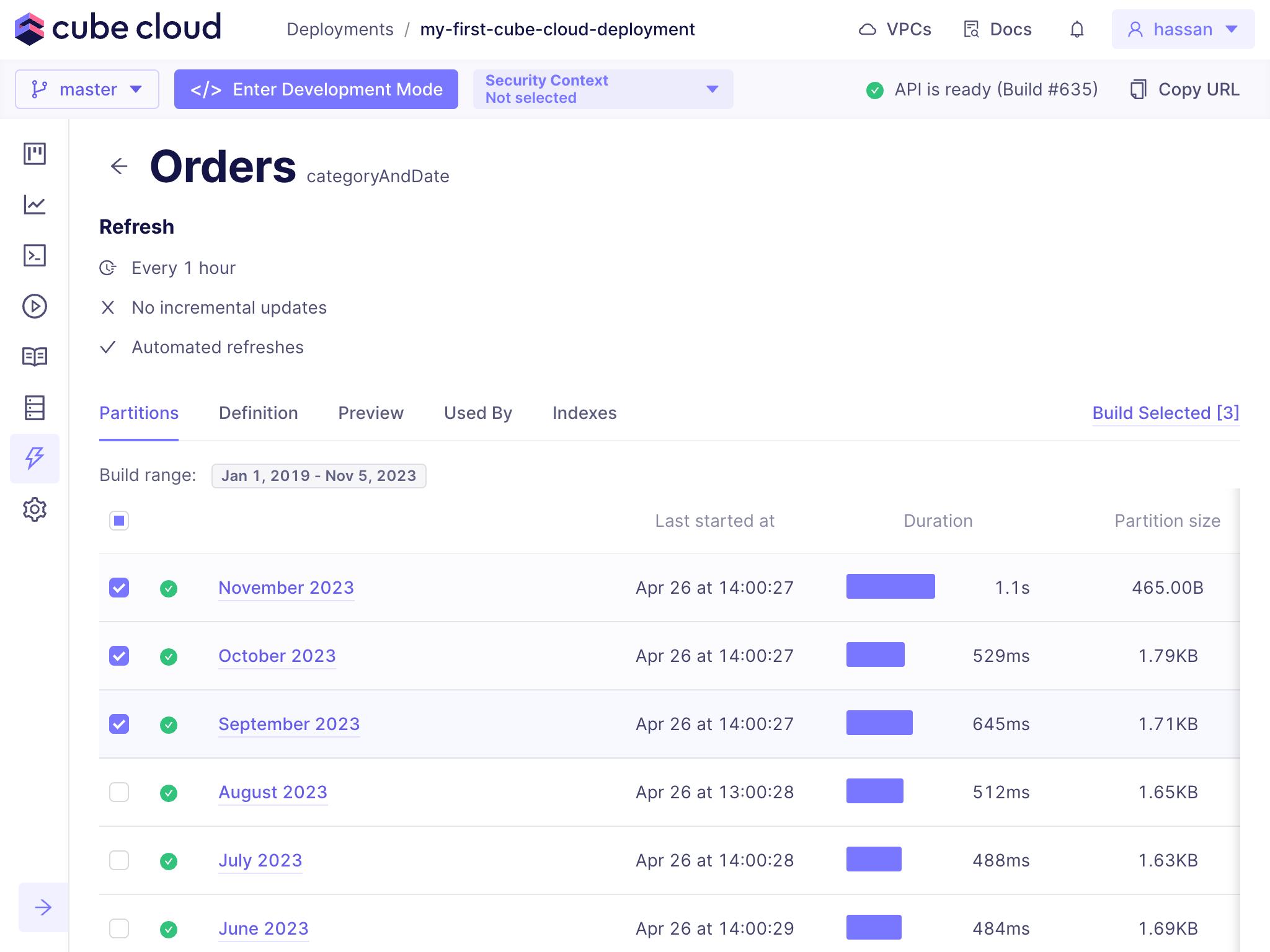
You can also choose to rebuild **specific** partitions by selecting them and
then clicking the **Build Selected** button:
Ideally partitions should be of a similar size and build time. If a partition is
taking significantly longer to build than others, it may be worth investigating
why.
If the pre-aggregation requires rebuilding (usually due to the underlying data
changing in a significant way), clicking **Build All** rebuilds **all**
partitions of the pre-aggregation:
You can also choose to rebuild **specific** partitions by selecting them and
then clicking the **Build Selected** button:
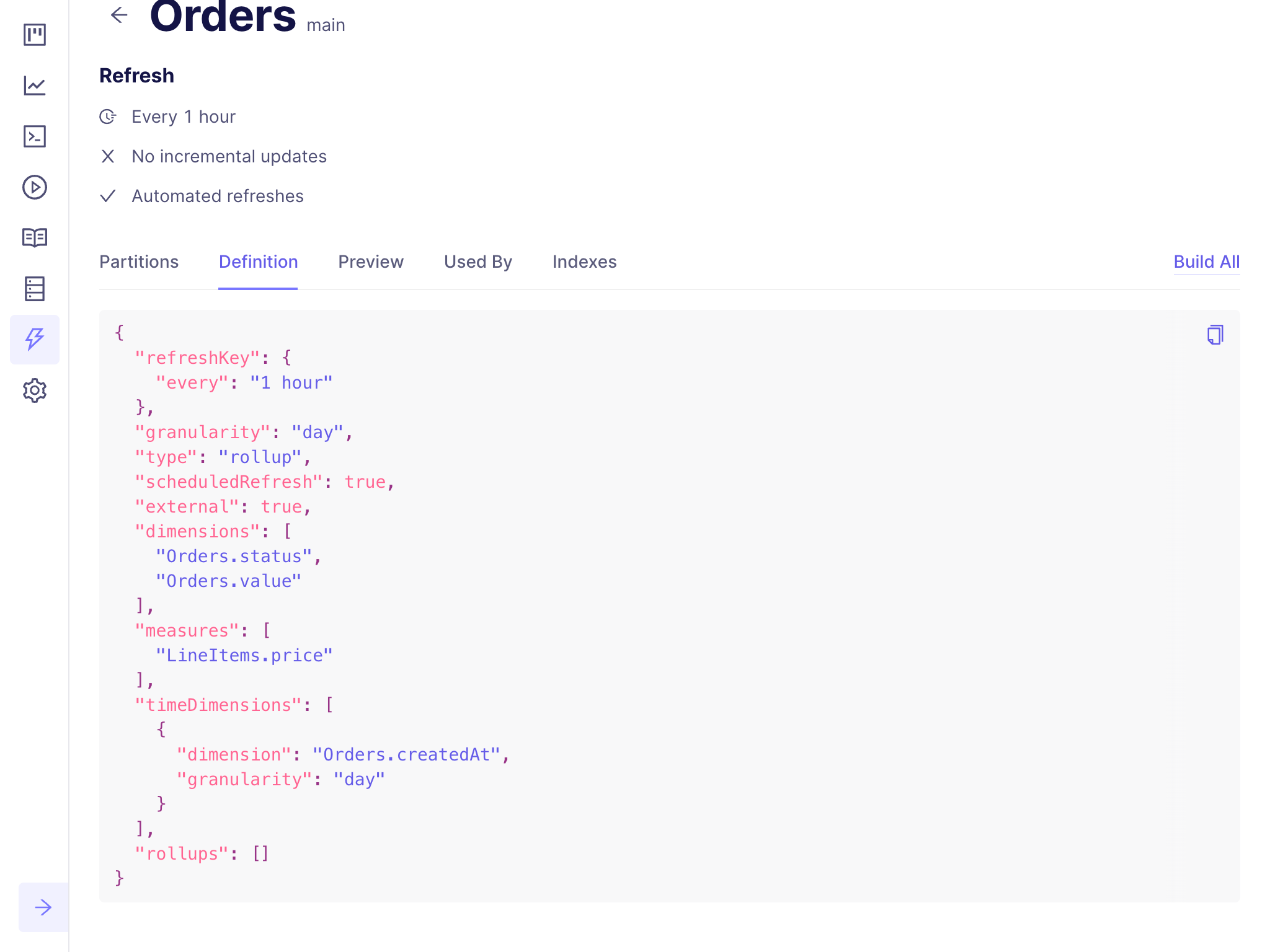
 ### Definition
The **Definition** tab shows how the [pre-aggregation is defined in the
data model][ref-model-ref-preaggs] without having to switch to the **Data
Model** page:
### Definition
The **Definition** tab shows how the [pre-aggregation is defined in the
data model][ref-model-ref-preaggs] without having to switch to the **Data
Model** page:
 ### Preview
To see a sample of the data contained in the pre-aggregation, click the
**Preview** tab:
### Preview
To see a sample of the data contained in the pre-aggregation, click the
**Preview** tab:
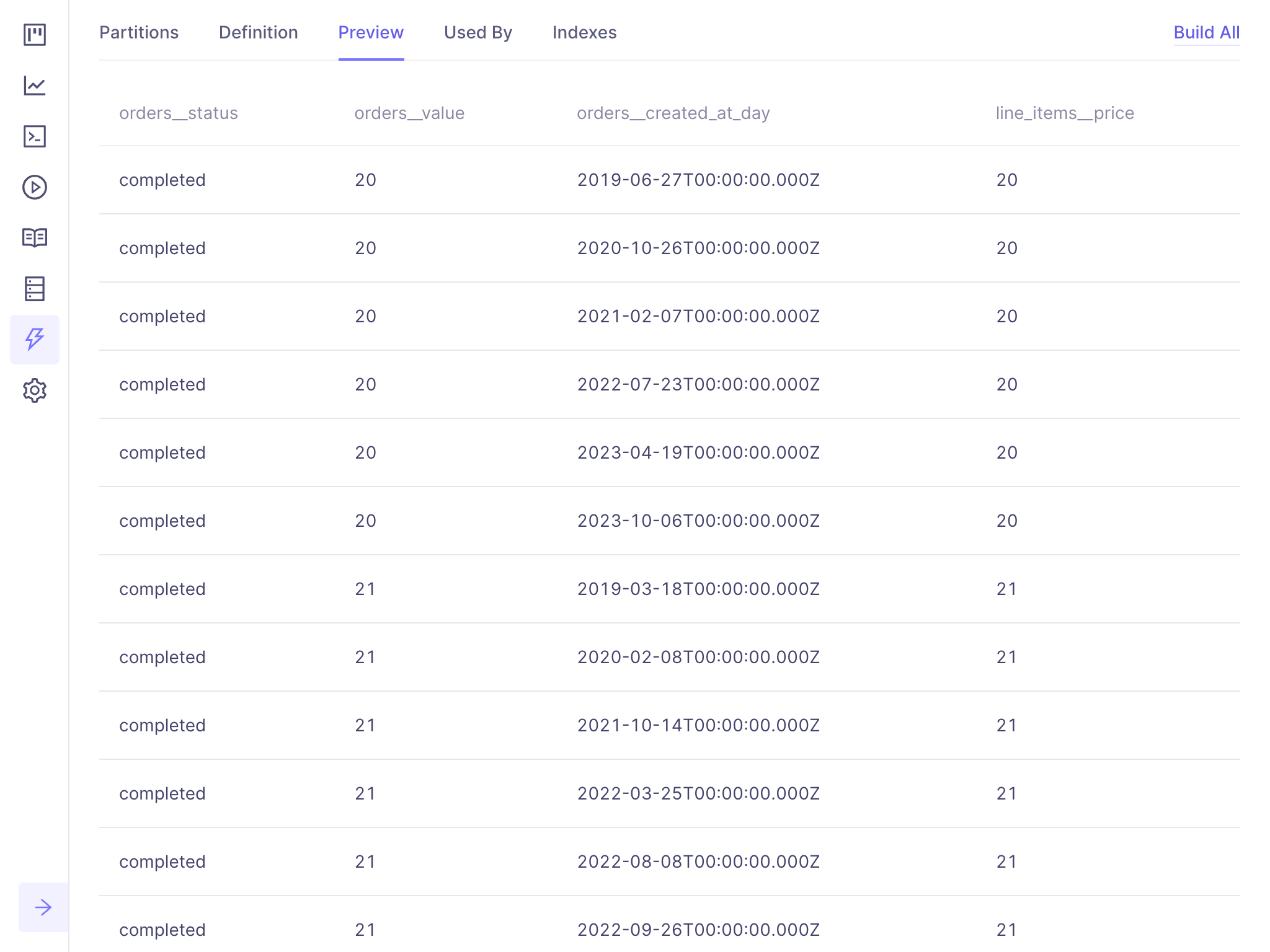 This can be used to verify that the data within the pre-aggregation is being
built correctly.
### Used By
The **Used By** tab shows recent queries that used this pre-aggregation
for acceleration:
This can be used to verify that the data within the pre-aggregation is being
built correctly.
### Used By
The **Used By** tab shows recent queries that used this pre-aggregation
for acceleration:
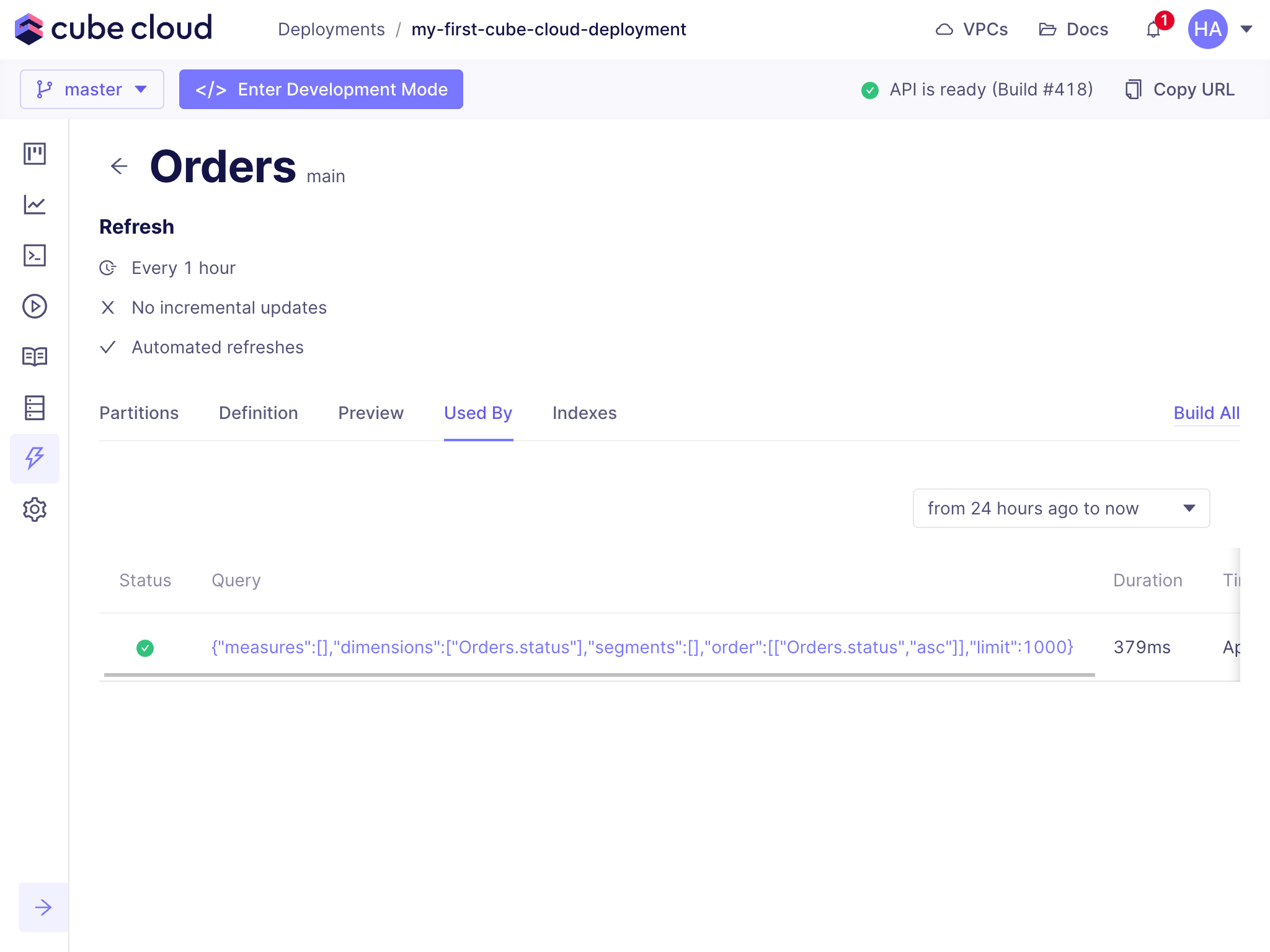 This is especially useful for checking that the pre-aggregation is being used as
expected by queries sent to the deployment.
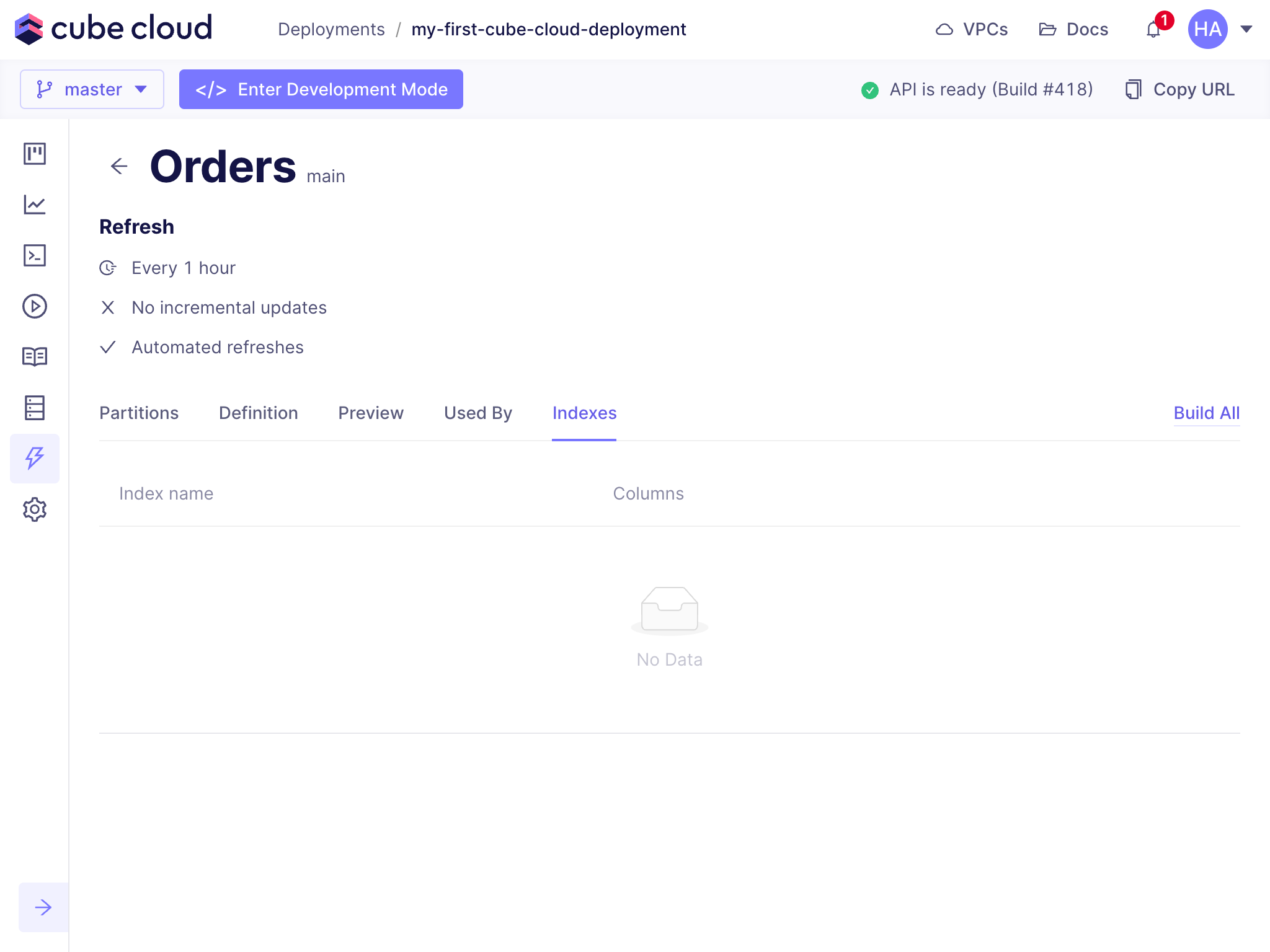
### Indexes
[Indexes][ref-model-ref-preaggs-index] significantly improve the performance of
configured pre-aggregations. The **Indexes** tab displays any configured
indexes for this pre-aggregation:
This is especially useful for checking that the pre-aggregation is being used as
expected by queries sent to the deployment.
### Indexes
[Indexes][ref-model-ref-preaggs-index] significantly improve the performance of
configured pre-aggregations. The **Indexes** tab displays any configured
indexes for this pre-aggregation:
 ## Build History
The **Build History** tab shows the last 24 hours of build history for
all pre-aggregations in the deployment. From here, you can see if a
pre-aggregation build succeeded (or failed), how the build was triggered, when
the build started, and how long it took to complete.
## Build History
The **Build History** tab shows the last 24 hours of build history for
all pre-aggregations in the deployment. From here, you can see if a
pre-aggregation build succeeded (or failed), how the build was triggered, when
the build started, and how long it took to complete.
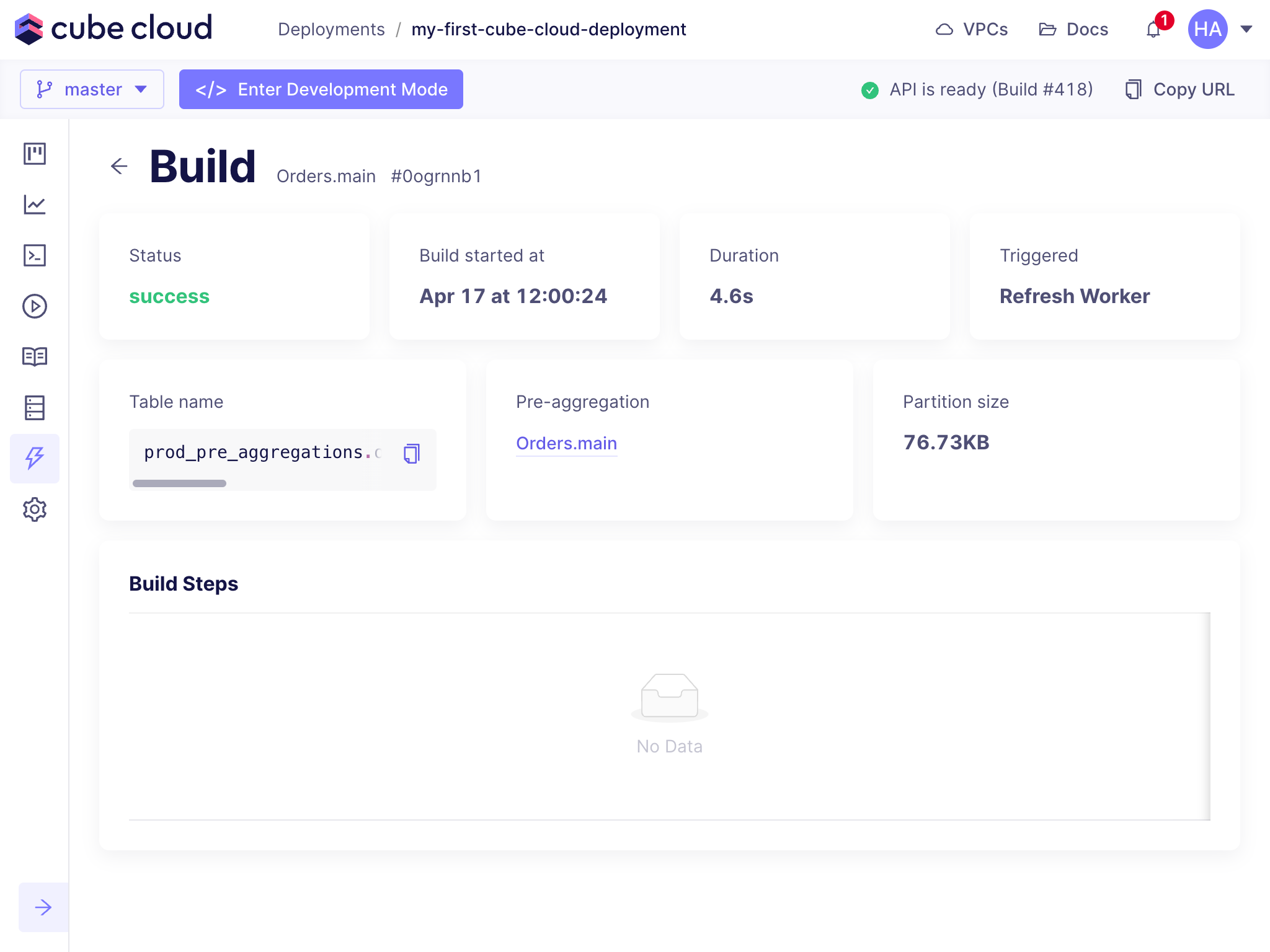
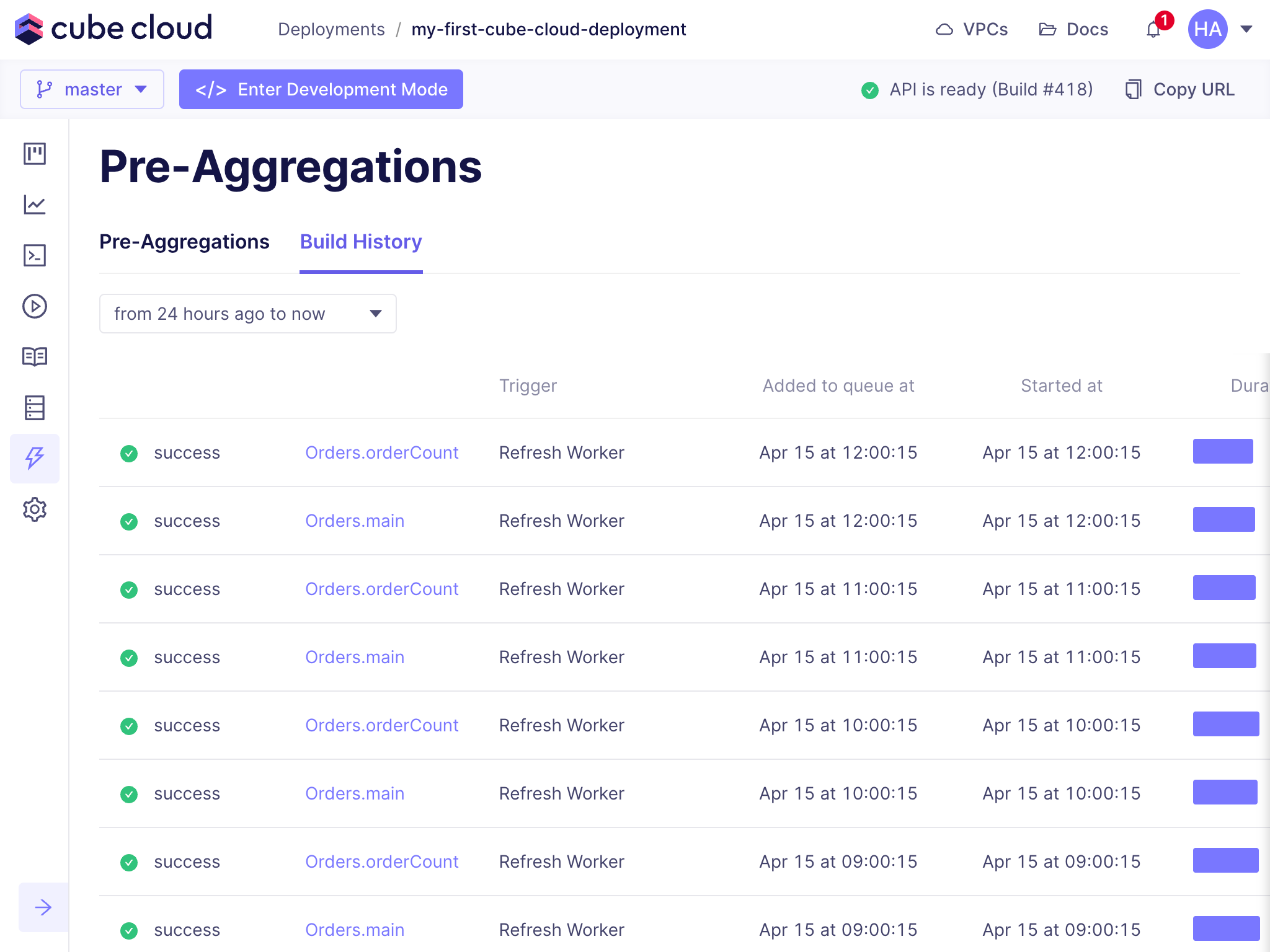 To see more information about a specific build, click on it:
 [ref-caching-gs-preaggs]: /docs/pre-aggregations/getting-started-pre-aggregations
[ref-caching-using-preaggs-refresh]: /docs/pre-aggregations/using-pre-aggregations#refresh-strategy
[ref-model-ref-preaggs]: /reference/data-modeling/pre-aggregations
[ref-model-ref-preaggs-index]: /reference/data-modeling/pre-aggregations#indexes
[ref-model-ref-preaggs-partition-granularity]: /reference/data-modeling/pre-aggregations#partition_granularity
[ref-caching-gs-preaggs]: /docs/pre-aggregations/getting-started-pre-aggregations
[ref-caching-using-preaggs-refresh]: /docs/pre-aggregations/using-pre-aggregations#refresh-strategy
[ref-model-ref-preaggs]: /reference/data-modeling/pre-aggregations
[ref-model-ref-preaggs-index]: /reference/data-modeling/pre-aggregations#indexes
[ref-model-ref-preaggs-partition-granularity]: /reference/data-modeling/pre-aggregations#partition_granularity