> ## Documentation Index
> Fetch the complete documentation index at: https://docs.cube.dev/llms.txt
> Use this file to discover all available pages before exploring further.
# User groups
> Organize Cube Cloud users into groups and tie those groups to data access policies instead of managing every account in isolation.
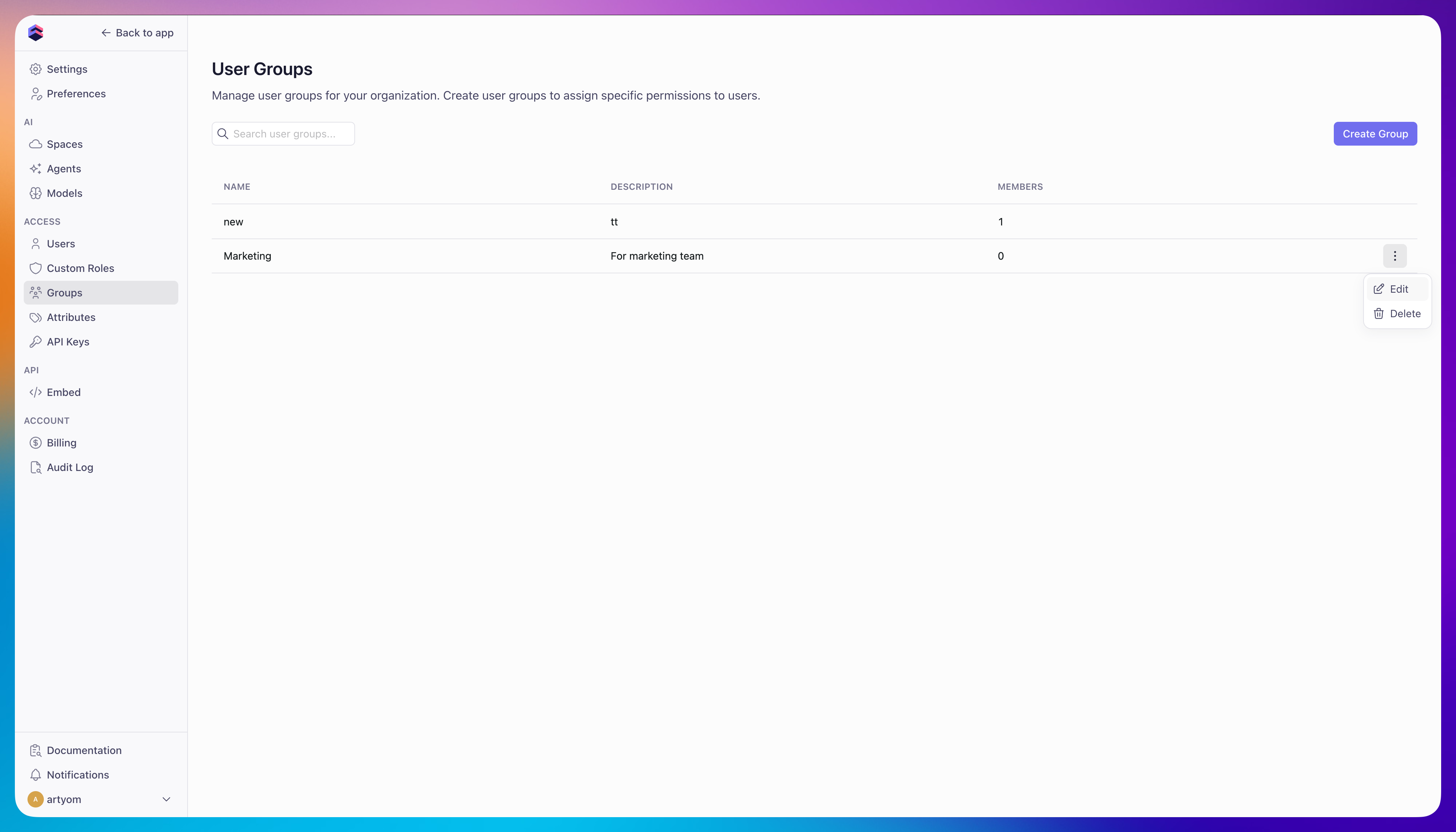
User groups allow you to organize users and manage access collectively.
Instead of assigning [user attributes][ref-user-attributes] to individual users, you can add users to groups for easier management at scale.
[Access policies][ref-dap] can be configured based on groups to control [row-level security][ref-rls].
## Creating groups
To create a user group:
1. Navigate to **Admin → User Groups**
2. Click **Create Group**
3. Enter a group name and optional description
4. Add users to the group
 [ref-user-attributes]: /admin/users-and-permissions/user-attributes
[ref-rls]: /docs/data-modeling/access-control/row-level-security
[ref-dap]: /docs/data-modeling/data-access-policies
[ref-user-attributes]: /admin/users-and-permissions/user-attributes
[ref-rls]: /docs/data-modeling/access-control/row-level-security
[ref-dap]: /docs/data-modeling/data-access-policies