> ## Documentation Index
> Fetch the complete documentation index at: https://docs.cube.dev/llms.txt
> Use this file to discover all available pages before exploring further.
# Development mode
> Outlines development mode in Cube Cloud—branch-scoped APIs, save and commit flows, and safe iteration before promoting changes to production.
Development mode allows to test and debug the data model in an isolated
[development environment][ref-environments-dev] before releasing any changes to production.
When you enter the development mode, you'll have access to your personal API endpoints
that will track the branch you're on and will be updated automatically when you make
changes to the data model.
## Development flow
### Save changes
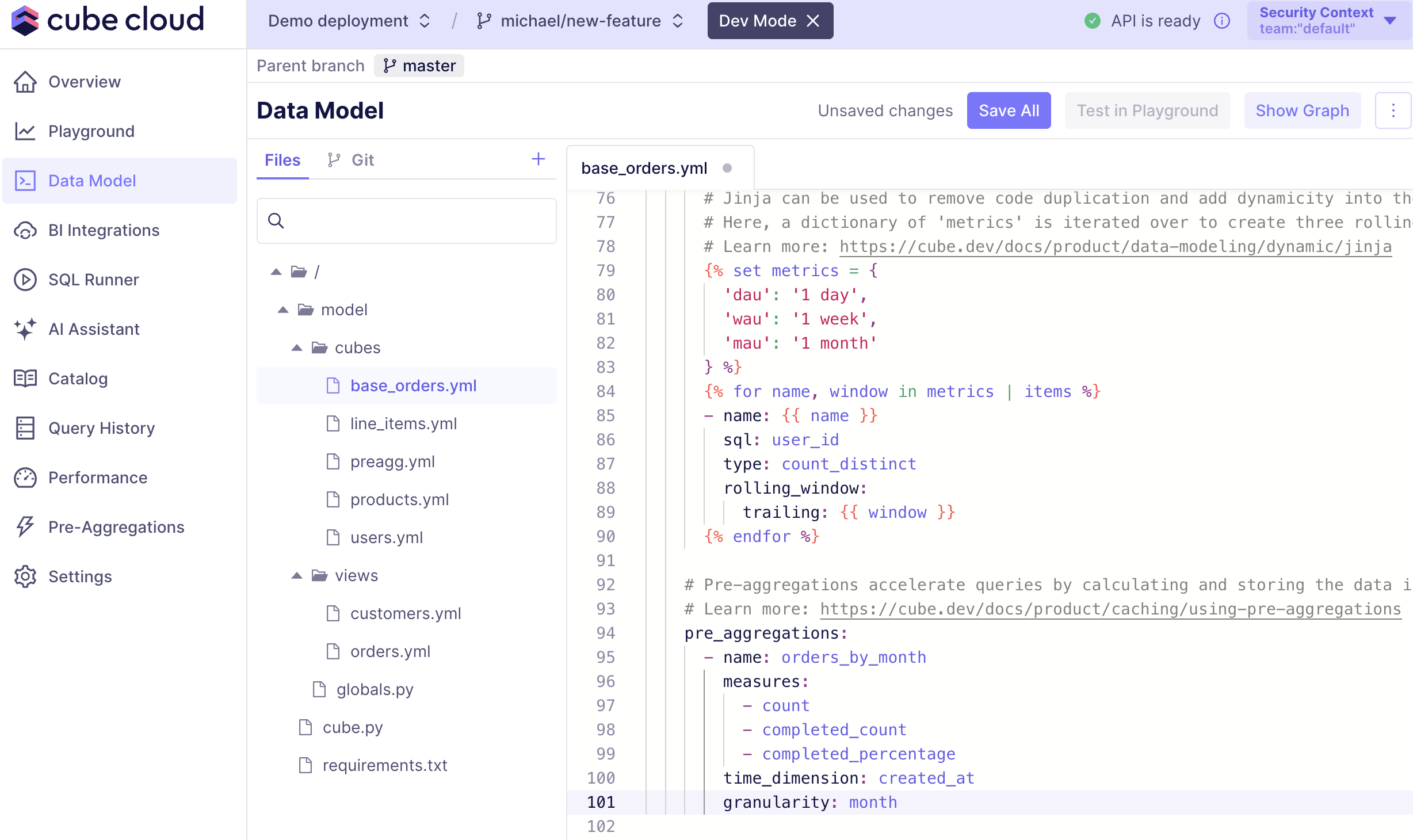
When you make changes to the data model, you can save them by clicking the "Save all" button in the actions bar at the top of the screen.
 ### Commit & Sync
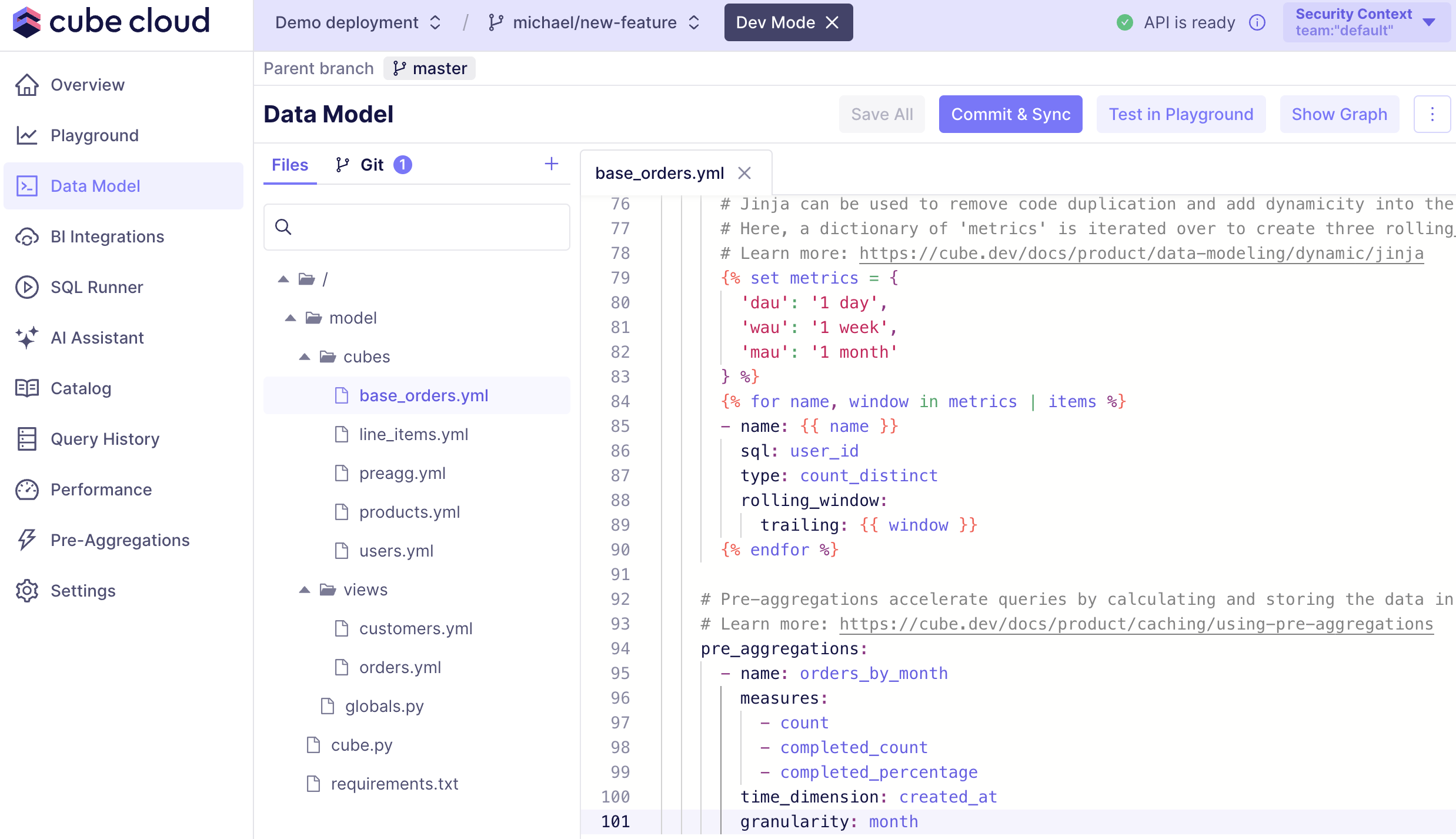
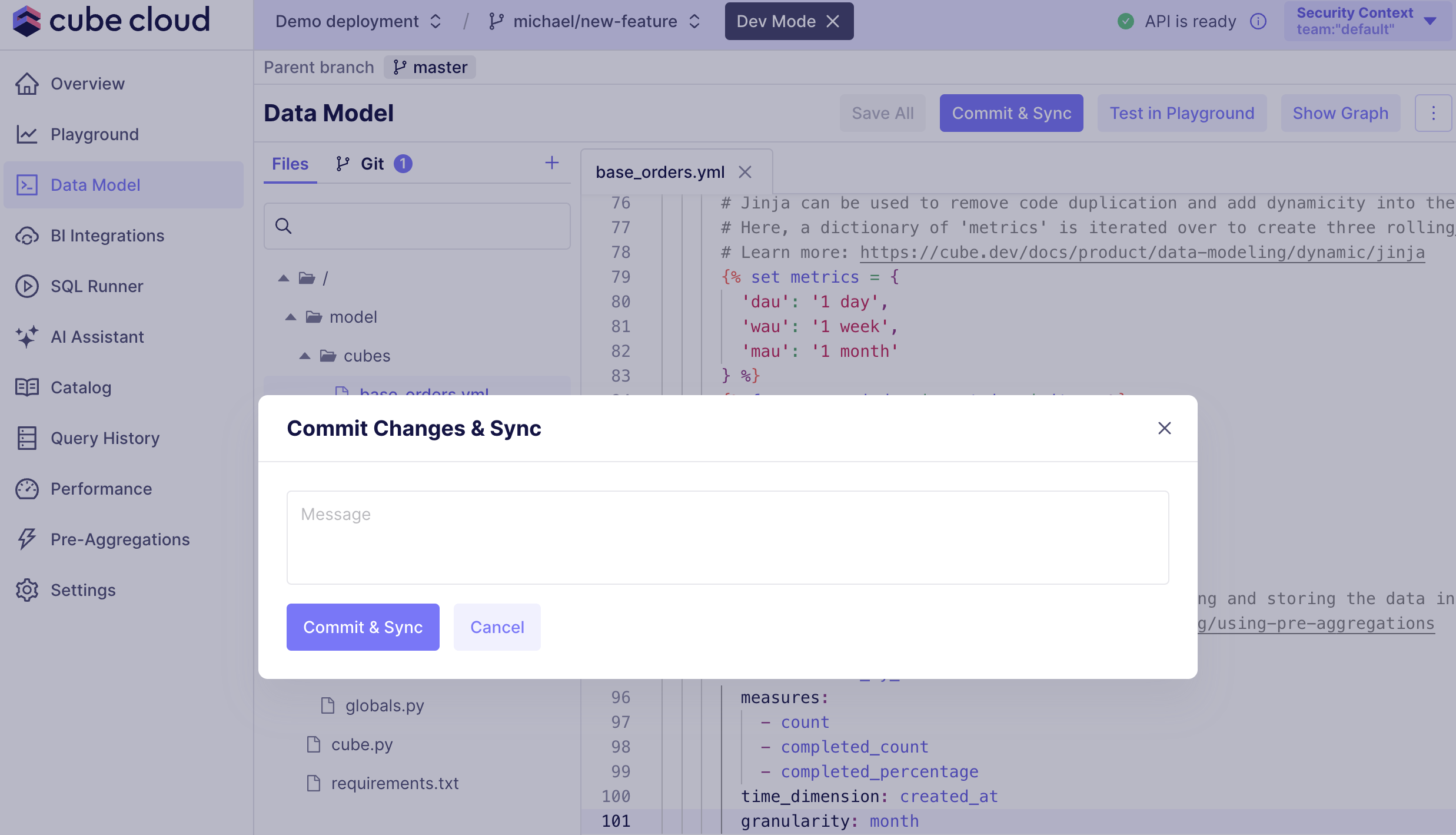
After saving changes, you can commit them to the branch you're working on by clicking the "Commit & Sync" button in the actions bar.
### Commit & Sync
After saving changes, you can commit them to the branch you're working on by clicking the "Commit & Sync" button in the actions bar.
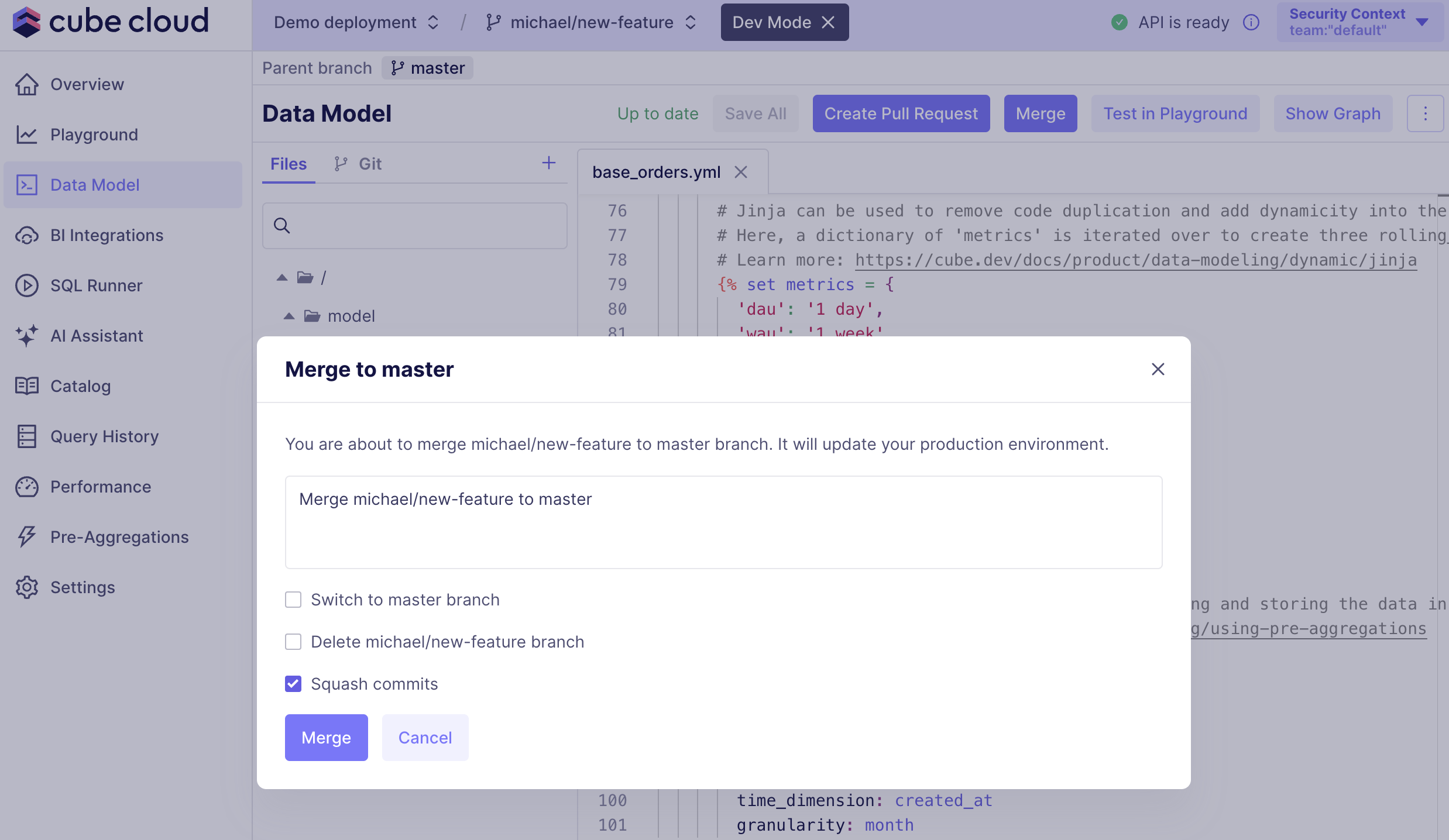
 ### Merge or Create a Pull Request
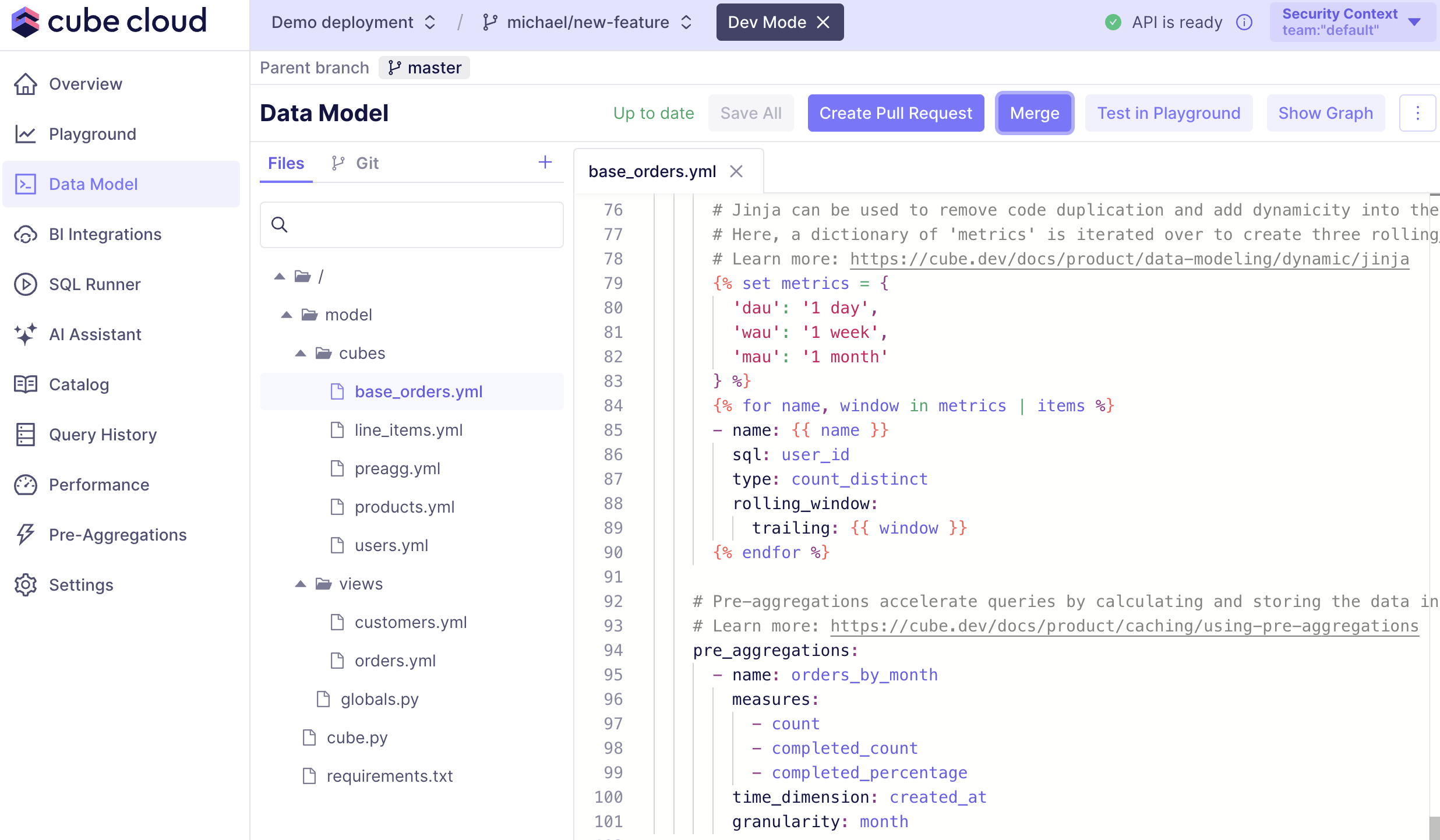
After committing changes, you can merge them into the parent branch or create a pull request by clicking the "Merge" or "Create a Pull Request" button in the actions bar.
### Merge or Create a Pull Request
After committing changes, you can merge them into the parent branch or create a pull request by clicking the "Merge" or "Create a Pull Request" button in the actions bar.
 ### Updating the branch
When there are changes in the parent branch, you can update your active branch by pulling changes from the parent branch.
If your active branch got updated in the connected repository, you can update it by pulling changes from the remote.
### Updating the branch
When there are changes in the parent branch, you can update your active branch by pulling changes from the parent branch.
If your active branch got updated in the connected repository, you can update it by pulling changes from the remote.
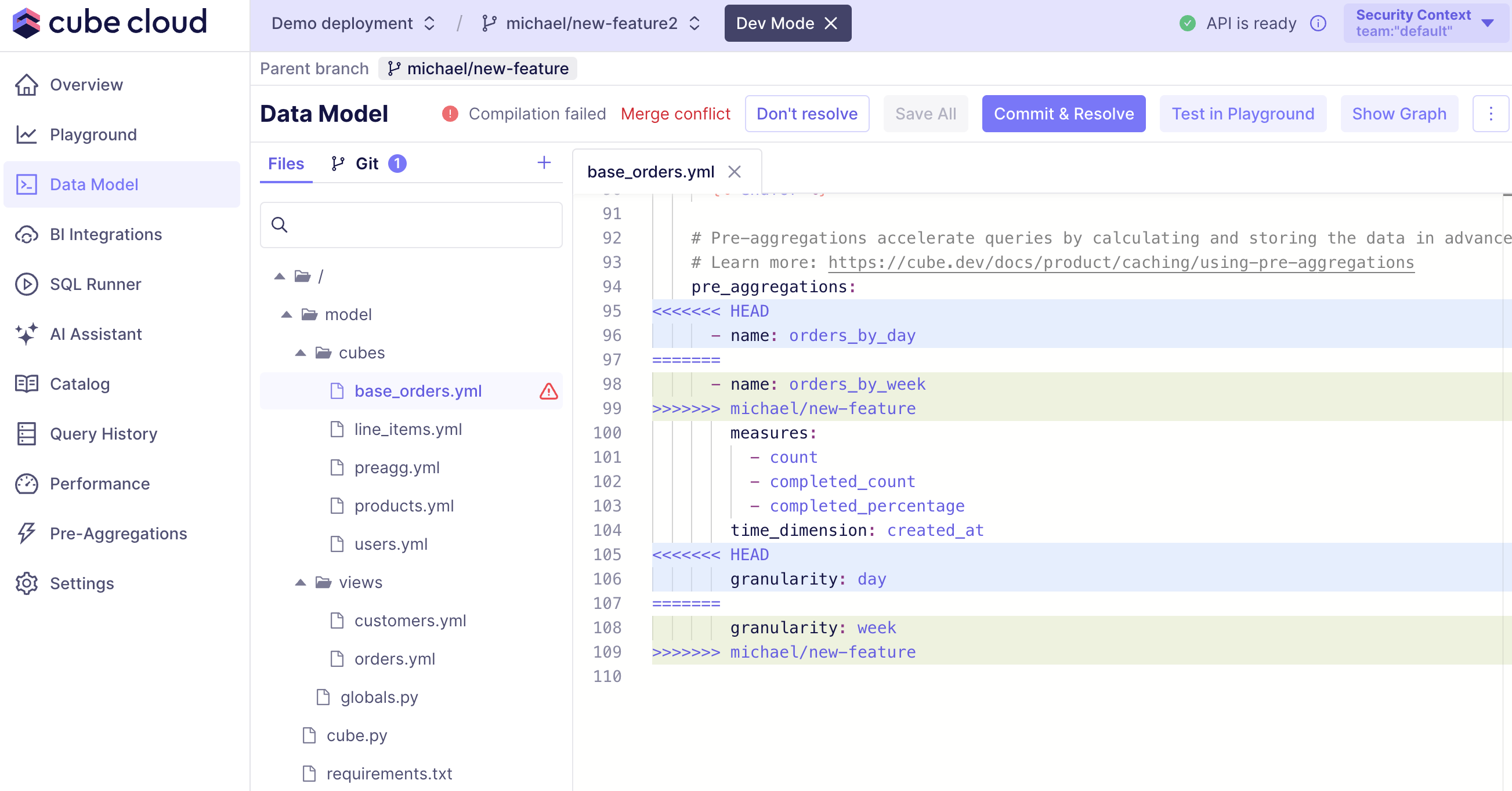
 ### Resolving conflicts
In some cases, you may encounter conflicts when merging or pulling changes from the parent branch or remote.
If this happens, you'll see a warning about conflicts in the actions bar.
You'll then be able to either resolve them manually or discard the changes.
### Resolving conflicts
In some cases, you may encounter conflicts when merging or pulling changes from the parent branch or remote.
If this happens, you'll see a warning about conflicts in the actions bar.
You'll then be able to either resolve them manually or discard the changes.
 ## Finding endpoints
In Development Mode, you'll have dedicated endpoints that will track the branch you're on.
They will be shown on the Overview page:
Read more about the available endpoints on the [Environments][ref-environments-endpoints] page.
## Behavior with CLI deployments
Development mode is fully available on deployments that are configured to
[deploy with CLI][ref-deploy-with-cli]: you can enter dev mode, switch
branches, save and commit changes, and merge into the production branch from
the Cube Cloud UI.
However, on CLI deployments, **none of these actions trigger a production
build or redeploy** — production only changes when somebody explicitly runs
`cubejs-cli deploy` against the deployment, and the next deploy overwrites
any changes made through the UI. See [Deploy with CLI →
Development mode][ref-deploy-with-cli-dev-mode] for the full behavior.
## Limitations
The Development API has some limitations compared to Production, and it is
important to be aware of these as they may affect your development process.
### Autoscaling
The Development API **does not** support autoscaling. If you need to test
autoscaling, we recommend creating a separate deployment using a different Git
branch of the same repository.
### Scheduled refresh
Scheduled refresh is also disabled in the Development API. If you need to test
scheduled refreshes, we recommend creating a separate deployment using a
different Git branch of the same repository.
[ref-environments-dev]: /admin/deployment/environments#development-environments
[ref-environments-endpoints]: /admin/deployment/environments#api-endpoints
[ref-deploy-with-cli]: /admin/deployment/continuous-deployment#deploy-with-cli
[ref-deploy-with-cli-dev-mode]: /admin/deployment/continuous-deployment#development-mode-with-cli-deployments
## Finding endpoints
In Development Mode, you'll have dedicated endpoints that will track the branch you're on.
They will be shown on the Overview page:
Read more about the available endpoints on the [Environments][ref-environments-endpoints] page.
## Behavior with CLI deployments
Development mode is fully available on deployments that are configured to
[deploy with CLI][ref-deploy-with-cli]: you can enter dev mode, switch
branches, save and commit changes, and merge into the production branch from
the Cube Cloud UI.
However, on CLI deployments, **none of these actions trigger a production
build or redeploy** — production only changes when somebody explicitly runs
`cubejs-cli deploy` against the deployment, and the next deploy overwrites
any changes made through the UI. See [Deploy with CLI →
Development mode][ref-deploy-with-cli-dev-mode] for the full behavior.
## Limitations
The Development API has some limitations compared to Production, and it is
important to be aware of these as they may affect your development process.
### Autoscaling
The Development API **does not** support autoscaling. If you need to test
autoscaling, we recommend creating a separate deployment using a different Git
branch of the same repository.
### Scheduled refresh
Scheduled refresh is also disabled in the Development API. If you need to test
scheduled refreshes, we recommend creating a separate deployment using a
different Git branch of the same repository.
[ref-environments-dev]: /admin/deployment/environments#development-environments
[ref-environments-endpoints]: /admin/deployment/environments#api-endpoints
[ref-deploy-with-cli]: /admin/deployment/continuous-deployment#deploy-with-cli
[ref-deploy-with-cli-dev-mode]: /admin/deployment/continuous-deployment#development-mode-with-cli-deployments