> ## Documentation Index
> Fetch the complete documentation index at: https://docs.cube.dev/llms.txt
> Use this file to discover all available pages before exploring further.
# Playground
> Browser-based workspace to inspect cubes and views, run ad hoc queries, and copy API-ready examples while developing the semantic model.
Playground is a web-based tool that helps validate the data model by executing
[queries][ref-queries] and previewing their results. It is supposed to be used
by data engineers and developers while building the [data model][ref-data-modeling].
If you'd like to let end users query the data, [connect a BI tool][ref-dataviz-tools]
or use the [JavaScript SDKs][ref-js-sdk] to build your own query builder.
We recommend to migrate over to [Explore](/docs/explore-analyze/explore) and [Workbooks](/docs/explore-analyze/workbooks) for data analysis in exploration in Cube cloud platform.
Playground is available in Cube Core at [localhost:4000](http://localhost:4000)
when it's run in the [development mode][ref-dev-mode].
You can [view](#viewing-the-data-model) the data model entities or [search](#searching-the-data-model)
for them, [compose](#composing-queries) a query from scratch or [paste](#pasting-a-query)
an exsiting query, view [results](#viewing-results), check a [generated
query](#viewing-a-generated-query), or copy equivalent [queries for data APIs](#copying-api-queries).
## Viewing the data model
You can see a list of all cubes or views in the sidebar on the left. Choose either
**Cubes** or **Views** to switch between cubes and views and click
on a cube or a view to view a list of its members.
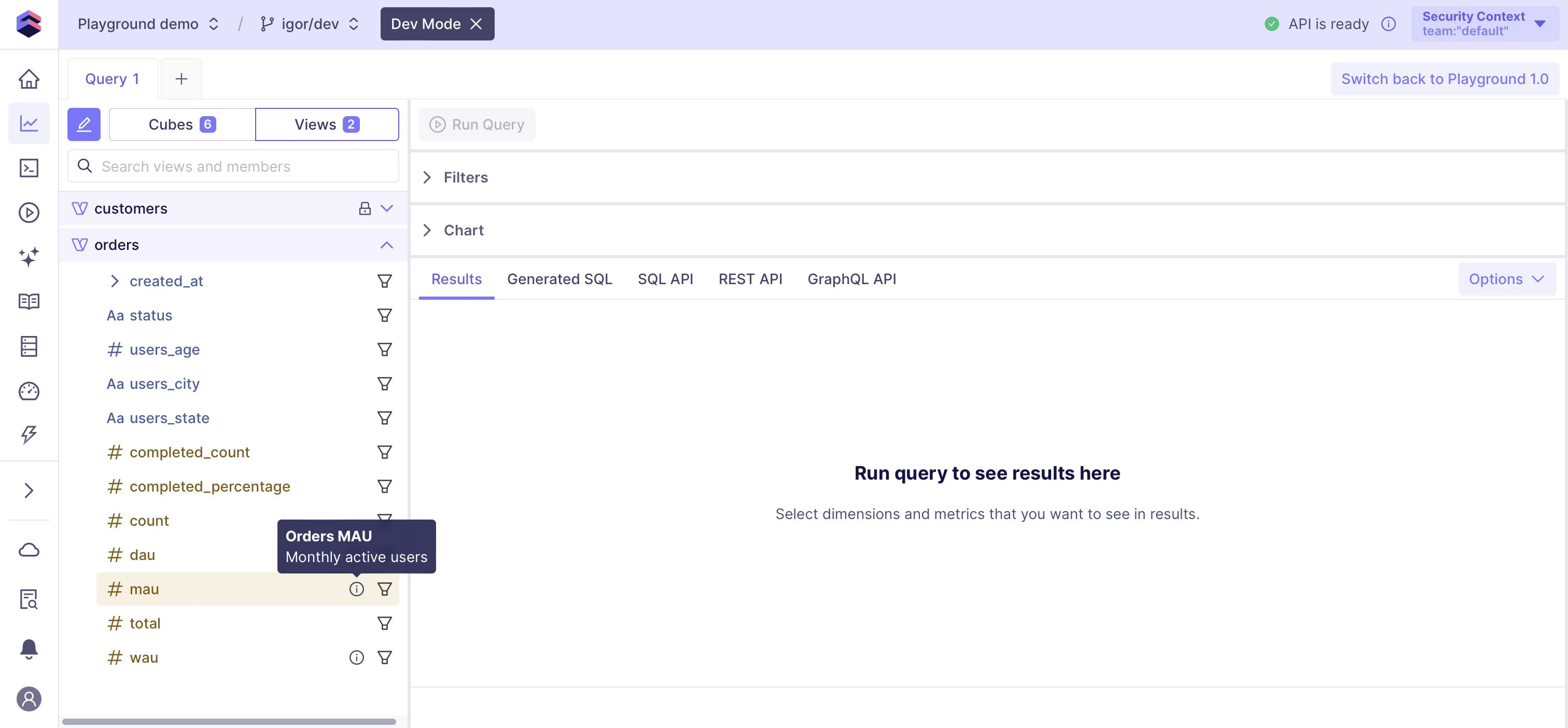 Members of cubes and views (i.e., measures, dimensions, hierarchies, folders, etc.)
are shown using distinct colors and icons. If a member has
a [title][ref-data-model-title] or a [description][ref-data-model-description] set
in the data model, they will be shown in a tooltip. If a member is not
[public][ref-data-model-public], you will see a lock sign next to it.
Even if a cube, a view, or their member is not public, Playground would still allow
you to query and validate it.
### Switching the security context
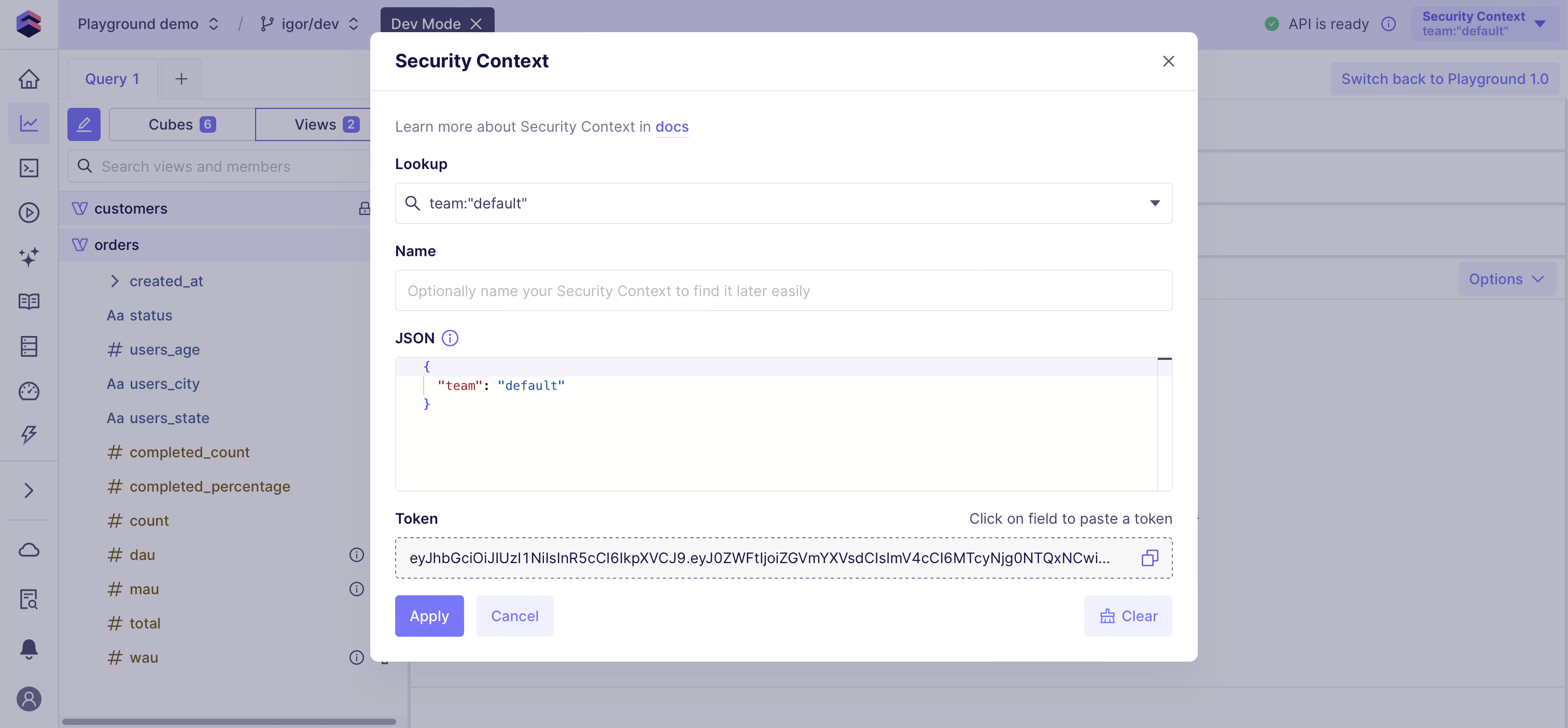
You can click on the **Security Context** button in the top right corner to
change the security context. Changing the security context can affect the contents
of the sidebar that you see:
Members of cubes and views (i.e., measures, dimensions, hierarchies, folders, etc.)
are shown using distinct colors and icons. If a member has
a [title][ref-data-model-title] or a [description][ref-data-model-description] set
in the data model, they will be shown in a tooltip. If a member is not
[public][ref-data-model-public], you will see a lock sign next to it.
Even if a cube, a view, or their member is not public, Playground would still allow
you to query and validate it.
### Switching the security context
You can click on the **Security Context** button in the top right corner to
change the security context. Changing the security context can affect the contents
of the sidebar that you see:
 ## Searching the data model
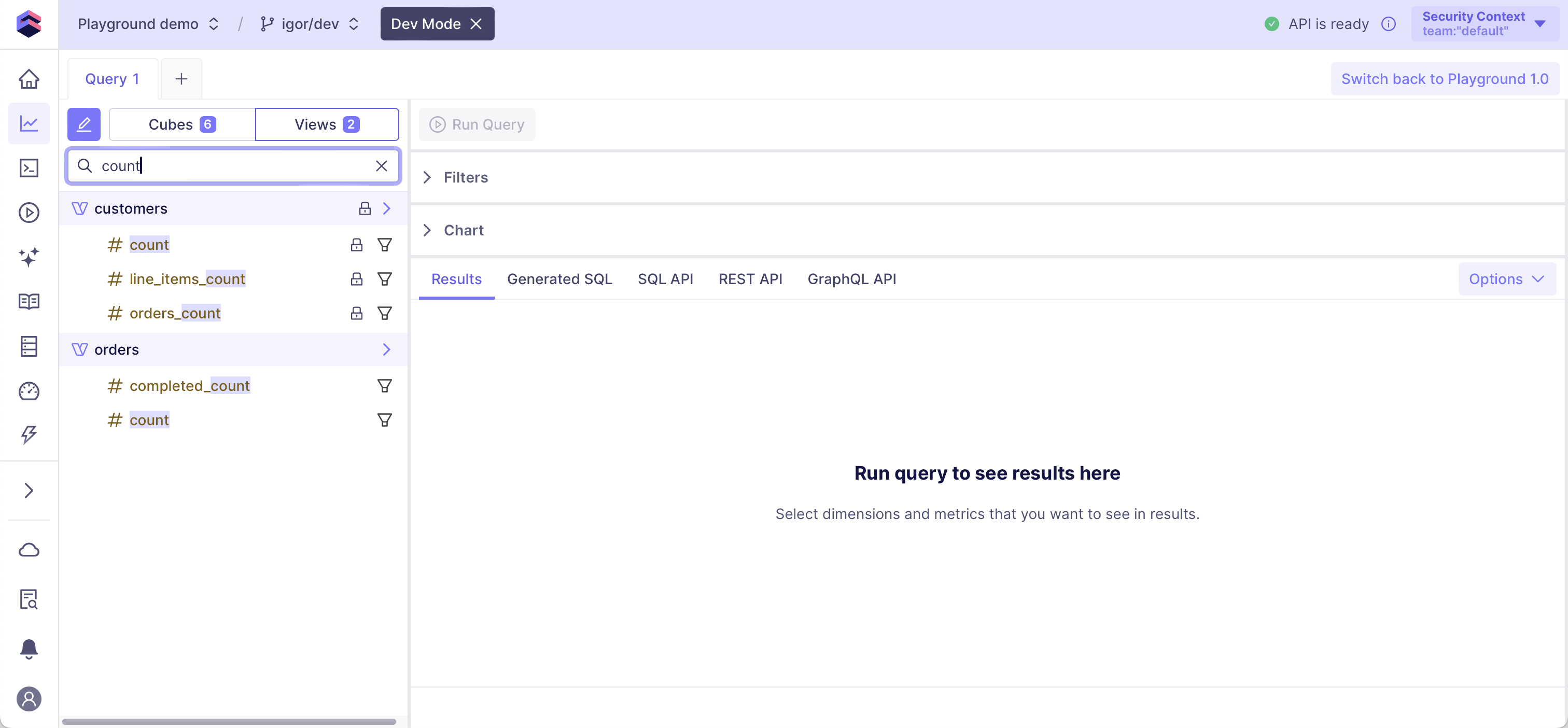
You can search for cubes, views, and their members using the search bar in the
sidebar on the left. Click on the element in the search results to add it to a new
or existing query.
## Searching the data model
You can search for cubes, views, and their members using the search bar in the
sidebar on the left. Click on the element in the search results to add it to a new
or existing query.
 ## Composing queries
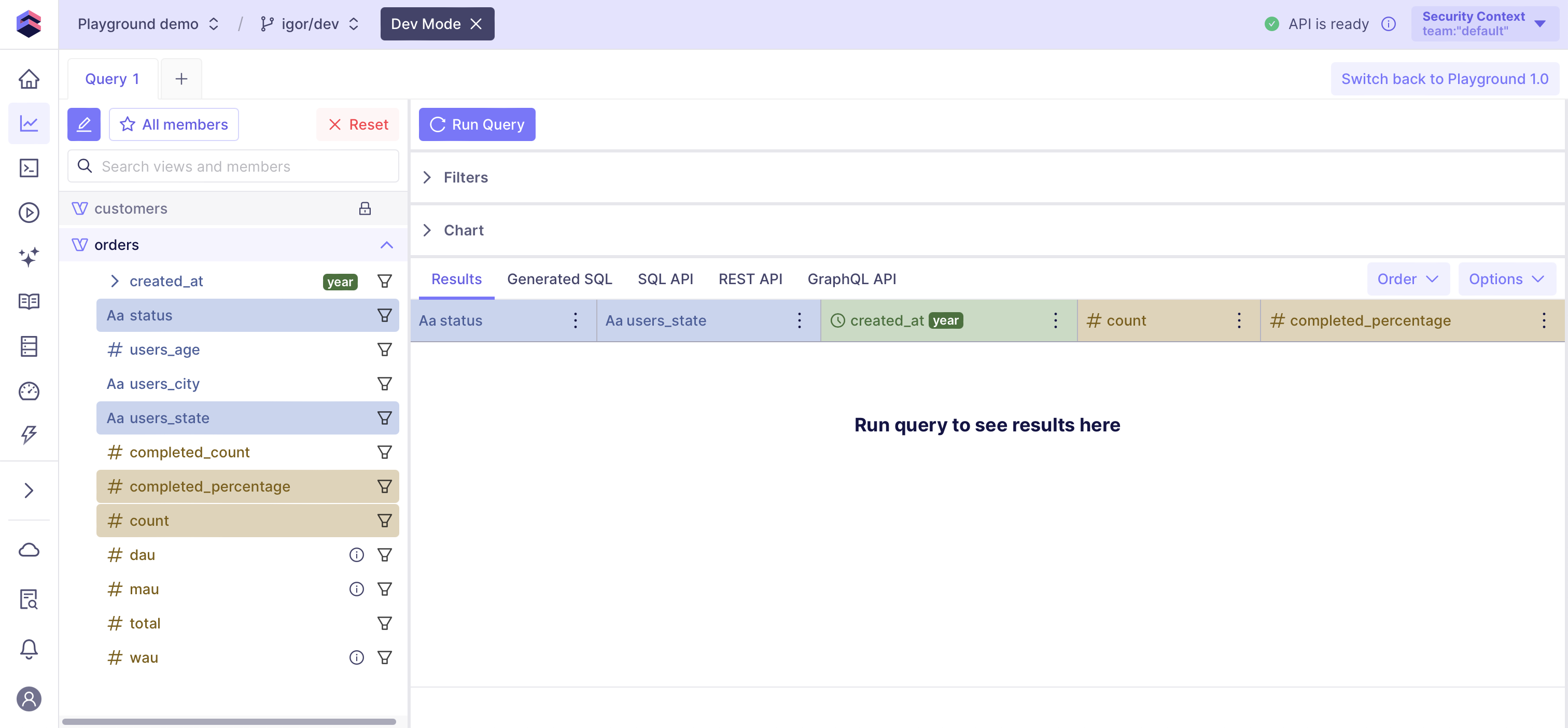
You can compose a new query by selecting desired measures, dimensions, and segments
in the sidebar on the left. Click on the *funnel* icon next to any member to add a filter
for it to the query or use the **Filters** pane to add filters, including filters
with [advanced boolean logic][ref-boolean-filters].
Click **All members** or **Used members** to show only members of the
query or all available members. Click **Reset** to remove all members from the query.
## Composing queries
You can compose a new query by selecting desired measures, dimensions, and segments
in the sidebar on the left. Click on the *funnel* icon next to any member to add a filter
for it to the query or use the **Filters** pane to add filters, including filters
with [advanced boolean logic][ref-boolean-filters].
Click **All members** or **Used members** to show only members of the
query or all available members. Click **Reset** to remove all members from the query.
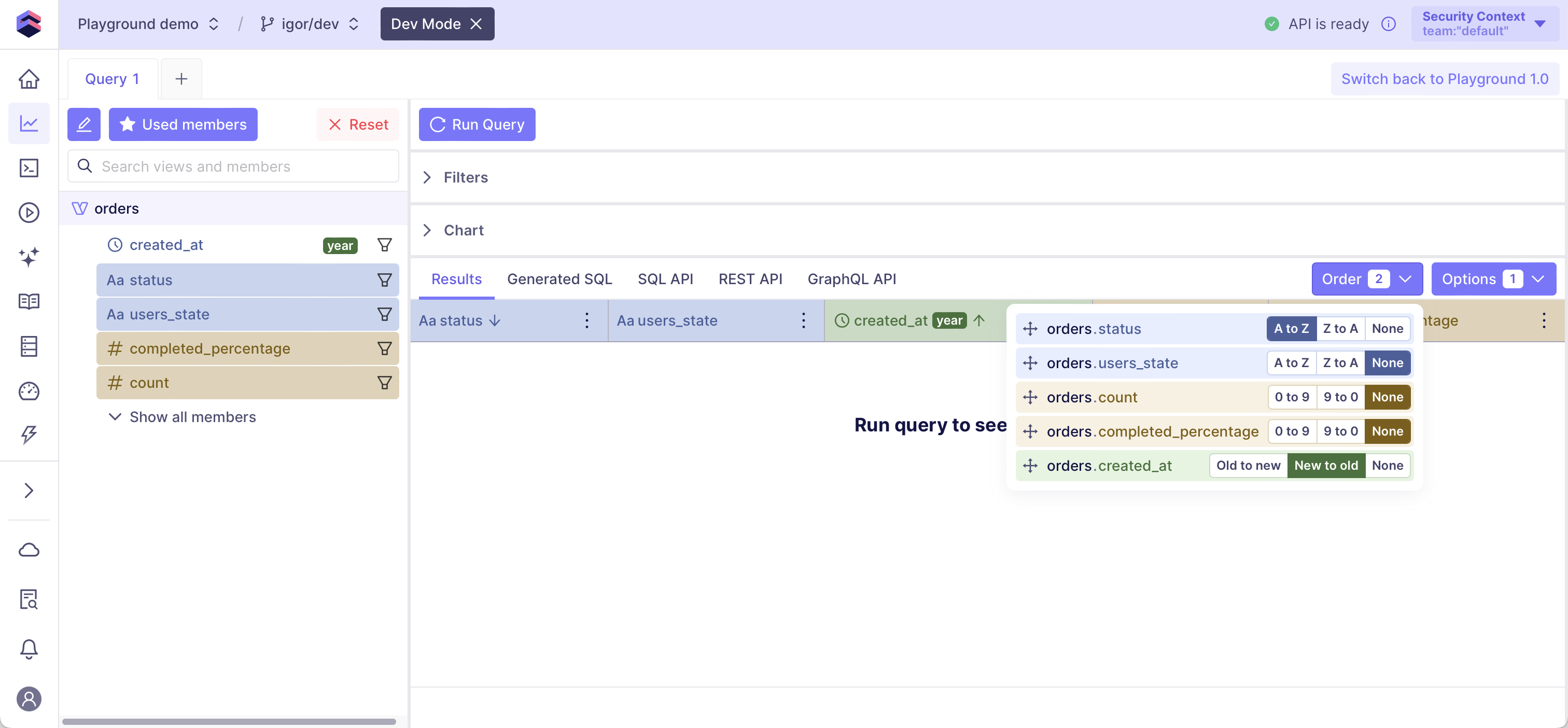
 Use the **Order** drop-down on the right to specify how the
[results](#viewing-results) shall be sorted.
Use the **Order** drop-down on the right to specify how the
[results](#viewing-results) shall be sorted.
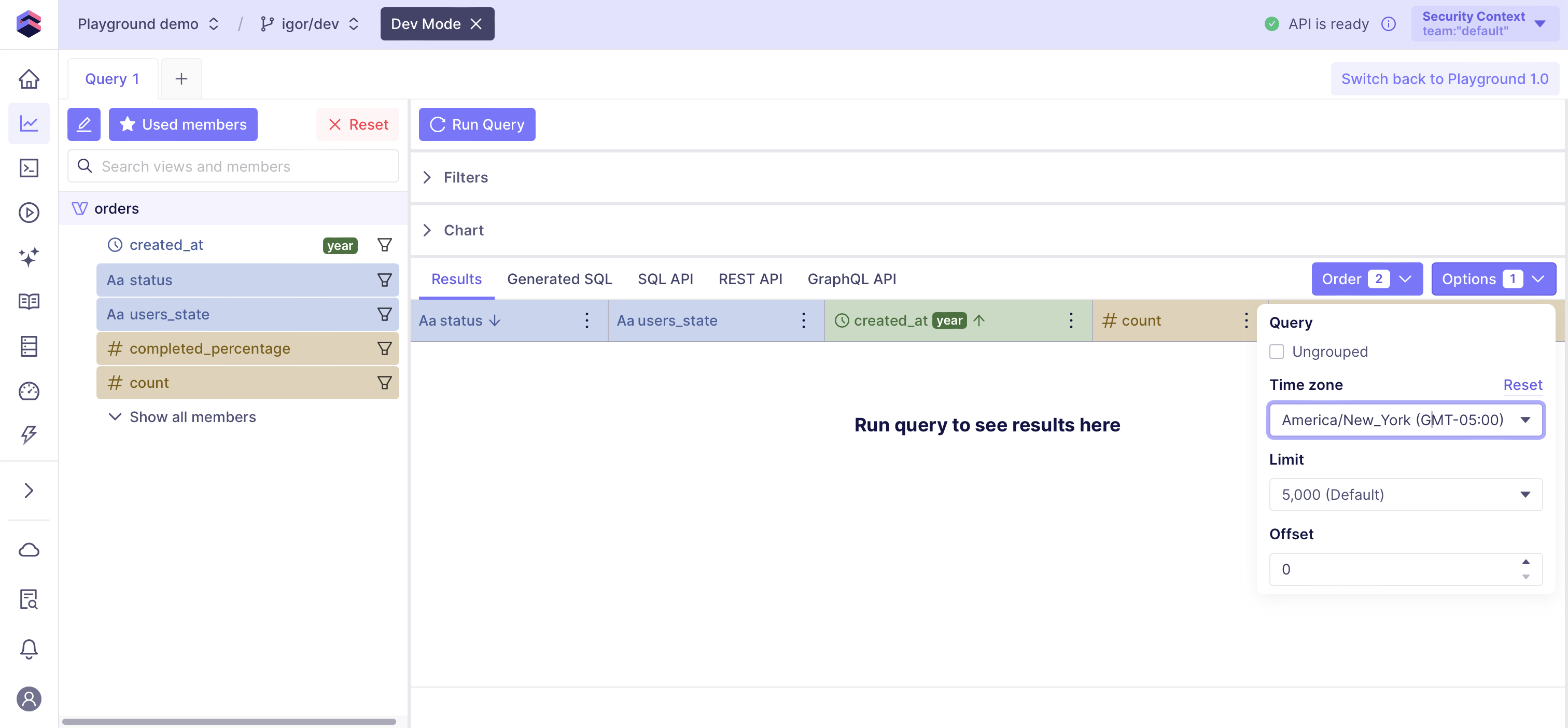
 Use the **Options** drop-down on the right to specify if the query shall be
[ungrouped][ref-ungrouped-query], to set a [time zone][ref-time-zone], or to set
a [row limit][ref-row-limit] and an offset. You can also request the count of all rows
in the result set as if there's no limit present.
Use the **Options** drop-down on the right to specify if the query shall be
[ungrouped][ref-ungrouped-query], to set a [time zone][ref-time-zone], or to set
a [row limit][ref-row-limit] and an offset. You can also request the count of all rows
in the result set as if there's no limit present.
 ### Pasting a query
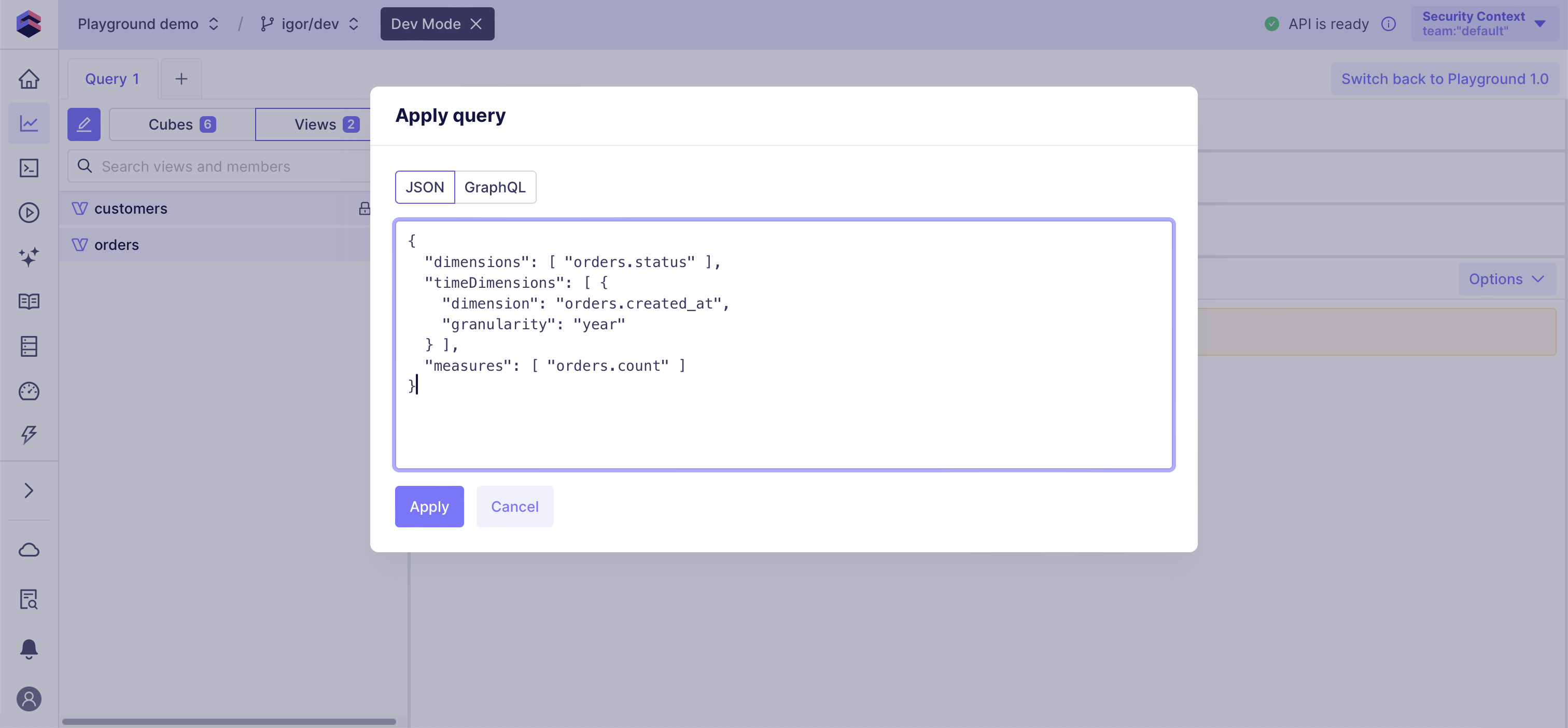
You can also compose a new query by clicking on the *pencil* button in the sidebar on the
left and pasting a [REST (JSON) API][ref-rest-api] query or a [GraphQL API][ref-graphql-api]
query from the clipboard and clicking **Apply**.
### Pasting a query
You can also compose a new query by clicking on the *pencil* button in the sidebar on the
left and pasting a [REST (JSON) API][ref-rest-api] query or a [GraphQL API][ref-graphql-api]
query from the clipboard and clicking **Apply**.
 Pasting a [SQL API][ref-sql-api] query is not supported.
### Using query tabs
You can use query tabs to keep results of previous queries while still being
able to make new queries. Previous queries are kept in the local storage in your browser
and will be restored when you open Playground once again.
You can also double-click on a query tab to give it a meaningful name.
### Saving a report
You can save a *query to a view* by clicking **Save Report** in the top right corner.
Pasting a [SQL API][ref-sql-api] query is not supported.
### Using query tabs
You can use query tabs to keep results of previous queries while still being
able to make new queries. Previous queries are kept in the local storage in your browser
and will be restored when you open Playground once again.
You can also double-click on a query tab to give it a meaningful name.
### Saving a report
You can save a *query to a view* by clicking **Save Report** in the top right corner.
 You can manage saved reports in the **[Saved Reports][ref-saved-reports]** page.
## Viewing results
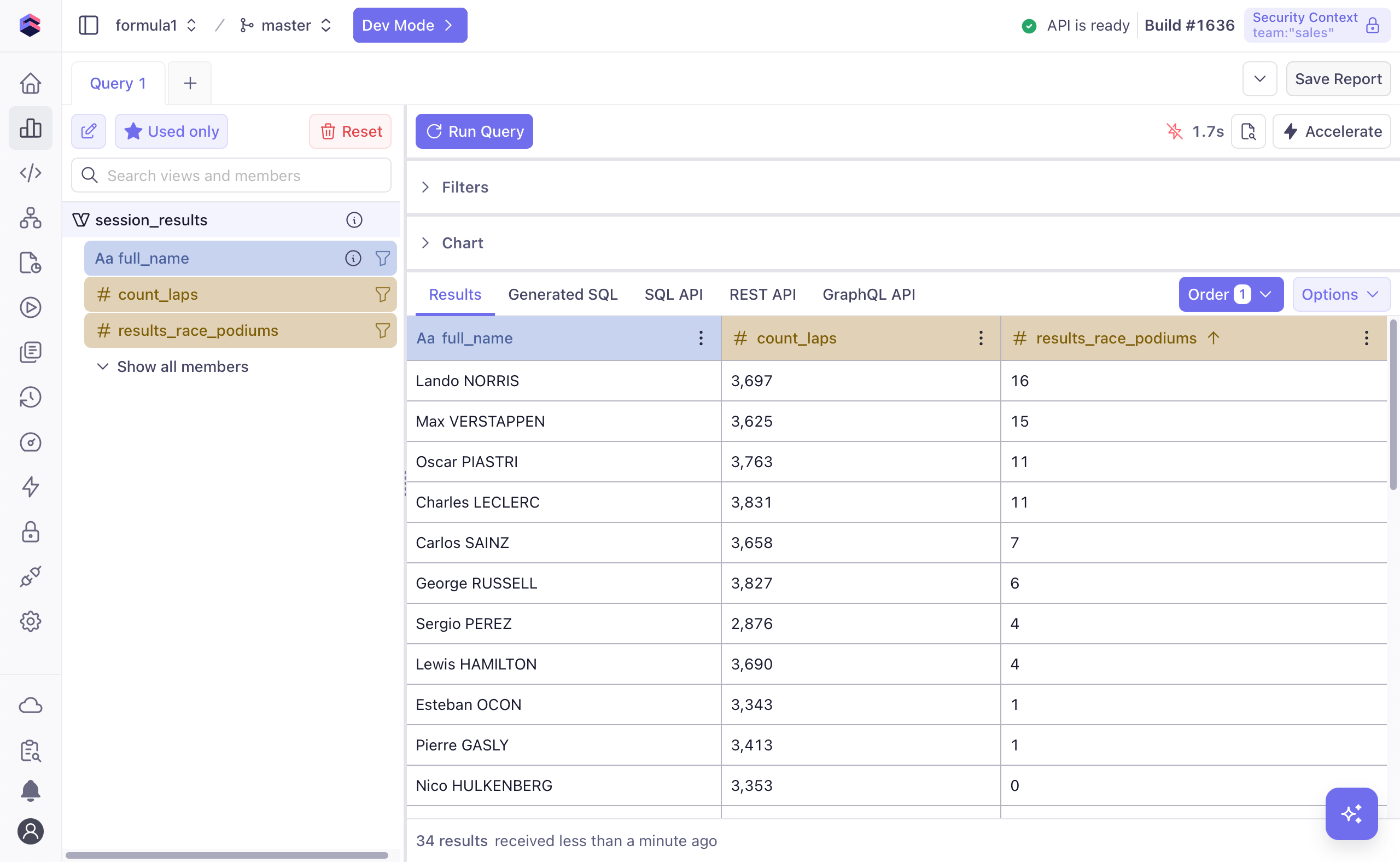
Click **Run Query** on the top to run (or re-run) the query and check the
querying time in the top right corner. Click on the querying time to create a
pre-aggregation to accelerate the query.
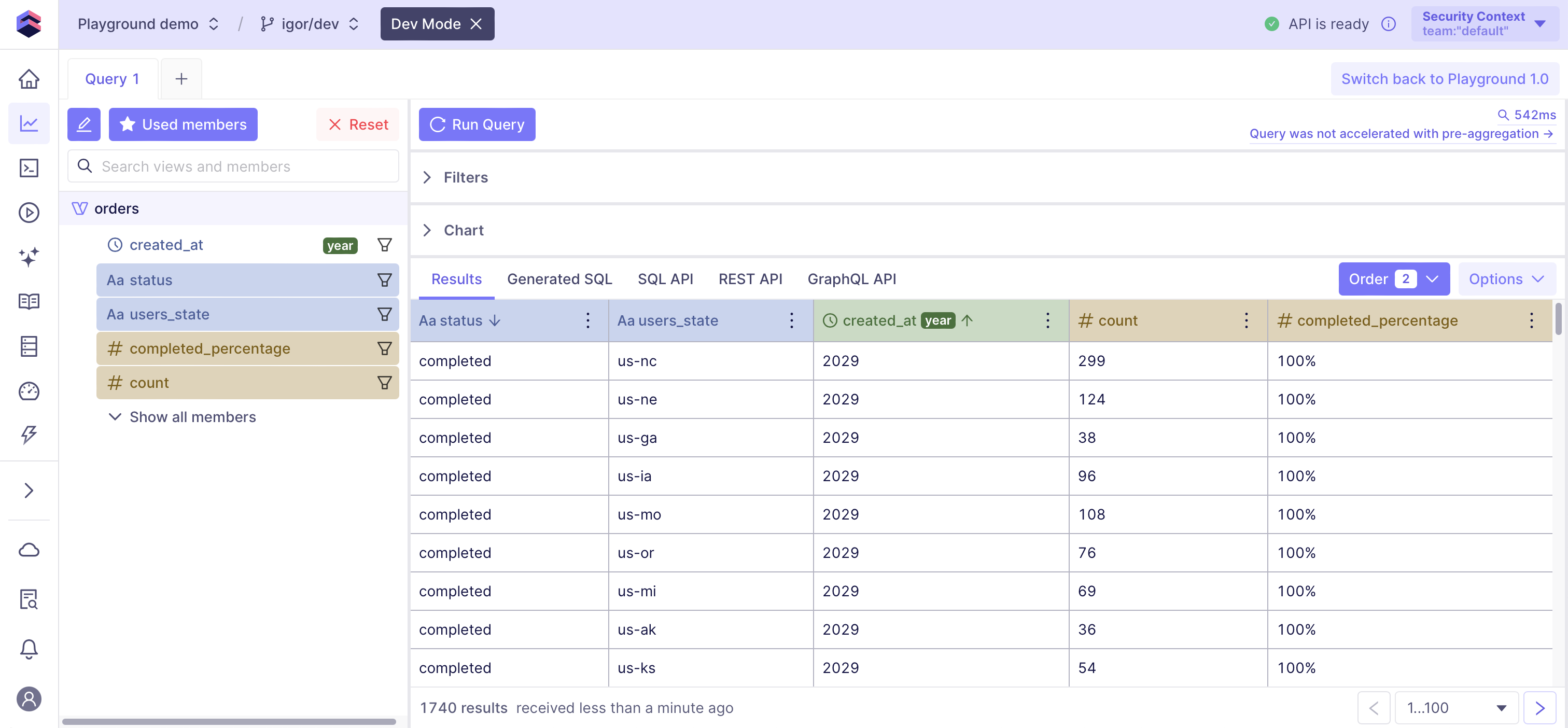
View query results on the **Results** tab. Check the number of rows in the result
set on the bottom and use the pagination control in the bottom right corner, if needed.
You can manage saved reports in the **[Saved Reports][ref-saved-reports]** page.
## Viewing results
Click **Run Query** on the top to run (or re-run) the query and check the
querying time in the top right corner. Click on the querying time to create a
pre-aggregation to accelerate the query.
View query results on the **Results** tab. Check the number of rows in the result
set on the bottom and use the pagination control in the bottom right corner, if needed.
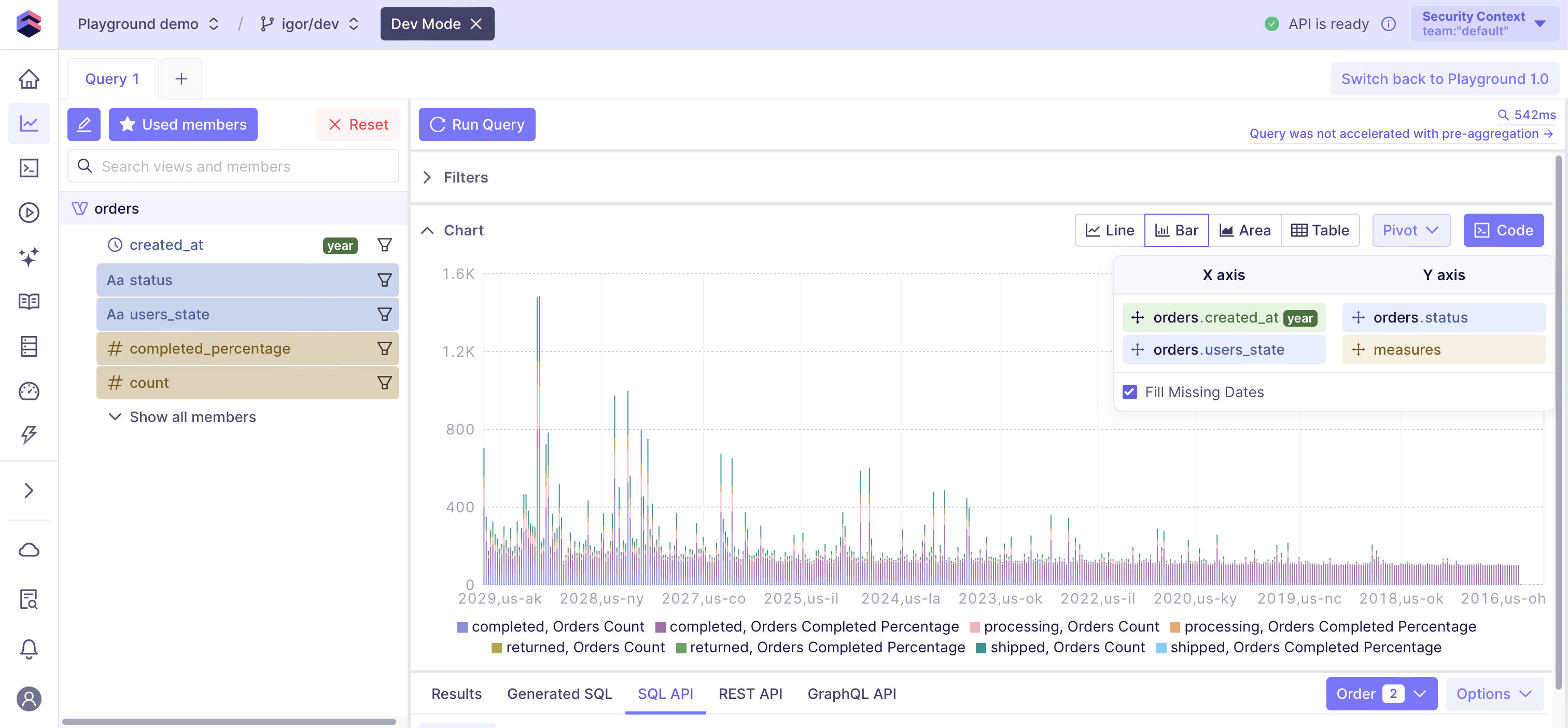
 Expand the **Chart** pane to visualize the results. Choose one of visualization
types and pivot data via the **Pivot** drop-down, if needed. Click **Code**
to generate front-end code in [Chart Prototyping][ref-chart-prototyping].
Expand the **Chart** pane to visualize the results. Choose one of visualization
types and pivot data via the **Pivot** drop-down, if needed. Click **Code**
to generate front-end code in [Chart Prototyping][ref-chart-prototyping].
 ## Viewing a generated query
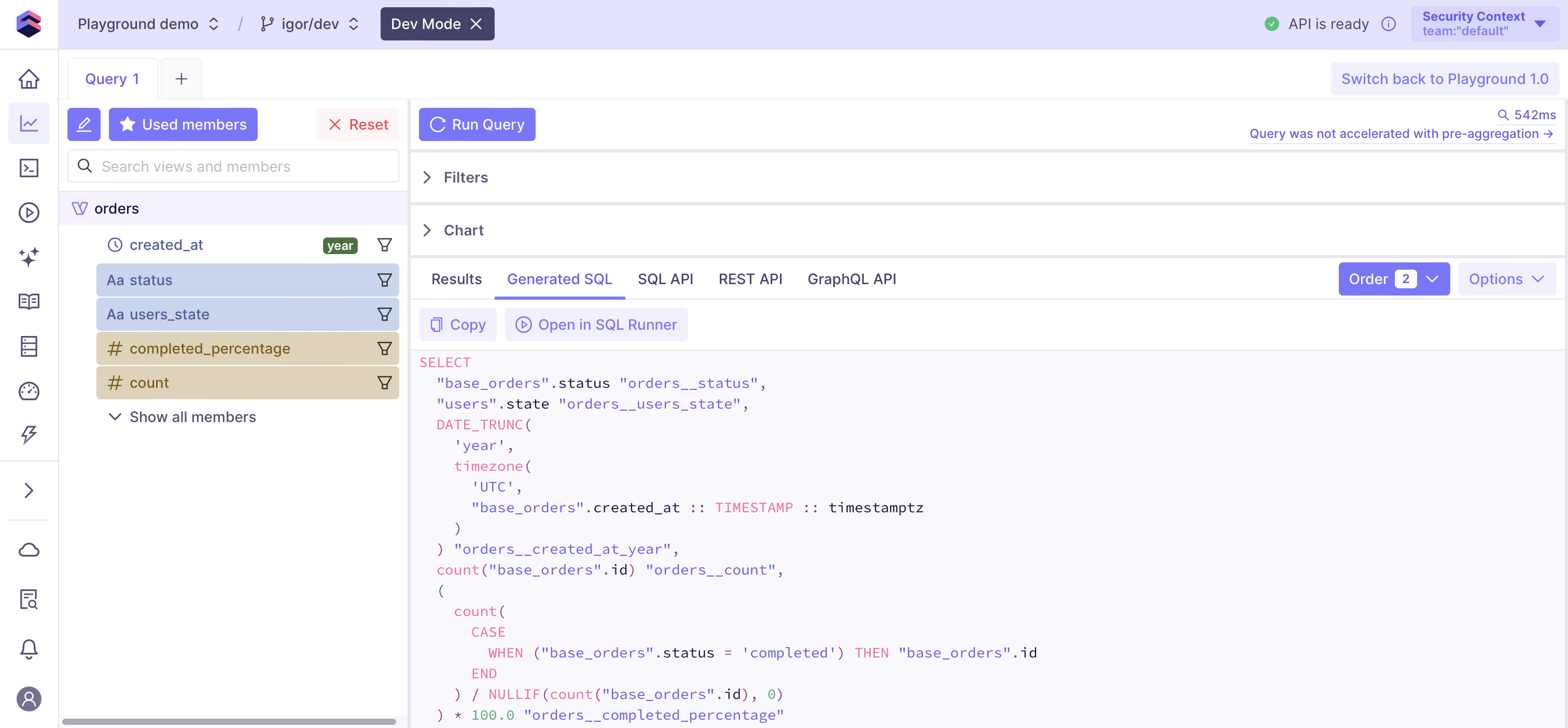
View the SQL query that Cube did (or will) run against the data source to get the results
on the **Generated SQL** tab. Click **Copy** to put it into your clipboard.
## Viewing a generated query
View the SQL query that Cube did (or will) run against the data source to get the results
on the **Generated SQL** tab. Click **Copy** to put it into your clipboard.
 Note that a generated query can contain placeholders, e.g., `?` or `$1`, for parameters
that Cube passes to an underlying data source driver later when executing the query.
## Copying API queries
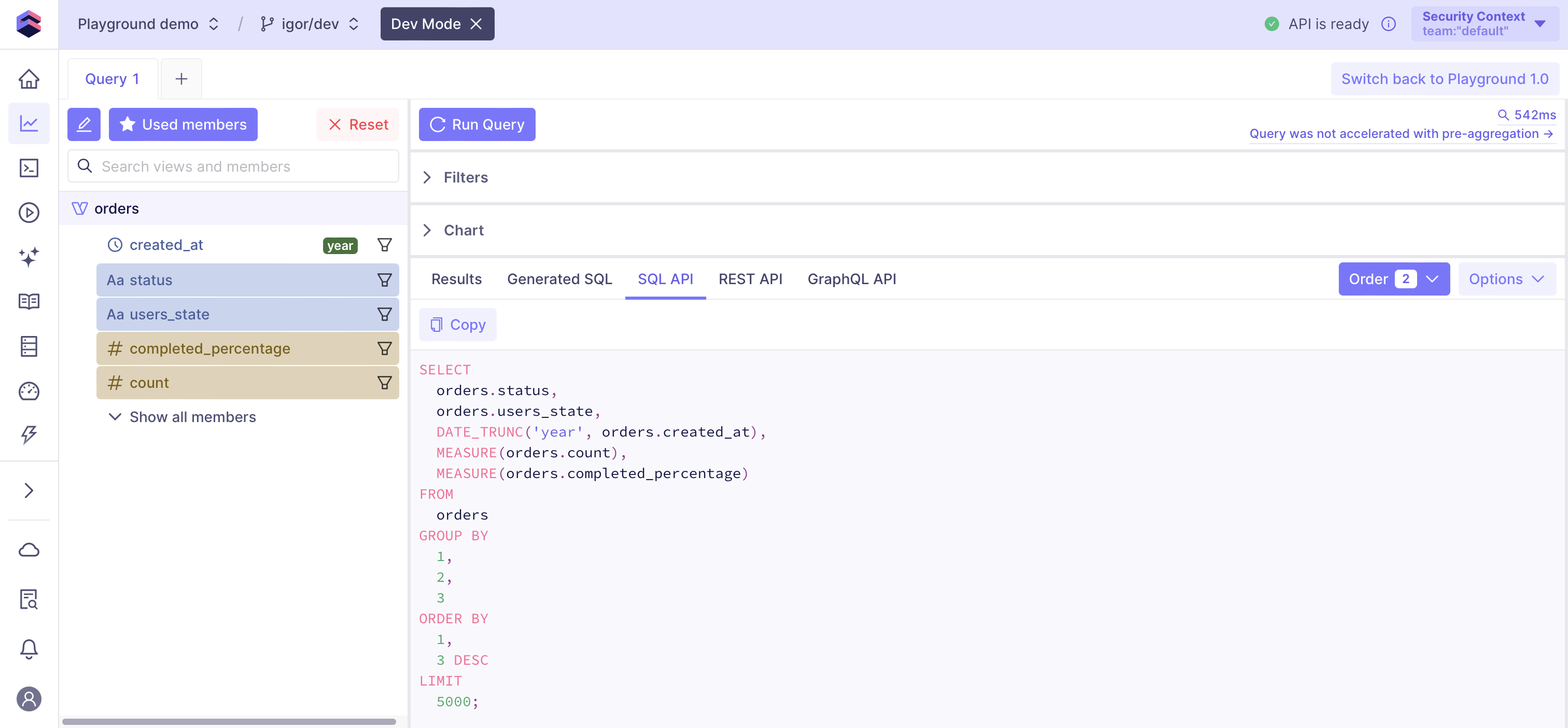
View the queries for respective data APIs on the **SQL API**, **REST (JSON) API**,
and **GraphQL API** tabs. Click **Copy** to put one of them into your clipboard.
Note that a generated query can contain placeholders, e.g., `?` or `$1`, for parameters
that Cube passes to an underlying data source driver later when executing the query.
## Copying API queries
View the queries for respective data APIs on the **SQL API**, **REST (JSON) API**,
and **GraphQL API** tabs. Click **Copy** to put one of them into your clipboard.
 [ref-dev-mode]: /docs/data-modeling/dev-mode
[ref-dataviz-tools]: /admin/connect-to-data/visualization-tools
[ref-js-sdk]: /reference/javascript-sdk
[ref-data-model]: /docs/data-modeling/data-model-ide#generating-data-model-files
[ref-multiple-data-sources]: /admin/connect-to-data/multiple-data-sources
[ref-queries]: /reference/queries
[ref-data-modeling]: /docs/data-modeling/overview
[ref-data-model-title]: /reference/data-modeling/measures#title
[ref-data-model-description]: /reference/data-modeling/measures#description
[ref-data-model-public]: /reference/data-modeling/measures#public
[ref-rest-api]: /reference/core-data-apis/rest-api
[ref-graphql-api]: /reference/core-data-apis/graphql-api
[ref-sql-api]: /reference/core-data-apis/sql-api
[ref-ungrouped-query]: /reference/core-data-apis/queries#ungrouped-query
[ref-time-zone]: /reference/core-data-apis/queries#time-zone
[ref-row-limit]: /reference/core-data-apis/queries#limit
[ref-chart-prototyping]: /embedding/vizard
[ref-boolean-filters]: /reference/core-data-apis/rest-api/query-format#boolean-logical-operators
[ref-saved-reports]: /docs/workspace/saved-reports
[ref-dev-mode]: /docs/data-modeling/dev-mode
[ref-dataviz-tools]: /admin/connect-to-data/visualization-tools
[ref-js-sdk]: /reference/javascript-sdk
[ref-data-model]: /docs/data-modeling/data-model-ide#generating-data-model-files
[ref-multiple-data-sources]: /admin/connect-to-data/multiple-data-sources
[ref-queries]: /reference/queries
[ref-data-modeling]: /docs/data-modeling/overview
[ref-data-model-title]: /reference/data-modeling/measures#title
[ref-data-model-description]: /reference/data-modeling/measures#description
[ref-data-model-public]: /reference/data-modeling/measures#public
[ref-rest-api]: /reference/core-data-apis/rest-api
[ref-graphql-api]: /reference/core-data-apis/graphql-api
[ref-sql-api]: /reference/core-data-apis/sql-api
[ref-ungrouped-query]: /reference/core-data-apis/queries#ungrouped-query
[ref-time-zone]: /reference/core-data-apis/queries#time-zone
[ref-row-limit]: /reference/core-data-apis/queries#limit
[ref-chart-prototyping]: /embedding/vizard
[ref-boolean-filters]: /reference/core-data-apis/rest-api/query-format#boolean-logical-operators
[ref-saved-reports]: /docs/workspace/saved-reports