

cube files or running test queries.
The viewer is read-only. Access policies themselves are authored in the
data model using
access_policy blocks; this page
visualizes the resolved rules so you can review and debug them.Opening the viewer
In Cube Cloud, navigate to the Model module and click Access Policies in the sub-sidebar. The viewer reflects whichever branch and build you are currently viewing, so policies you are editing in development mode appear alongside what is live in production. You need thePlaygroundRead permission to open the viewer.
List view
The list view shows one row per group declared anywhere in the data model: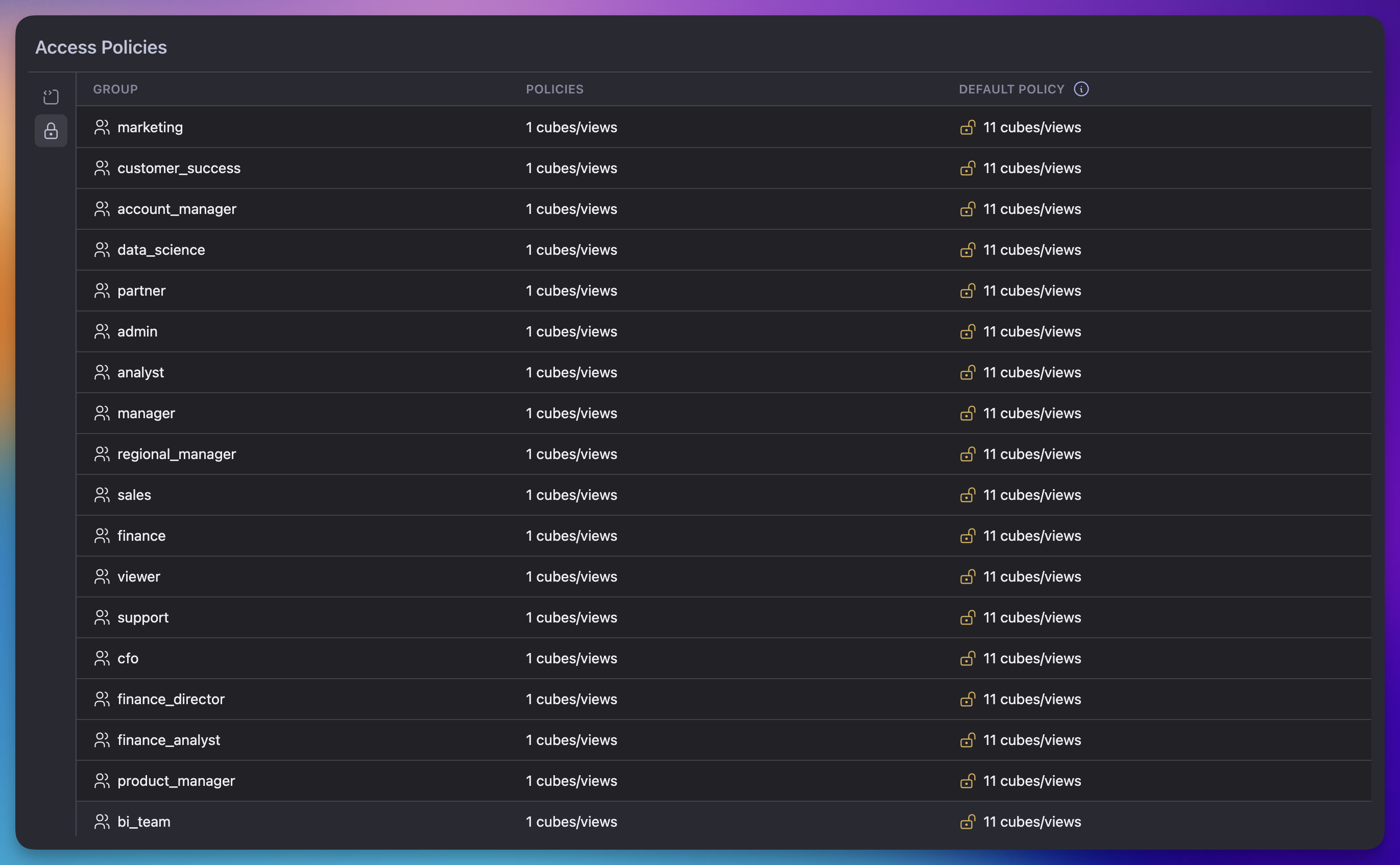
Cubes and views with no
access_policy block defined are considered fully open;
they appear under Default Policy for every group.
Click a row to drill into the per-cube breakdown for that group.
Per-policy detail view
The detail view shows one row per cube or view that the selected group can access, with the resolved policy expanded across four columns:
Member names are shortened to the last path segment for readability — for
example,
orders.user.email is shown as email.
What the viewer does not do
The viewer is intentionally scoped to inspecting policies that are already defined in the model. It does not:- Create, edit, or delete access policies. Edit
access_policyblocks in your data model and commit through your normal Git workflow. - Show which individual users belong to a given group. See User groups for membership management.
- Run preview queries against a policy. To verify behavior end-to-end, switch the security context and issue queries against your development API.