

Running a skill
There are three ways to run a skill from the chat input.1
Skill buttons
When skills are available, they appear as buttons in the chat empty state — one button
per skill, labeled with the skill’s title. Click a button to start the skill.
2
Slash menu
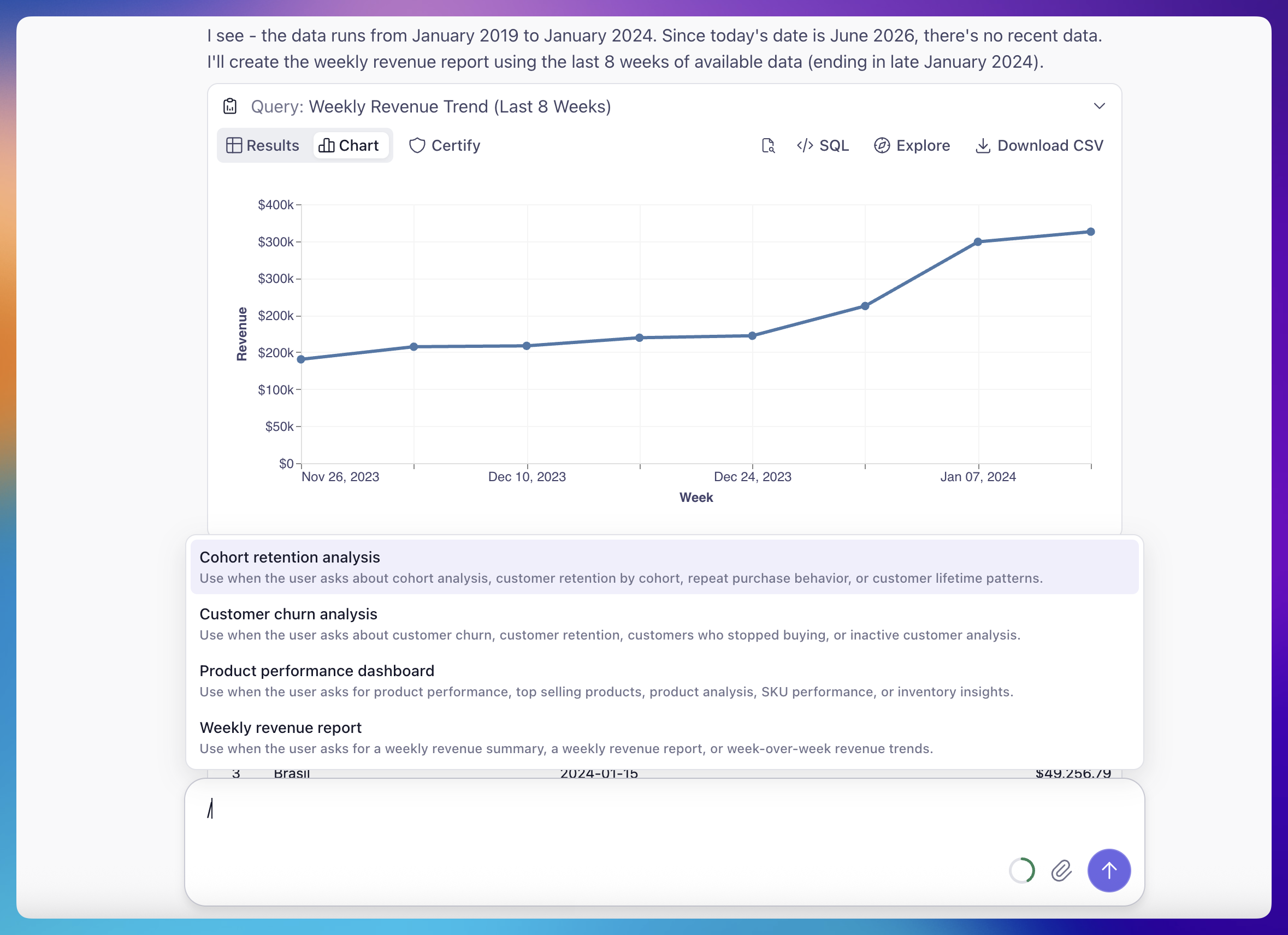
Type
/ in the chat input to open the skill menu. The menu filters as you type and is
keyboard-navigable. When skills are available, the input placeholder reads
“Type / for skills.”3
Automatic matching
You don’t always have to pick a skill explicitly. If a free-text request matches a
skill’s description, the agent recognizes the intent and runs the matching skill on
its own — asking “can I get the weekly revenue summary?” may trigger a weekly revenue
report skill.
Adding context before you run
Picking a skill — whether from a button or the/ menu — does not send the message
immediately. Instead, it inserts a styled /skill-name token into the chat input and
keeps your cursor there.
This lets you add specifics before running. Type any extra context after the token, then
send. On send, the message becomes the skill invocation plus whatever you added. For
example: