

Available on Premium and above plans.
How budgets work
Budgets are configured on a per-account basis. When a budget is triggered, its recipients receive an email notification. Budget notifications are sent immediately after being triggered. Recipients who are Cube users also get the notification in their inbox.List all budgets
To see all configured budgets in your account, click Admin in the sidebar, then go to Billing → Cost and usage and click the Budgets tab: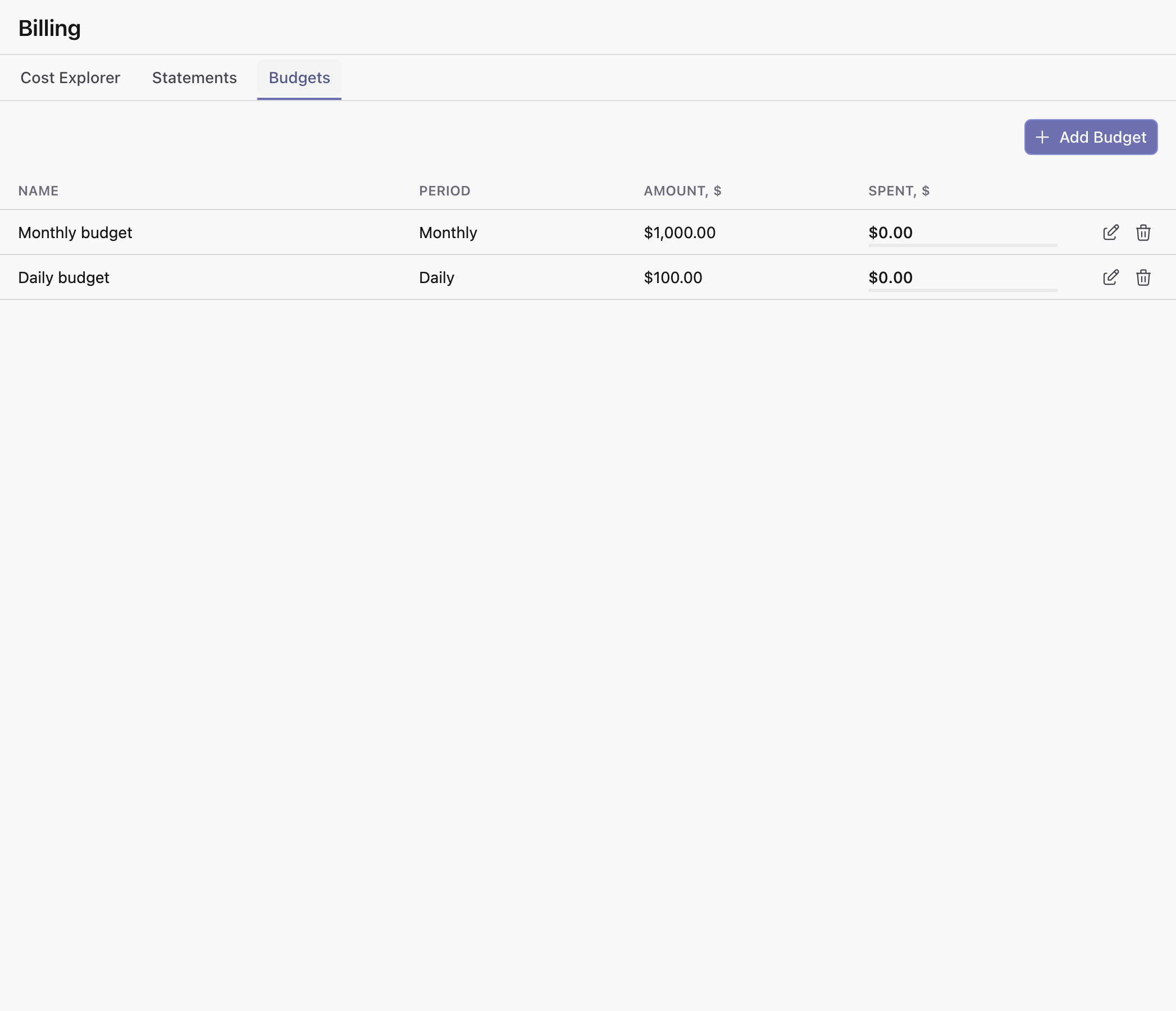
Create a budget
To create a new budget, click the Create budget button. Enter a name for the budget, then select a time period (either ‘Daily’ or ‘Monthly’) and a corresponding target amount, which is the amount of usage that will trigger a notification.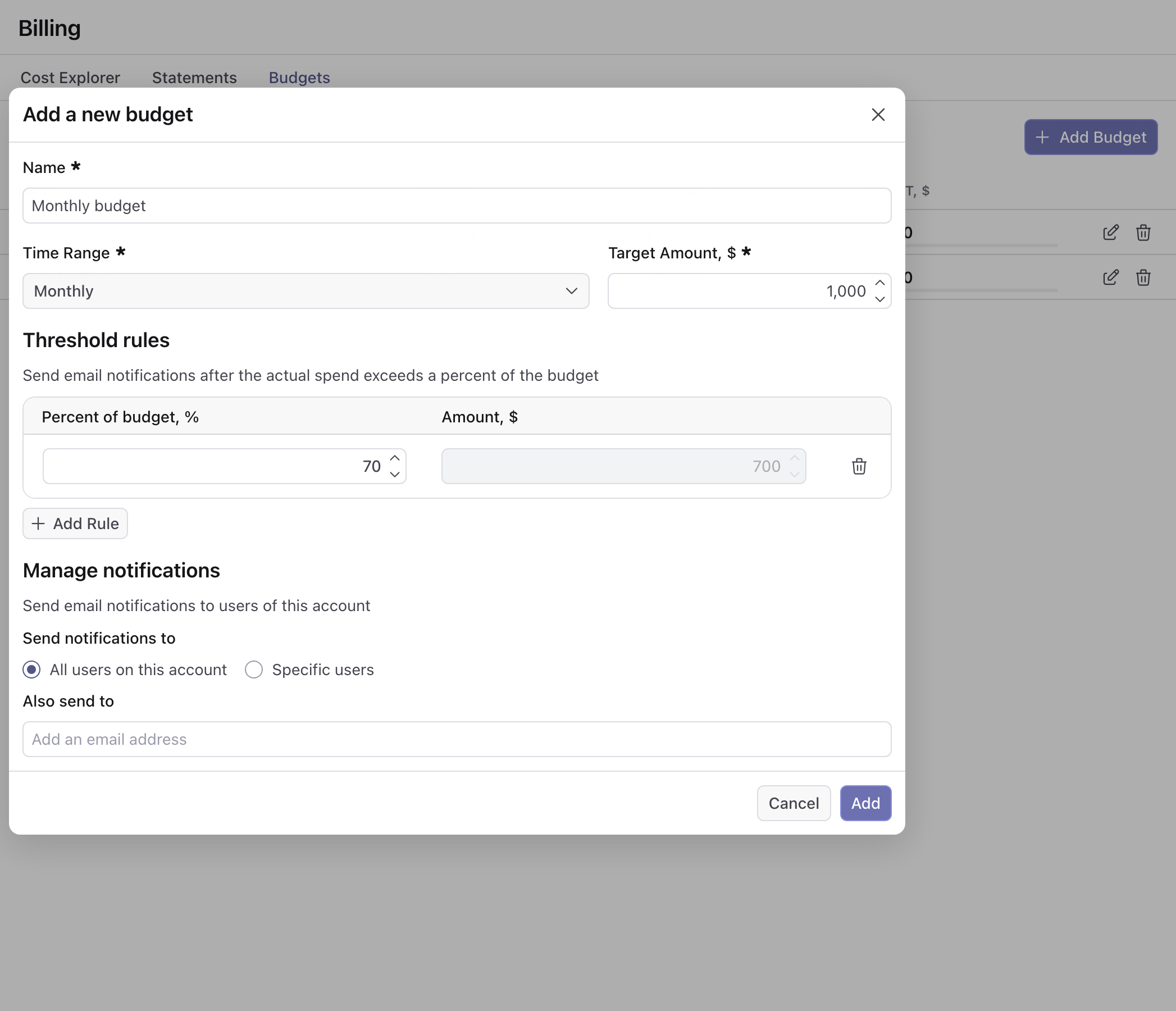
Threshold Rules
You can also configure threshold rules, which allow you to trigger notifications when usage exceeds a certain percentage of the target amount. For example, if you set a target amount of $1,000 and a threshold of 80%, you will also receive a notification when your usage exceeds $800.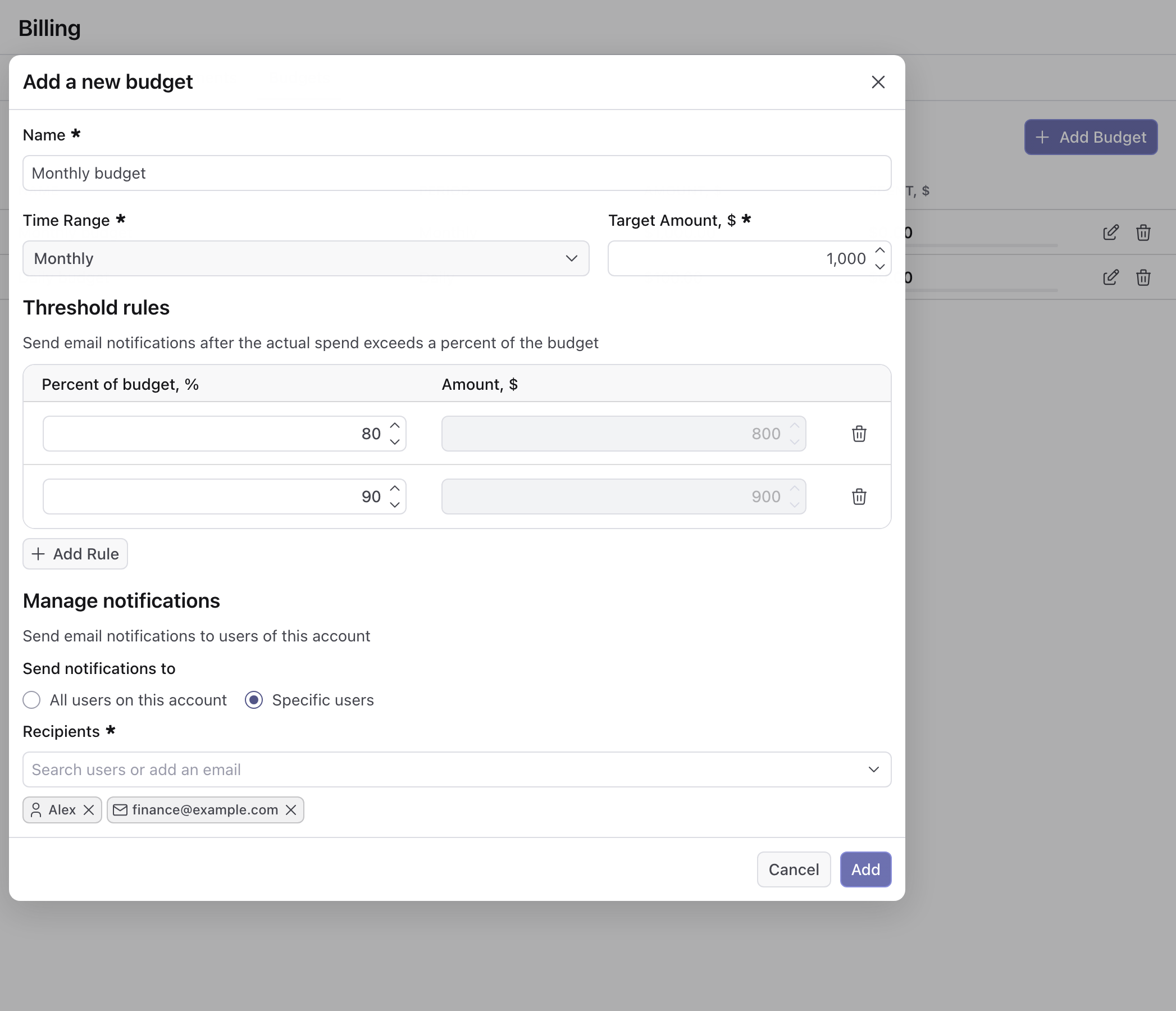
A good rule-of-thumb for accounts that pay annually is to set a monthly budget of 1/12 (~8.3%) for your first budget.
Managing Notifications
Under Send notifications to, pick who receives the budget notifications:- All users on this account — the default. Every user receives them. Use the Also send to field to add email addresses of people outside the account.
- Specific users — use the Recipients field to search for users on the account, or type any email address. Add at least one recipient, a user or an address.
All users on this account only reaches users who have signed in at least once. Users
who were invited but never signed in do not receive budget notifications.