Documentation Index
Fetch the complete documentation index at: https://docs.cube.dev/llms.txt
Use this file to discover all available pages before exploring further.
This feature is in beta. Reach out to your account manager to have it
enabled for your Cube Cloud deployment.
Use case
You want each user’s queries to run under their own database identity
using OAuth tokens managed by Cube Cloud. When a user’s token is
unavailable or expired, Cube falls back to a service account so that
connectivity checks and background operations still work.
This pattern applies to any data source that supports OAuth, including
Databricks and Snowflake. The
examples below use Databricks; switch the userCredentials key and
driver options for any other OAuth-capable data source.
Because every user connects with different credentials, you also need
per-user query orchestrator state. Without this, one user’s cached
connection could leak to another.
Prerequisites
- A Cube Cloud deployment connected to an
OAuth-capable data source
- OAuth configured in your data source so that Cube Cloud can
obtain per-user tokens (via the User Credentials feature)
- A service account credential (token or password) stored as an
environment variable for fallback connectivity
The service account credential is used only as a fallback for Cube’s
internal liveness checks and background operations. Grant it the minimum
permissions necessary — ideally read-only access to the required schemas —
to limit exposure if the credential is compromised.
Set up the OAuth app
Before configuring Cube to use per-user OAuth, register your data
source as an OAuth app in Cube Cloud:
Open the OAuth apps settings
In Cube Cloud, go to Admin → Integrations → OAuth apps and click
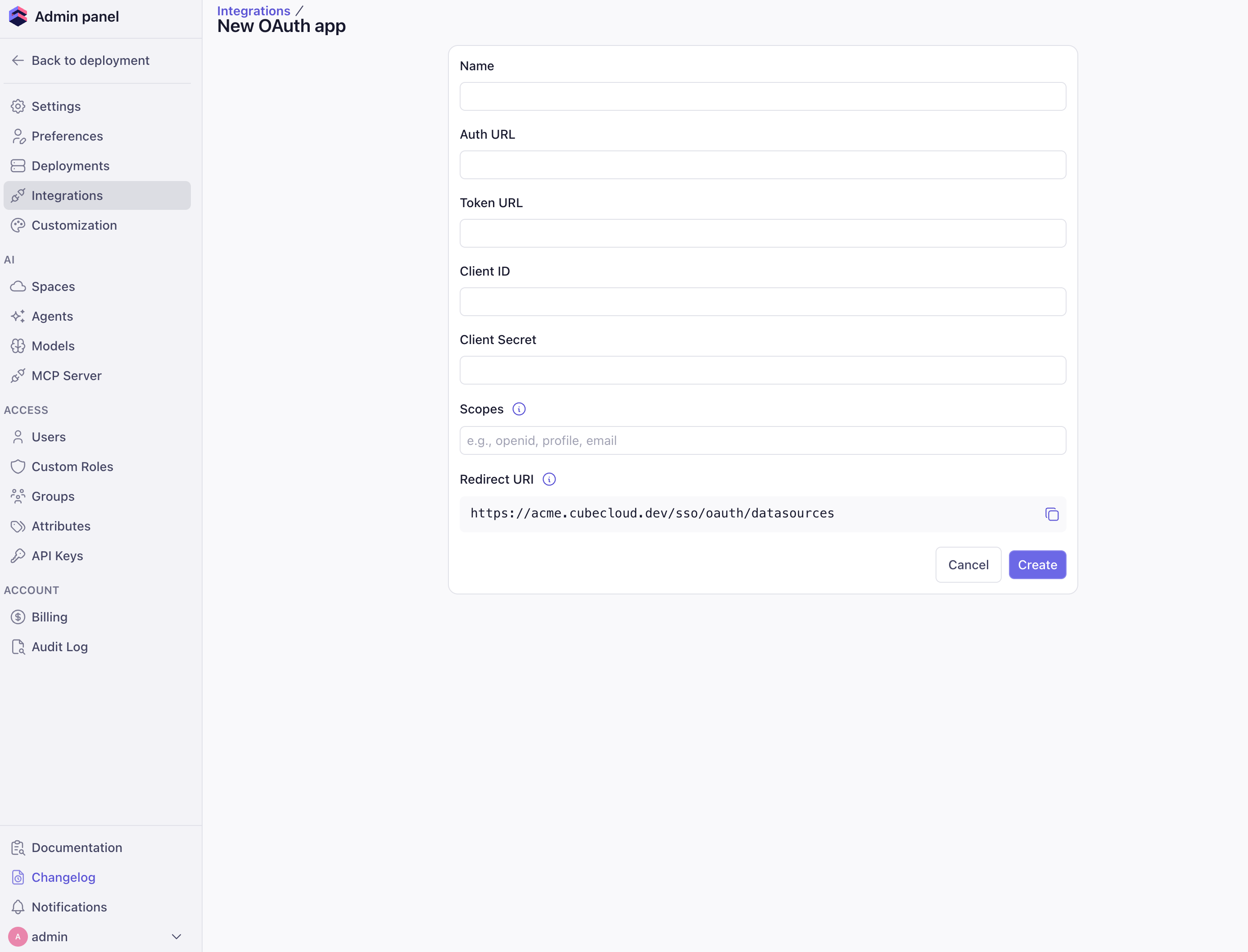
Add. Fill out the OAuth app details
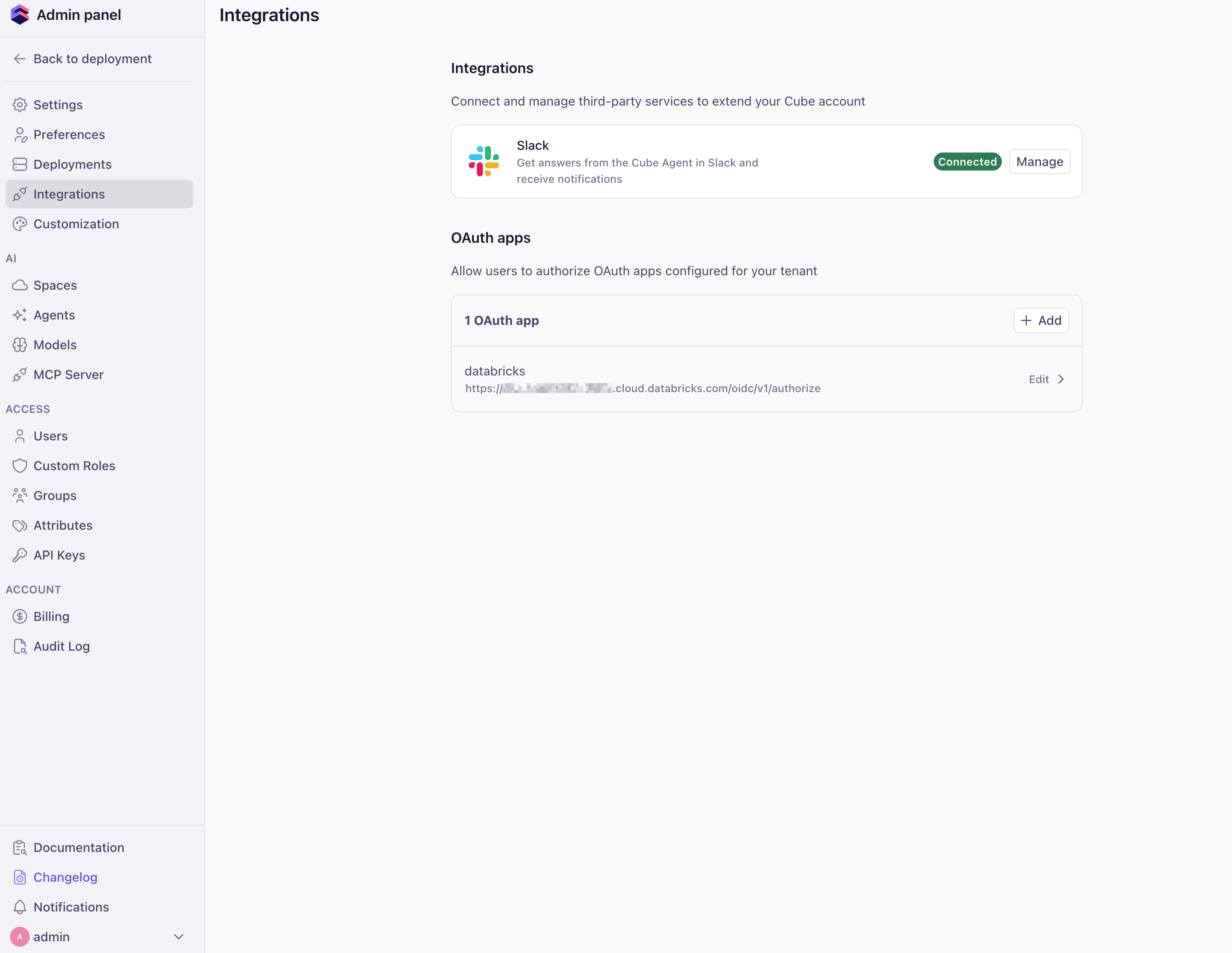
Provide the OAuth app metadata from your data source: Name,
Auth URL, Token URL, Client ID, Client Secret, and any
required Scopes. Copy the Redirect URI shown in this form and
register it with your data source’s OAuth provider, then click
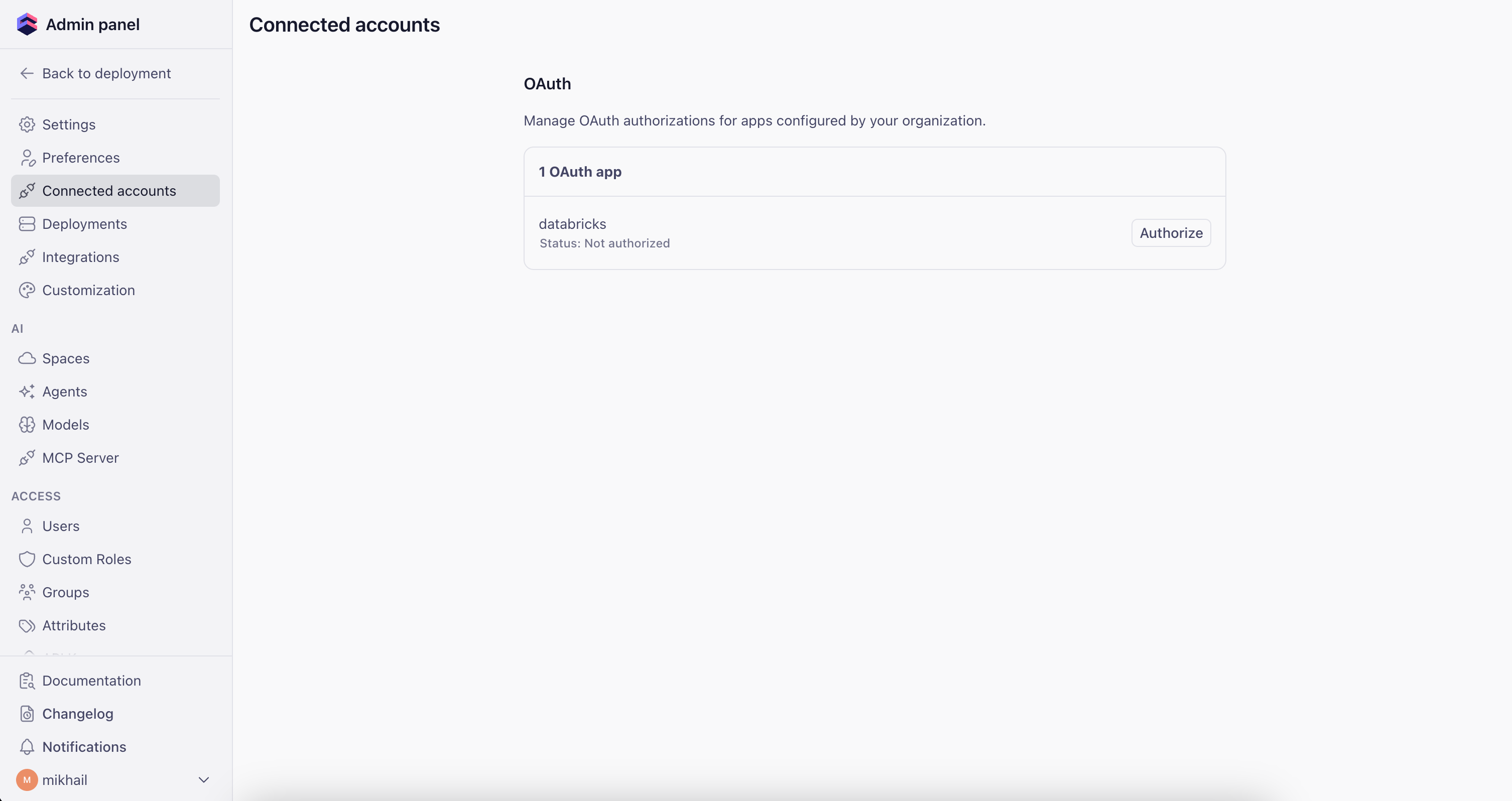
Create. Authorize the app
Open the user menu and go to Connected apps. Find your OAuth app
and click Authorize to generate an access token.You’ll need to repeat this step whenever the token expires.
Configuration
The configuration uses two options from the
configuration file reference:
driver_factory — dynamically selects the
authentication credential per request
context_to_orchestrator_id — gives
each user their own query orchestrator instance (database connections,
execution queues, pre-aggregation table caches)
Environment variables
Set the environment variables for your data source. The examples below
show Databricks and Snowflake; adapt them to your specific setup.
CUBEJS_DB_TYPE=databricks-jdbc
CUBEJS_DB_DATABRICKS_URL=jdbc:databricks://dbc-XXXXXXX-XXXX.cloud.databricks.com:443/default;transportMode=http;ssl=1;httpPath=sql/protocolv1/o/XXXXX/XXXXX;AuthMech=3;UID=token
CUBEJS_DB_DATABRICKS_TOKEN=dapi_service_account_token
CUBEJS_DB_DATABRICKS_ACCEPT_POLICY=true
# Optional: specify a catalog
CUBEJS_DB_DATABRICKS_CATALOG=my_catalog
CUBEJS_DB_TYPE=snowflake
CUBEJS_DB_SNOWFLAKE_ACCOUNT=XXXXXXXXX.us-east-1
CUBEJS_DB_SNOWFLAKE_WAREHOUSE=MY_SNOWFLAKE_WAREHOUSE
CUBEJS_DB_NAME=my_snowflake_database
CUBEJS_DB_USER=service_account_user
CUBEJS_DB_PASS=service_account_password
CUBEJS_DB_SNOWFLAKE_ROLE=MY_ROLE
Configuration file
The examples below use Databricks. To target a different data source,
swap userCredentials.databricks for the matching key (for example,
userCredentials.snowflake) and update the driver_factory return
value with the correct type and driver-specific options. See the
data sources reference for available drivers.
from cube import config
import os
@config("driver_factory")
def driver_factory(ctx: dict) -> dict:
# Extract the Cube Cloud security context, which contains
# per-user OAuth credentials when available.
# For other data sources, swap "databricks" for "snowflake", etc.
databricks_creds = (
ctx
.get("securityContext", {})
.get("cubeCloud", {})
.get("userCredentials", {})
.get("databricks", {})
)
# Only use the OAuth token when the credential status is "active".
# An expired or revoked token falls back to the service account.
oauth_token = (
databricks_creds.get("accessToken")
if databricks_creds.get("status") == "active"
else None
)
return {
"type": "databricks-jdbc",
"url": os.environ["CUBEJS_DB_DATABRICKS_URL"],
# Prefer the user's OAuth token; fall back to the service account token
"token": oauth_token or os.environ["CUBEJS_DB_DATABRICKS_TOKEN"],
"acceptPolicy": True,
"catalog": os.environ.get("CUBEJS_DB_DATABRICKS_CATALOG"),
}
@config("context_to_orchestrator_id")
def context_to_orchestrator_id(ctx: dict) -> str:
# Give each user a separate orchestrator instance (DB connections,
# execution queues, pre-aggregation caches)
username = (
ctx
.get("securityContext", {})
.get("cubeCloud", {})
.get("username", "default")
)
return f"CUBE_APP_{username}"
module.exports = {
driverFactory: ({ securityContext }) => {
// Extract the Cube Cloud security context, which contains
// per-user OAuth credentials when available.
// For other data sources, swap `databricks` for `snowflake`, etc.
const databricksCreds =
securityContext?.cubeCloud?.userCredentials?.databricks ?? {};
// Only use the OAuth token when the credential status is "active".
// An expired or revoked token falls back to the service account.
const oauthToken =
databricksCreds.status === "active"
? databricksCreds.accessToken
: null;
return {
type: "databricks-jdbc",
url: process.env.CUBEJS_DB_DATABRICKS_URL,
// Prefer the user's OAuth token; fall back to the service account token
token: oauthToken || process.env.CUBEJS_DB_DATABRICKS_TOKEN,
acceptPolicy: true,
catalog: process.env.CUBEJS_DB_DATABRICKS_CATALOG,
};
},
// Give each user a separate orchestrator instance (DB connections,
// execution queues, pre-aggregation caches)
contextToOrchestratorId: ({ securityContext }) => {
const username = securityContext?.cubeCloud?.username ?? "default";
return `CUBE_APP_${username}`;
},
};
How it works
-
User makes a request — Cube Cloud attaches the user’s OAuth
credentials to
securityContext.cubeCloud.userCredentials.<data_source>
(for example, .databricks or .snowflake).
-
driver_factory resolves the credential — If the credential status
is active, the user’s OAuth token is used. Otherwise, Cube falls back
to the service account credential stored in environment variables.
-
Per-user orchestrator —
context_to_orchestrator_id returns
a unique key per username, so each user gets their own database
connection pool, execution queues, and pre-aggregation table cache.
Without this, Cube would share a single cached connection across all
users, causing one user’s credentials to be reused for another user’s
queries.