

LangChain
LangChain is a framework designed to simplify the creation of applications using large language models.
LangChain is a framework designed to simplify the creation of
applications using large language models.
To get started with LangChain, follow the instructions.
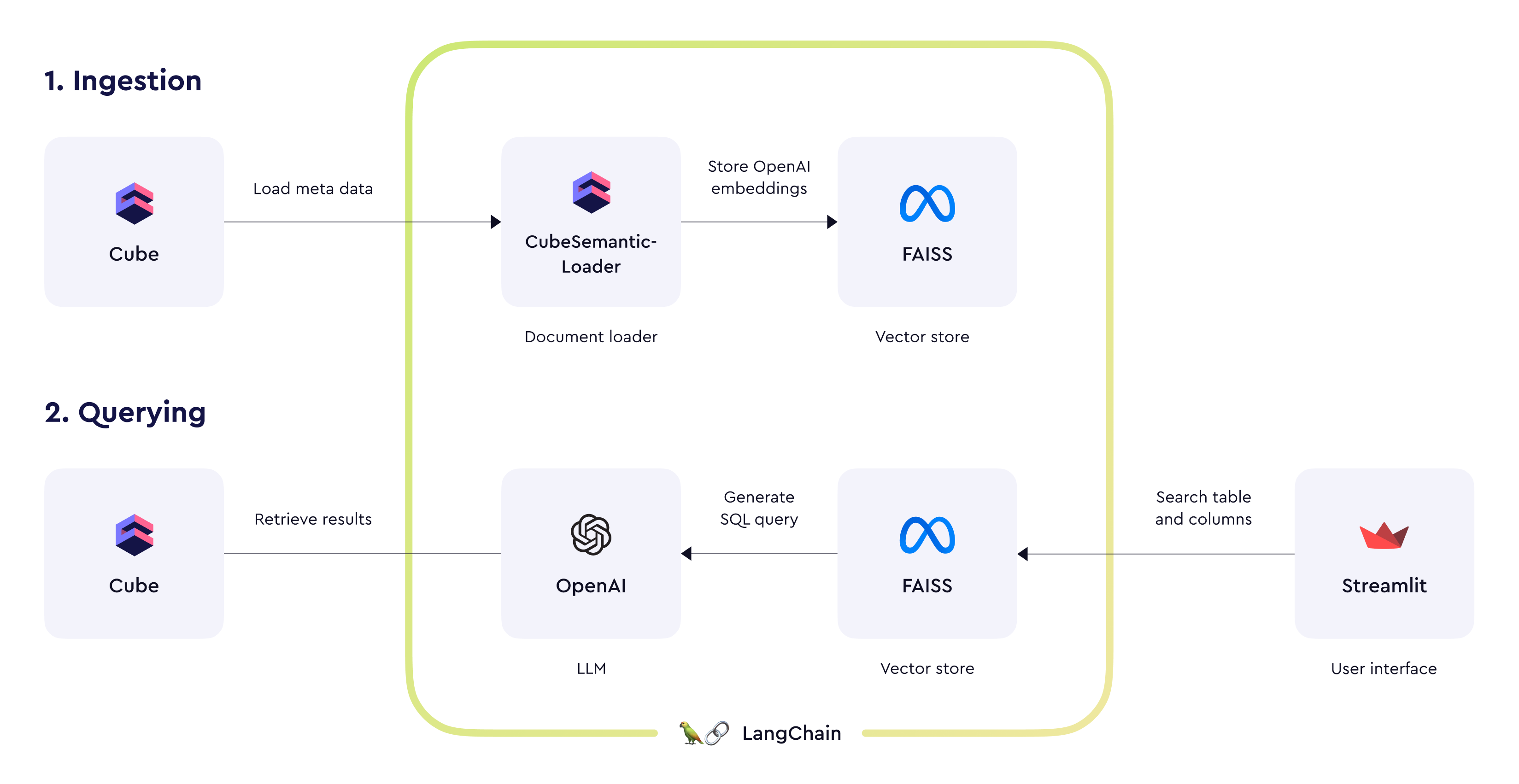 We’re also providing an chat-based demo application (see source code on GitHub) with example OpenAI prompts for constructing queries to Cube’s SQL API. If you wish to create an AI-powered conversational interface for the semantic layer, these prompts can be a good starting point.